Chapter 15. Diagnostics
Vol. IV-15-2 Alcatel-Lucent
System Summary
The System Summary screen is the CT opening screen. It provides a real time
overview of system status for the 9500 MXC Node or Terminal, and for a Node
the tools to set the system layout.
See System Summary Navigation on page 15-3.
See System Layout Configuration: Node on page 15-6.
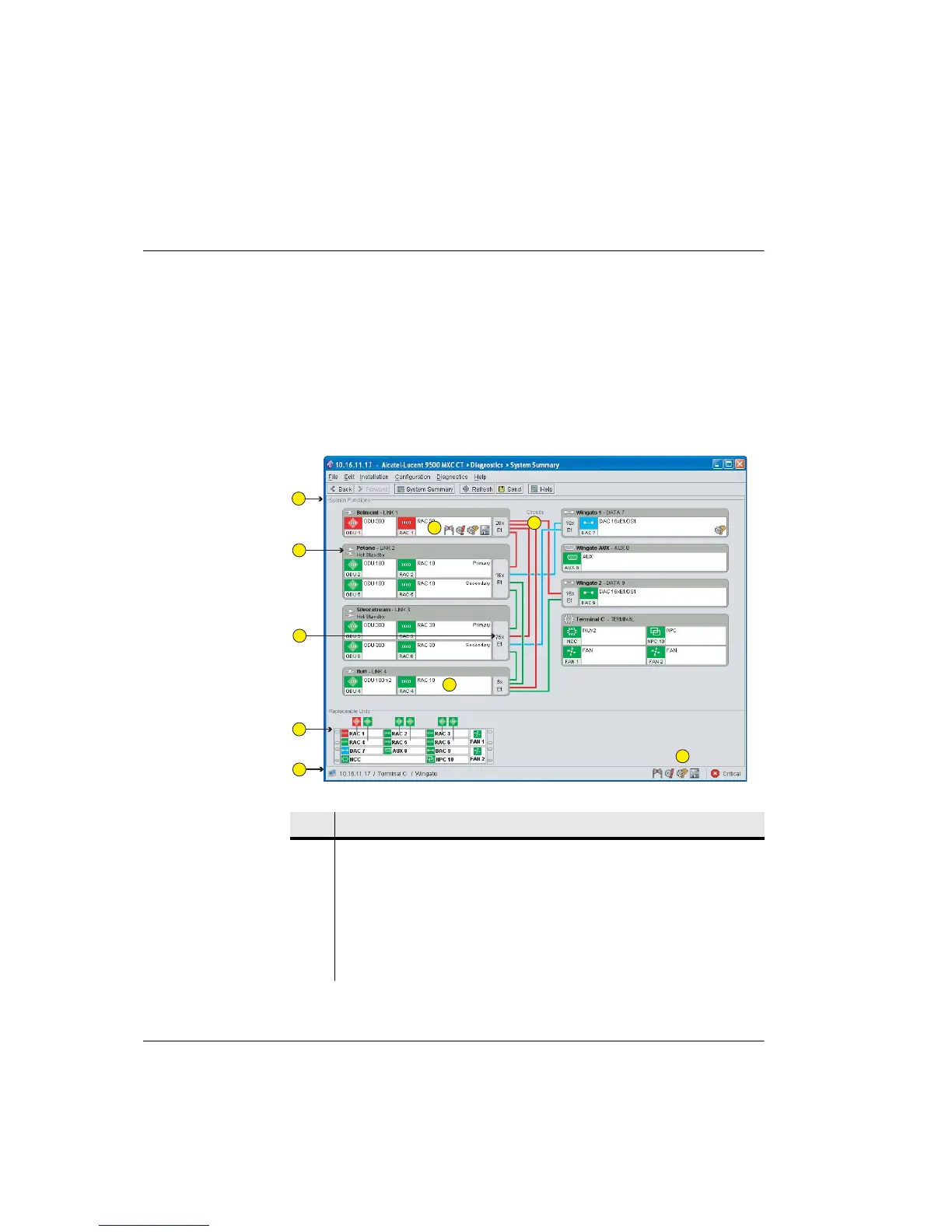
Figure 15-1 shows an example screen for a 9500 MXC Node.
Figure 15-1. Example System Summary Screen for a 9500 MXC Node
Item Description
1 The System Functions window illustrates the plug-in type, function, location,
and status.
2 Protected RACs and DACs are shown as a combined function.
3 Links show configured capacity.
4 9500 MXC problem icons assist identification of alarm situations. Mouse over
the problem icon for a description of the problem.
1
2
3
4
5
6
7
8
9



 To Next Page