9500 MXC User Manual
3DB 23063 ADAA - Rev 004 July 2007 Vol. III-2-5
Setting the Polarization
The polarization of the transmitted signal, horizontal or vertical, is determined by
the antenna. The polarization of the ODU is set to match its antenna
• Direct-Mounted ODUs: For direct-mounted ODUs, antenna polarization is set
using a polarization rotator fitted within the ODU mounting collar.
The rotator is an integral part of the antenna mount. Vertical polarization is the
default setting.
The V and H settings are indicated on the rotator head.
• Remote-Mounted ODUs are used where standard antennas are used (antennas
are not fitted with the 9500 MXC mounting collar), or where dual-polarized
antennas are installed for CCDP XPIC operation.
Antenna installation for V or H polarization is normally determined by the
orientation of the waveguide port / slot.
To remote mount an ODU, refer to Remote-Mounted ODUs on page 2-10.
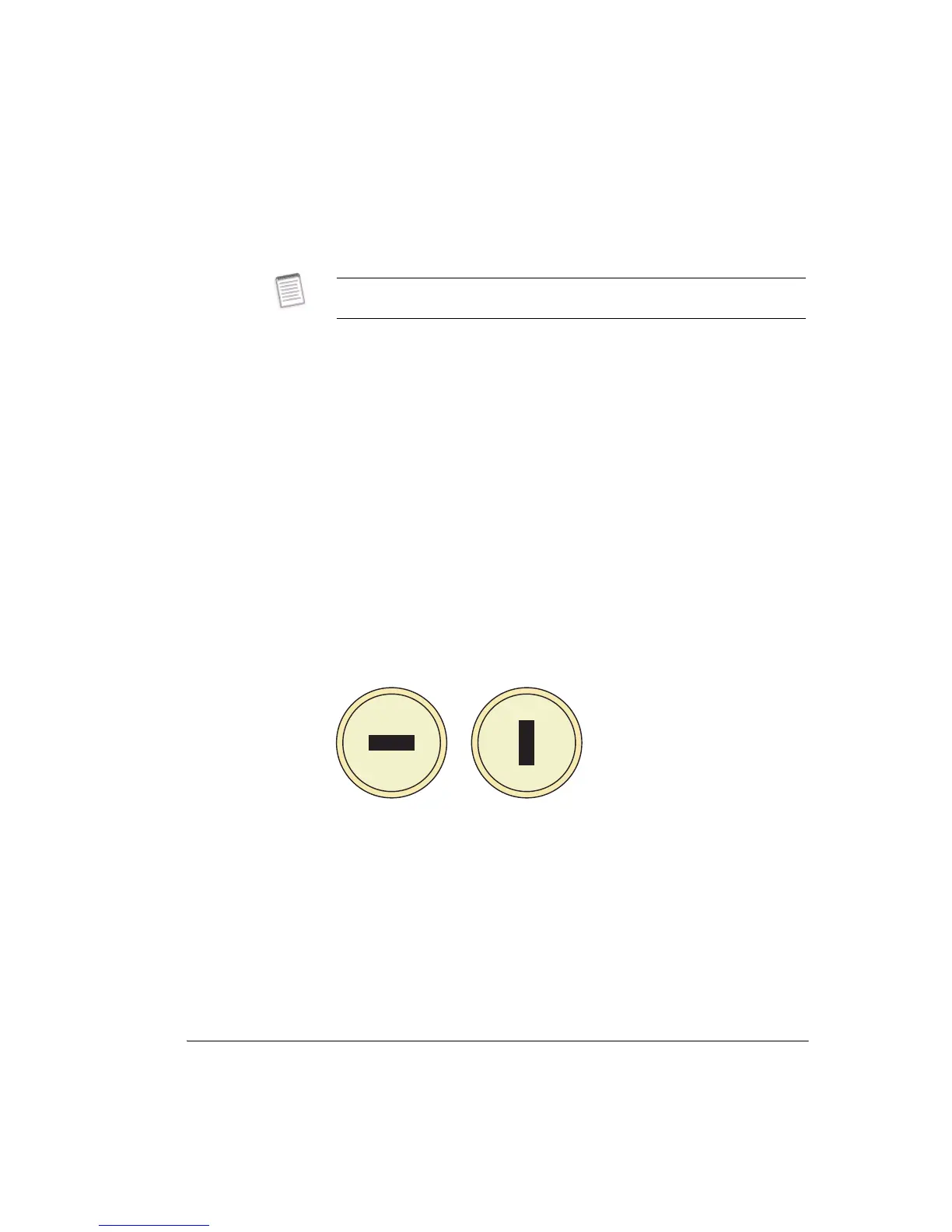
Figure 2-5 illustrates antenna waveguide port (slot) orientation for vertical and
horizontal polarization settings.
Figure 2-5. Antenna Waveguide Slot Orientation for V and H Polarization
Dual Polarized Antennas
Dual polarized antennas may not be not marked for V and H, and may also
present the same orientation for both ports. However, one port should have a
straight waveguide feed into its antenna, the other should include a 90 degree
twist.
• For convention, if ports are not marked for V and H, it is recommended that the
port that has the straight waveguide feed is selected as the vertical antenna feed
port.
• Ensure the same port is selected for vertical at both ends.
Antenna installation instructions are included with all antennas. These
instructions include procedures for setting polarization.
Vertical Polarization Horizontal Polarization



 To Next Page