Chapter 7. Node and Terminal Plug-ins
Vol. IV-7-88 Alcatel-Lucent
AUX Configuration
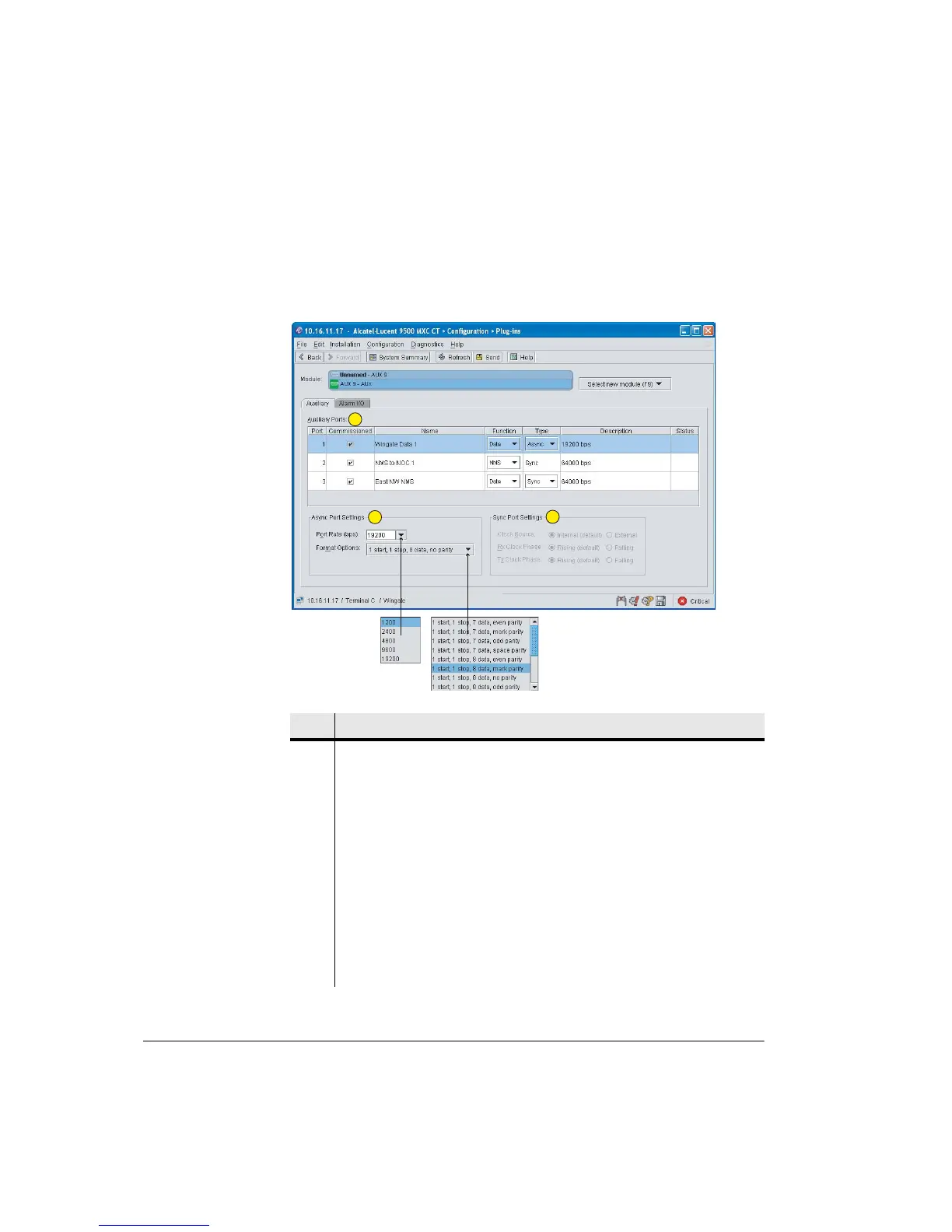
Figure 7-36 shows a typical screen for auxiliary data configuration.
Figure 7-36. Typical AUX Plug-ins Screen
Item Description
1 Auxiliary Ports:
• Commissioned. When ticked a warning alarm is raised in the event no
clocking is detected on the port. Only applies to a Sync setting.
• Name. Enter a name/ID (optional).
• Function. Select Data or NMS.
• The NMS option is not available on 9500 MXC IDUs.
• The NMS option forces a Sync setting.
• Type. Select Sync or Async.
• Description. Confirms the data rate selected.
• Status. Displays a problem icon in the event of a configuration or operational
problem.
1
2
3



 To Next Page