9500 MXC User Manual
3DB 23063 ADAA - Rev 004 July 2007 Vol. IV-15-13
Alarms
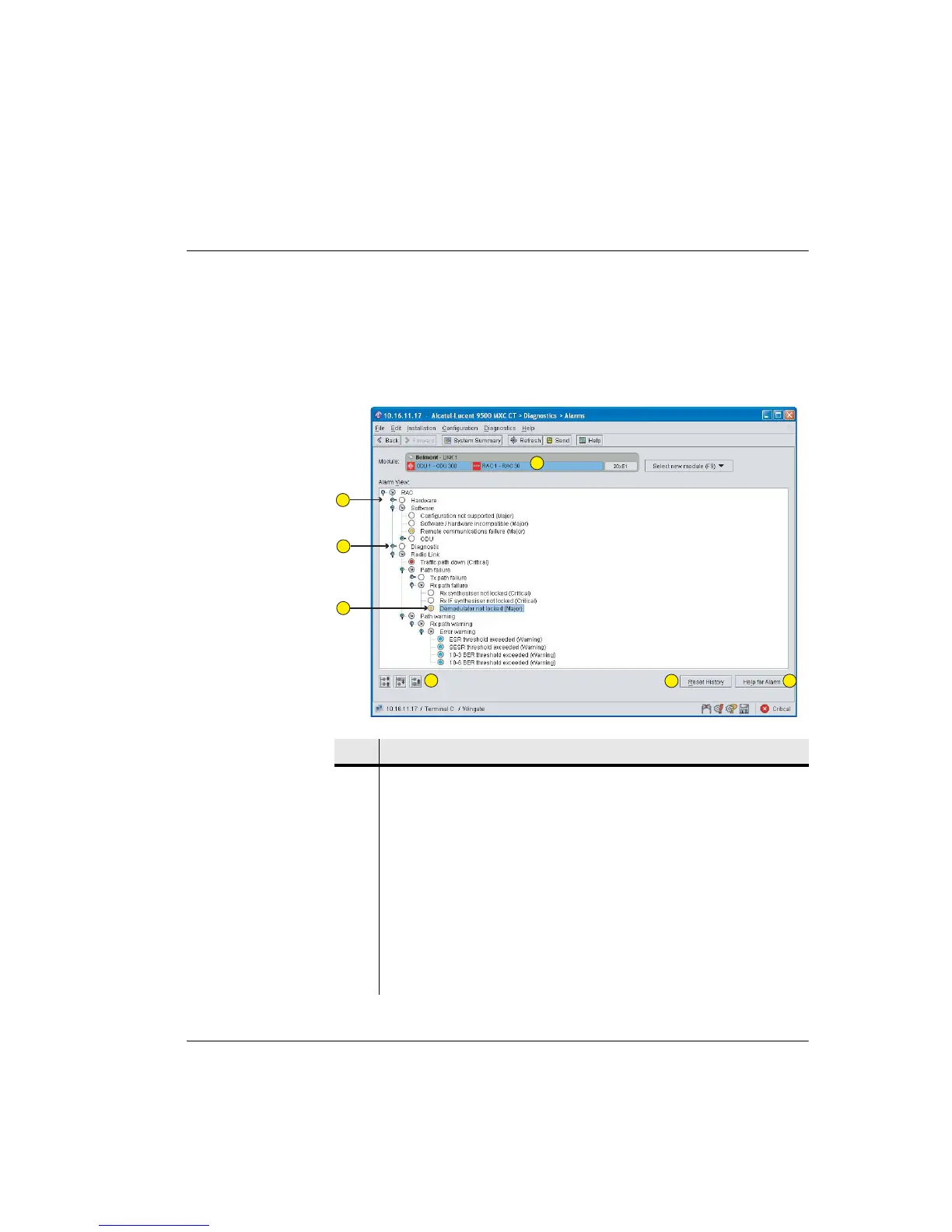
The Alarms screen provides a tree view of alarm history for a selected module
since logon or since a History reset as shown in Figure 15-4.
Only alarms relevant to the selected module are displayed. See Alarms Screen
Navigation on page 15-14.
Figure 15-4. Example Alarms Screen
Item Description
1 Screen default opens to the lowest-number plug-in, Link 1 in this example.
2 The alarm tree auto-opens to show current alarms.
3 Toggle is up; there is no current alarm beyond this point. However you can
click the toggle down to view alarm paths beyond this point.
4 The color of an alarm tab indicates its severity level.
5 Click these icons to:
• View active alarms only
• View previous or next alarm on the alarm tree
6Click Reset History to reset the Alarm Tree.
1
2
3
4
5
6
7



 To Next Page