Chapter 15. Diagnostics
Vol. IV-15-62 Alcatel-Lucent
DAC ES and DAC GE Menu
For the DAC ES and DAC GE the System/Controls screen presents three views.
Refer to:
• Dashboard Overview on page 15-62.
• Dashboard Detailed on page 15-63
• Port/Channel Status on page 15-64
Dashboard Overview
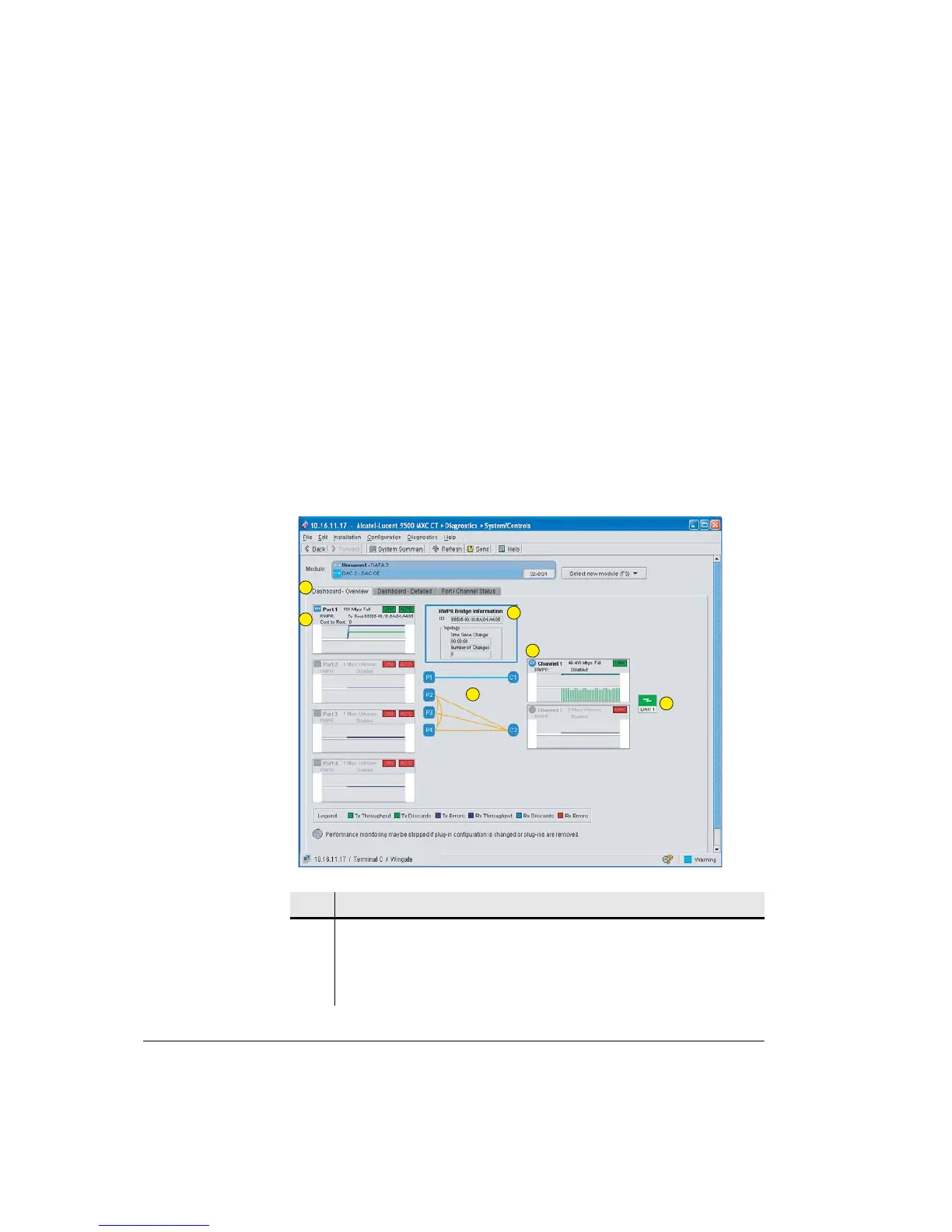
The Dashboard Overview screen graphs in summary form the Tx and Rx
throughputs, discards and errors for each of the four ports and two channels, and
an indication of port/channel status and configured capacities. The selected
operational mode is also displayed.
Figure 15-22. DAC GE Dashboard Overview Screen
Item Description
1 Dashboard Overview selected. Provides an overview of the status,
performance, and connections for all ports and channels.
2 Example shows P1 enabled for 100 Mbps. Dashboard graph shows a 100 Mbps
Rx throughput (data into port), and 50 Mbps Tx.
1
2
3
6
4
5



 To Next Page