Chapter 15. Diagnostics
Vol. IV-15-6 Alcatel-Lucent
System Layout Configuration: Node
This procedure:
• Only applies to a 9500 MXC Node. It enables slot plug-in options to be
installed, un-installed or changed it type.
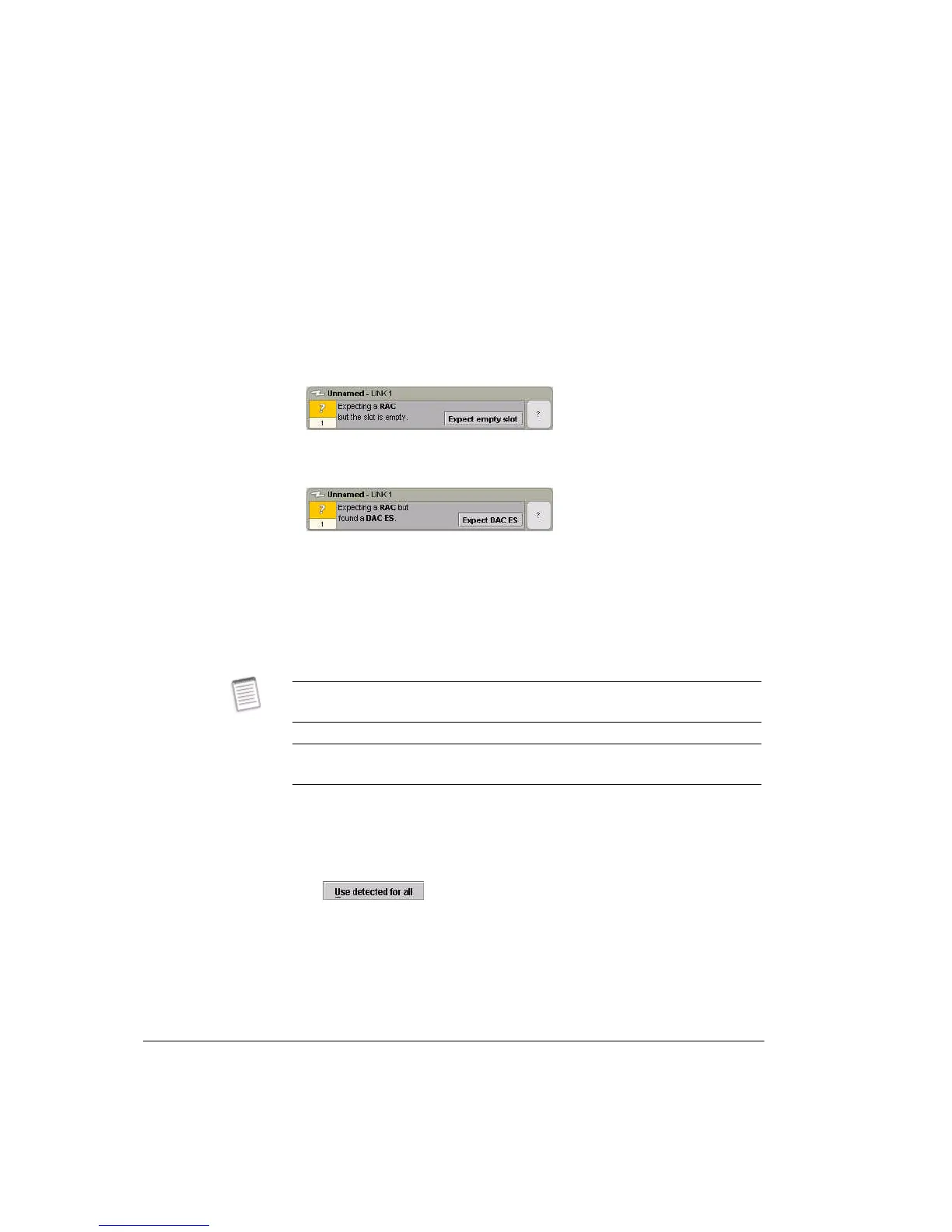
• Only applies where a module conflict has arisen:
• A vacant but configured slot is indicated as shown:
• A slot that has a different plug-in installed to that which was configured will
indicate as shown:
Procedure:
1. If a conflict is indicated, either:
• Confirm the new, expected status by clicking the Expect tab
followed by
Send,
or
• Stay with the current configuration, by installing the plug-in type
expected.
2. Where there are multiple conflicts, such as may occur when a new INU/INUe
is configured, a quick update to the required status can be made by clicking
the Use Detected For All tab.
• This tab only appears when a conflict is found:
• To commit the changes click Send.
Next Step
To change or enter a new plug-in configuration, go to the Plug-ins screen. Refer
When changing plug-ins or inserting new plug-ins, it may take CT up to 60
seconds to reflect the update.
When changing a 2RU FAN for two 1RU FANs or vice-versa in an INUe it may be
necessary to restart CT to capture the change.



 To Next Page