9500 MXC User Manual
3DB 23063 ADAA - Rev 004 July 2007 Vol. IV-4-5
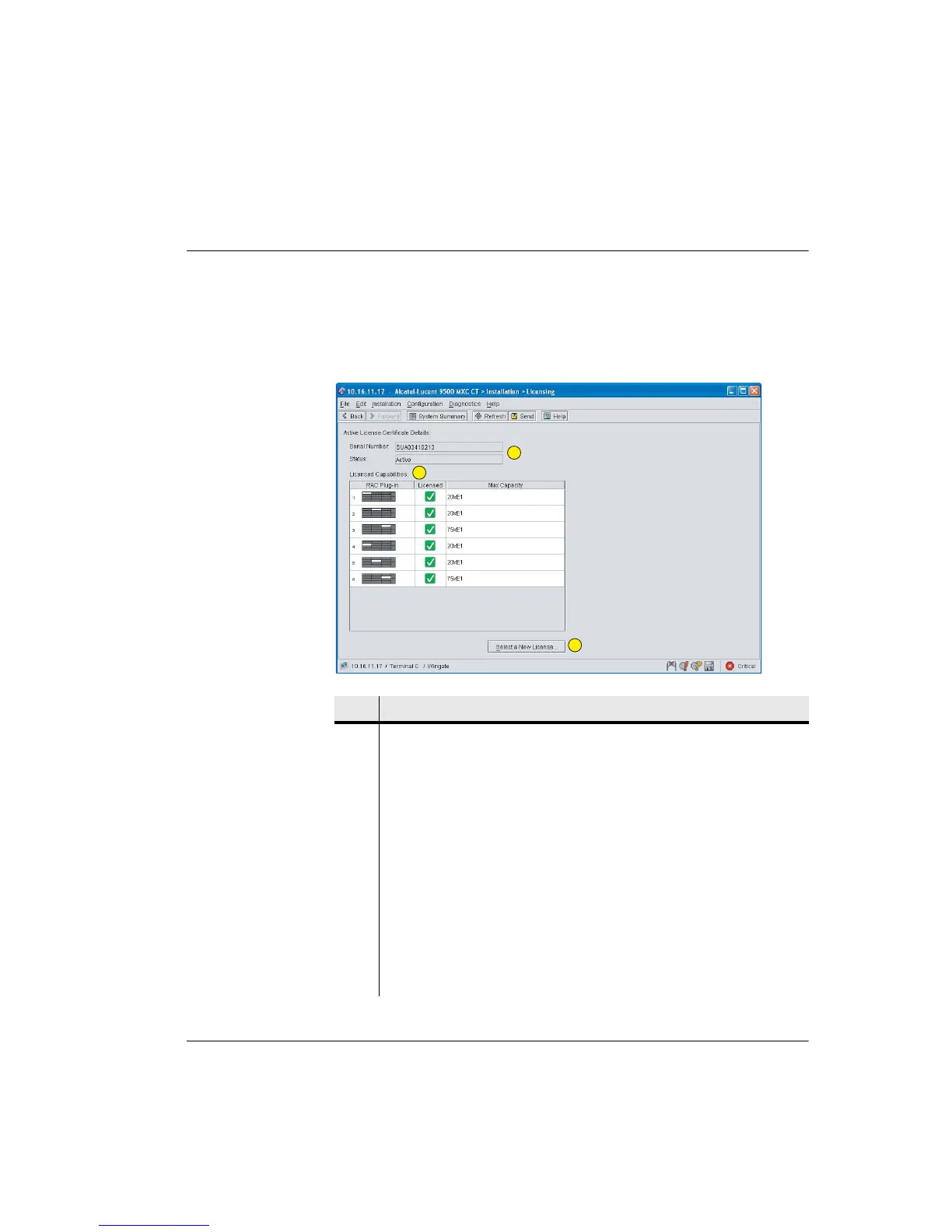
License Configuration Screen
The Licensing screen is accessed under Installation > Licensing. Figure 4-1
shows a typical window. It provides information on the license, the licensed
maximum per slot, license status, and management of a license upgrade.
Figure 4-1. Typical Licensing Screen for 9500 MXC Node
Item Description
1 Indicates the license serial number and license status.
• The CompactFlash number is the license number.
• The Status field should always be active. Status failed indicates a fault
condition. Check that the CompactFlash card is correctly installed and
reboot (power off - pause - power on). A CompactFlash card intended for an
INU/INUe will not operate in an IDU, and vice-versa.
2 Licensed capabilities window:
• RAC Plug-in column indicates the position of all RACs in an INU/INUe.
• Licensed column confirms with a green/tick icon that the relevant RAC is
licensed. Unused/unconfigured RAC license is indicated with a grey/dash
icon (INU/INUe only).
• Max Capacity indicates the maximum capacity permitted within the license
on a per-RAC/Radio basis.
1
2
3



 To Next Page