Chapter 7. Node and Terminal Plug-ins
Vol. IV-7-2 Alcatel-Lucent
Plug-Ins Screens
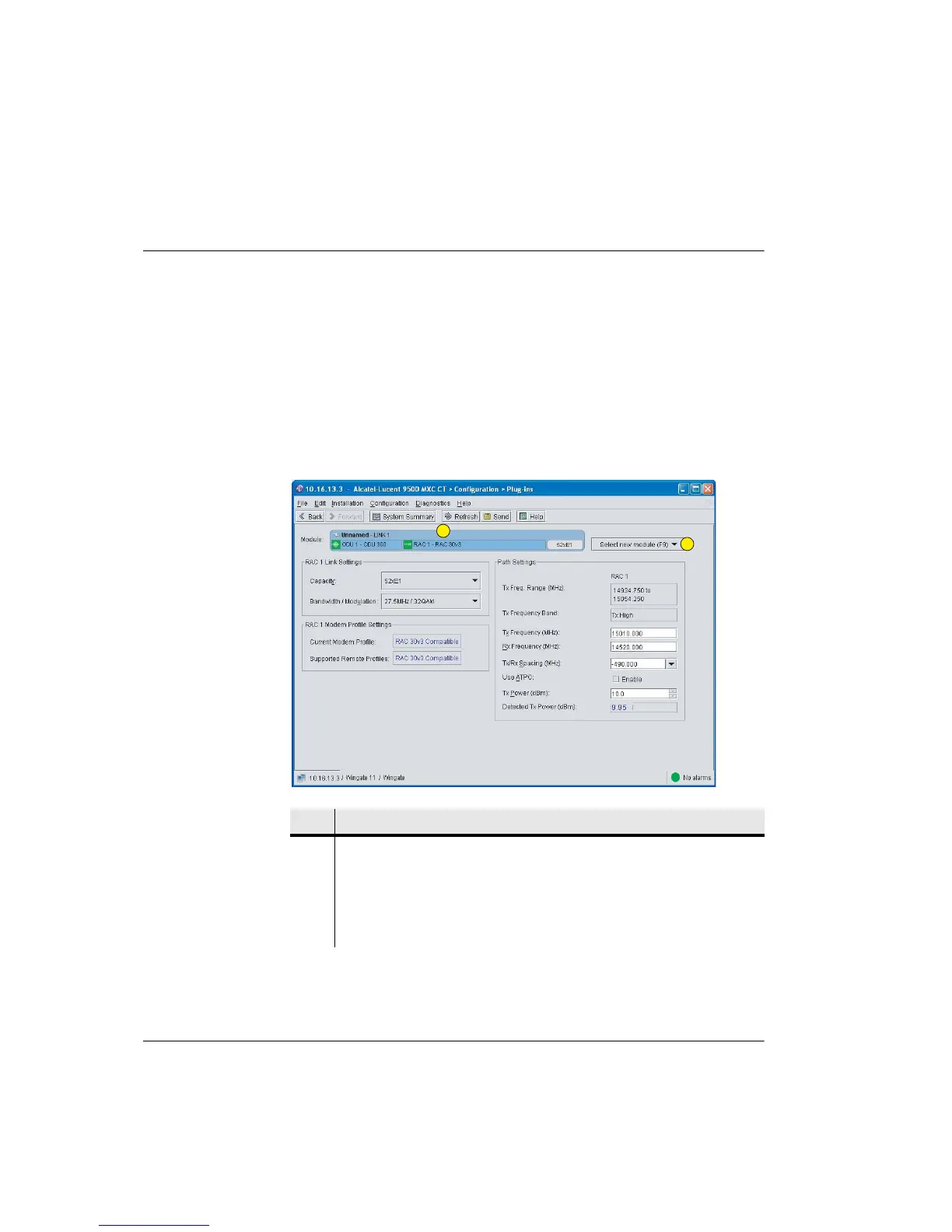
For a Node, the Plug-ins screen opens in slot order number (used slots only). In
Figure 7-1 on page 7-2, slot 1 is fitted with a RAC, so RAC 1 is displayed as the
opening plug-in.
For the Terminal, the Plug-in screen opens to the Link module.
Click the Plug-in line to display a submenu for other plug-ins. Figure 7-1 on
page 7-2 shows an example submenu for the 9500 MXC Node. Clicking on any
plug-in line within the submenu displays its configuration screen. Although the
NCC and FAN can be selected, they are not CT configurable.
Figure 7-1. Typical 9500 MXC Node Plug-ins Screen
Item Description
1 Screen shows Plug-in configuration data for Link 1 module.The Plug-ins screen
default opens to the first populated slot.
The number following a module or plug-in indicates its slot location.
2 Click Select new module to view a list of other installed modules. Click a
module to view its Plug-in configuration data.
1
2



 To Next Page