9500 MXC User Manual
3DB 23063 ADAA - Rev 004 July 2007 Vol. IV-15-33
DAC ES and IDU ES Performance
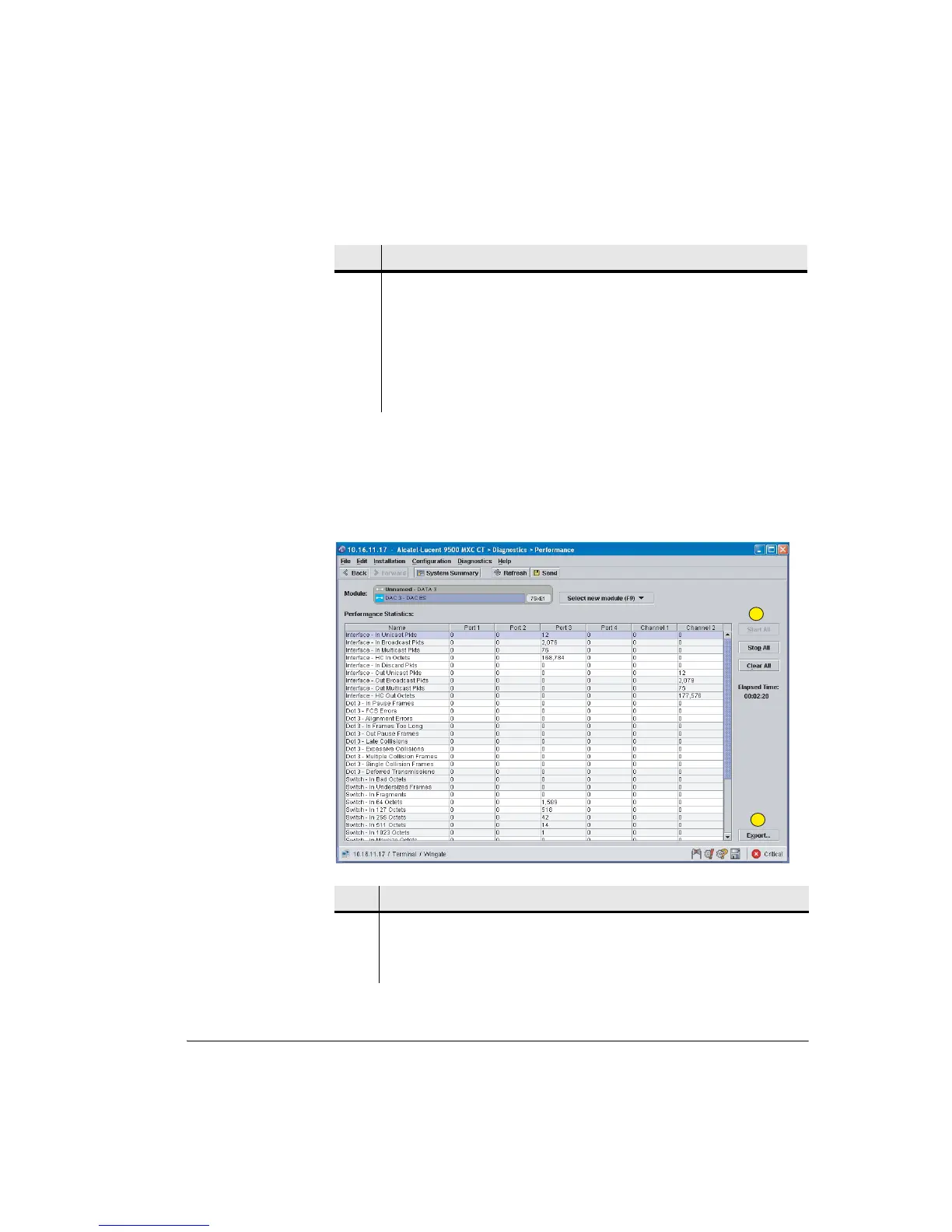
The DAC ES Performance screen, as shown in Figure 15-13, provides RMON
performance statistics for each port and channel. The IDU ES screen is
functionally identical.
Figure 15-13. DAC ES Performance Screen
3 Shows the elapsed time since monitoring was enabled, and the error counts.
The Frame Alignment Errored Seconds counts invalid framing or no framing
(no circuit connection to the source E1 multiplexer or other G.704 device).
The Clear button clears the elapsed time and counts, but only for the current
CT session. Providing the monitoring remains enabled, the elapsed time and
error counts continue to accrue from the time it was enabled, to support
long-term capture of counts at a subsequent CT session.
Item Description
Item Description
1 Click Start All to display RMON performance statistics. Data is captured for
each DAC ES port and channel.
2 Click Export to save data to your PC as a .csv file.
1
2



 To Next Page