Chapter 2. Setting Up 9500 MXC CT
Vol. IV-2-24 Alcatel-Lucent
• Starting updated 9500 MXC CT session...
For information on 9500 MXC CT Auto Version, refer to 9500 MXC CT Auto
Version on page 1-8.
Additionally, if access to the selected Node/Terminal has been Password
protected, a password window is displayed on Connect. Refer to Entering a
Username and Password on page 2-24.
On successful connection, the Diagnostics > System Summary screen is
displayed on your PC. For details of this screen, refer to System Summary on
page 15-2 of Volume IV.
Entering a Username and Password
Introduction
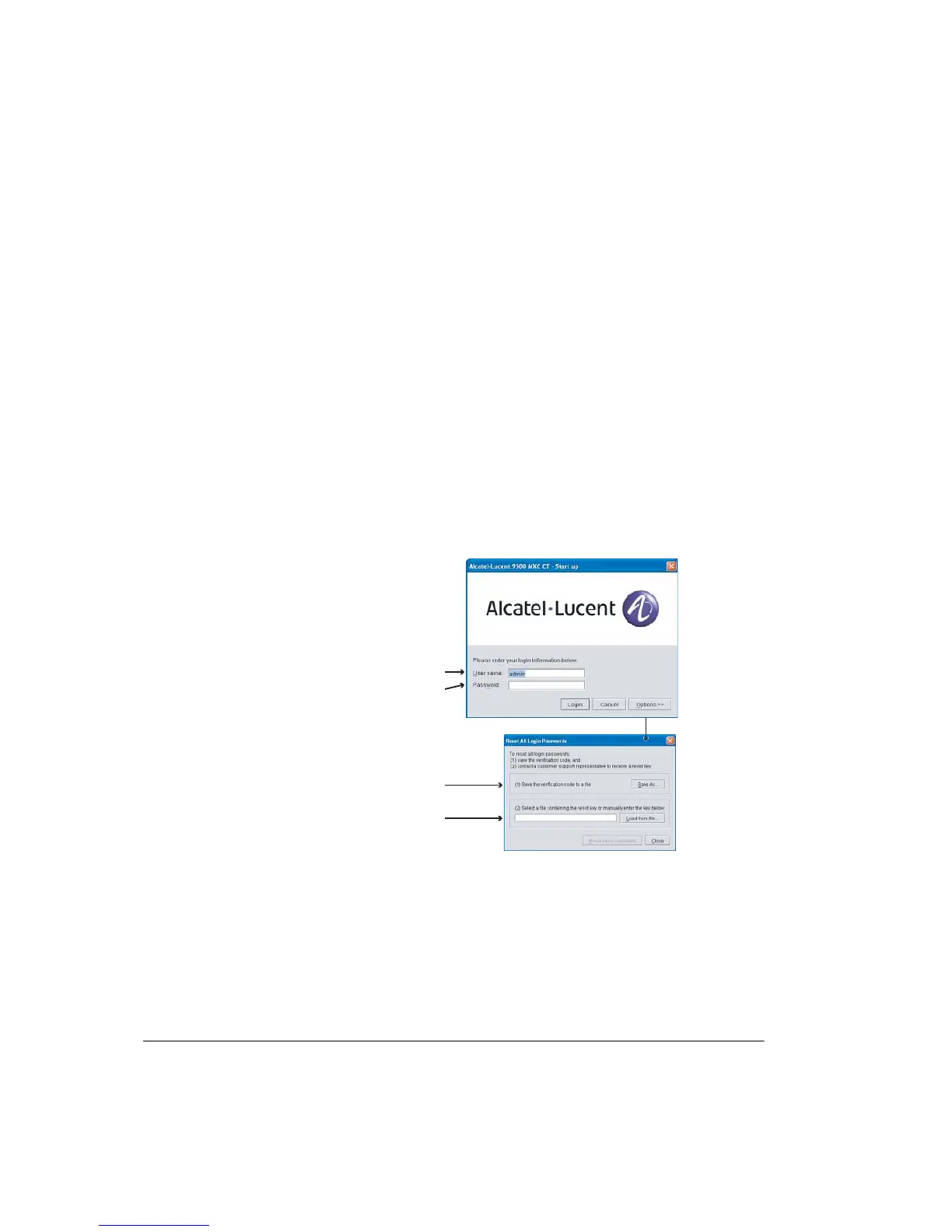
If access to the 9500 MXC Node/Terminal has been security protected, a
username and password window is displayed after Connect.
Figure 2-3. Password Entry and Option Windows
The three user-name options
are admin, engineer, or operator
Enter password and click Login
Options opens a Reset
Passwords window
Saves the Node/Terminal
verification code to a file on
your PC for sending to Alcatel
Enables selection and loading
of the reset file sent from Alcatel



 To Next Page