9500 MXC User Manual
3DB 23063 ADAA - Rev 004 July 2007 Vol. IV-2-23
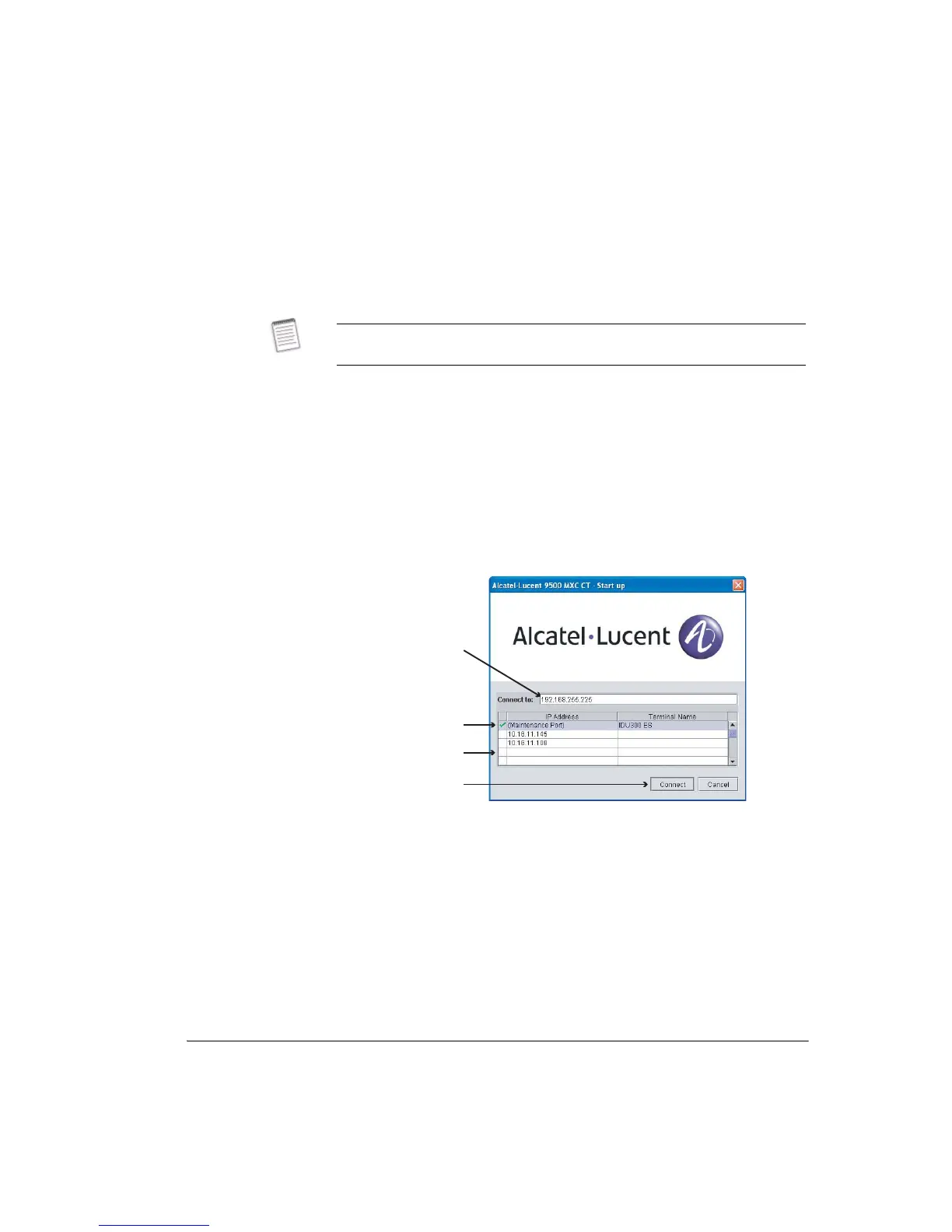
• The maintenance port has a fixed IP address of 192.168.255.225.
• The list shows the IP address of the ten most recently connected radios.
• A green tick confirms that a dial-up connection has been established.
7. To log in to the selected radio, click Connect. At this point the CT version
installed on the radio will be confirmed at the bottom of the window, and
status and progress indicators indicate the connection process. Refer to
Connection Process on page 2-23.
• If the radio has been configured for access security a username and
password window will appear at this point. Refer to Entering a Username
and Password on page 2-24.
8. Log-in is confirmed by the appearance of the CT System Summary screen.
Refer to System Summary on page 15-2 of Volume IV.
Figure 2-2. CT Start-up Screen for a V.24 Maintenance Connection
Connection Process
When Connect is clicked, CT auto-versioning is immediately activated to ensure
automatic version matching of CT software to the system software installed on
9500 MXC. Auto version progress is indicated above the connection status bar,
which may show in rapid succession:
• Checking the version of 9500 MXC CT required...
• Checking if a 9500 MXC CT Update is required...
• Updating to version <version>. Estimated time <time>.
If a V.24 connection cannot be established, follow the procedures in Checking
V.24 Access on page 2-26.
Tick indicates a
connection has been
established between
the CT PC and the
connected terminal
List shows up to 10
previous connections
Maintenance port has a
fixed IP address
Click to connect



 To Next Page