9500 MXC User Manual
3DB 23063 ADAA - Rev 004 July 2007 Vol. IV-7-51
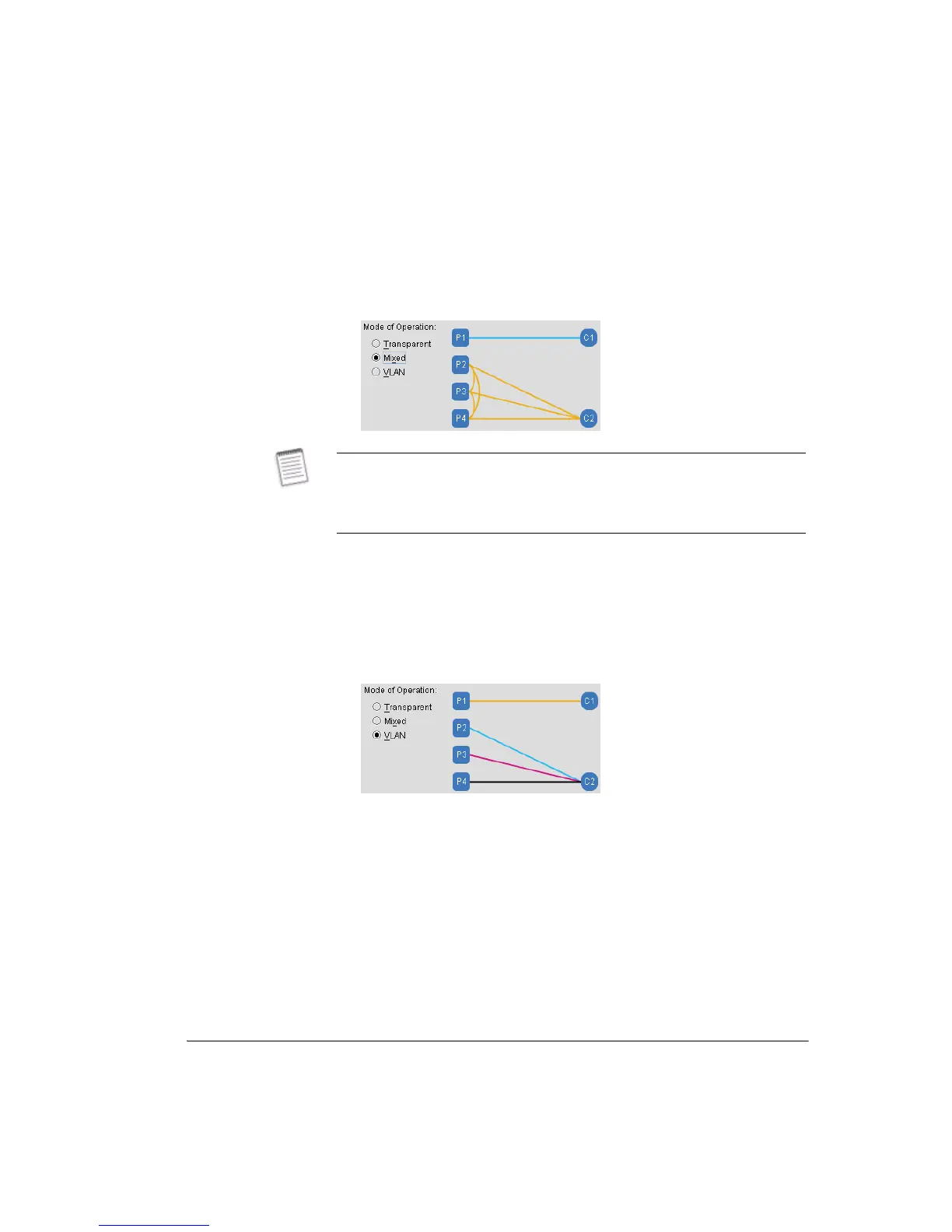
same link or used to support separate links. Mixed Mode is particularly
applicable to east and west links in an IP ring where alternate-path
protection is provided by an external RSTP switch.
Figure 7-14. Mixed Mode
•
VLAN Mode supports four separate LANs - each is held separate from the
other. VLAN 1 is the same as for Mixed Mode, where dedicated transport
is provided for high priority Port 1 traffic. For Ports 2, 3 and 4, three
separate VLANs (VLANs 2, 3 and 4) are supported over C2, with internal
VLAN tagging of the packets ensuring correct end-to-end matching of
ports over the link. The two channels would normally be assigned on the
same link, but can be used to support separate links.
Figure 7-15. VLAN Mode
5.
Basic Port Settings:
5.1 Enabled: Click to enable or disable the required ports. A port must be
enabled to allow traffic flow. This enabling/disabling function does not
affect the Port Up and Resolved status indications.
5.2 Name: Enter the port name or other relevant port data.
5.3 Duplex - Speed: Click to view and select auto-detect or a specified
connection type and speed. The normal setting is Auto, where the auto
negotiation feature senses and sets the speed (10 or 100Base-T) and
connection for half or full duplex operation. The fixed options would be
used in instances where auto negotiation fails to provide the expected
Transparent mode is used where 9500 MXC ring-wrapping provides the
protection mechanism.
Mixed mode is used where an external RSTP switch provides the protection
mechanism.



 To Next Page