9500 MXC User Manual
3DB 23063 ADAA - Rev 004 July 2007 Vol. IV-7-69
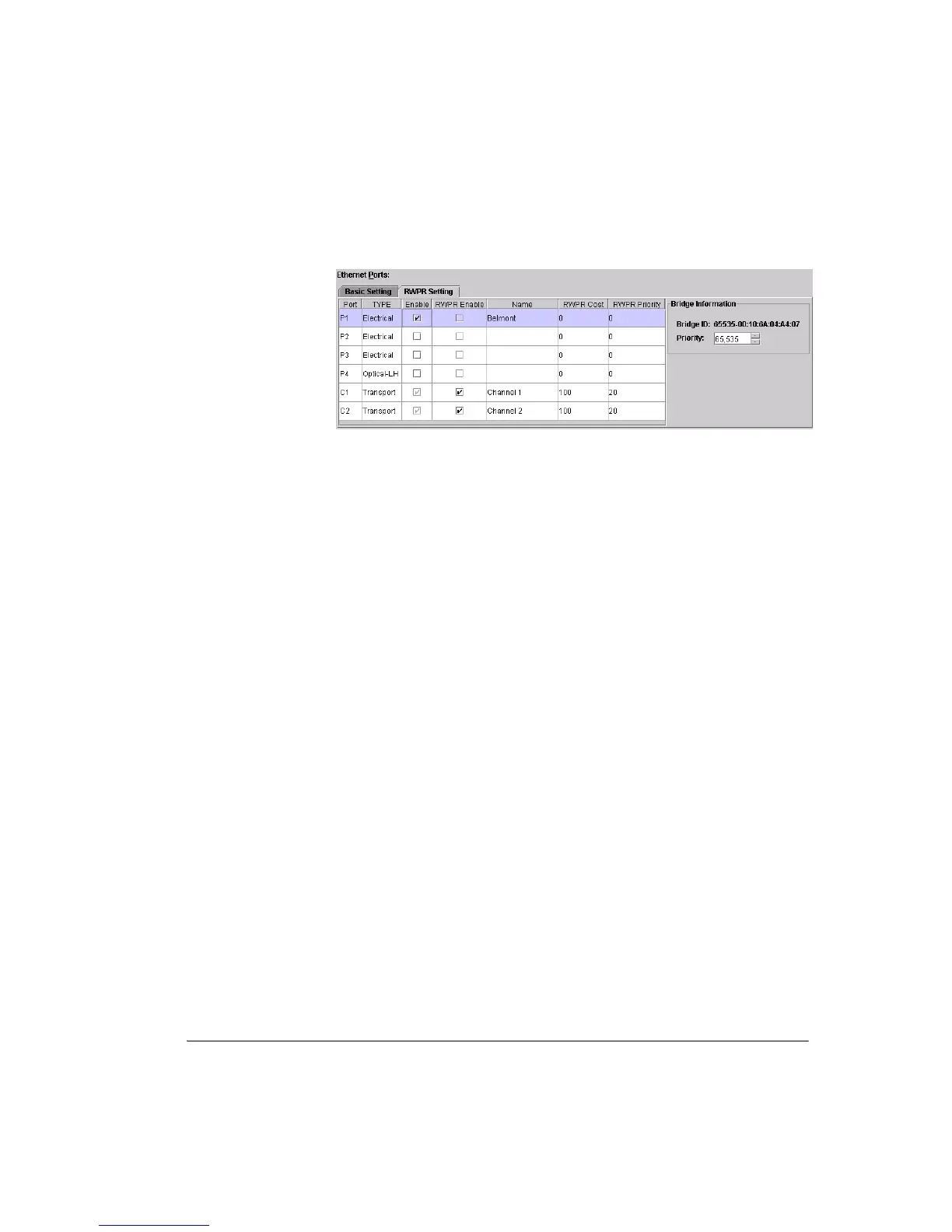
Figure 7-24. RWPR Setting Window
10.1
Port, Type and Enable columns mirror the function provided in the Basic
Port settings except that transport channels C1 and C2 are included. A
port must be enabled to allow traffic flow. Channels are auto enabled
based on the Channel C1 and/or Channel C2 capacity selection.
10.2
RWPR Enable. Click to select the channels or channels and ports to be
included in the RSTP-protected ring/mesh network.
• For a site where one DAC GE is installed to support both east and west
ring paths only enable C1 and C2.
• For a site where DAC GEs are back-to-back connected via a port, only
enable the relevant channel (C1 or C2) and the port used.
• At a meshed site (three or more RSTP link connections) select all
channels and ports used to support the RSTP network connections.
• Local traffic ports (port or ports supporting the local LAN connection)
must not be RWPR enabled.
10.3
Name. Enter a name for ports used (optional).
10.4
RWPR Cost is set to represent data bandwidth (speed) available on the
port/path, and is assigned a value such that the higher the available speed,
the lower the cost.
• A lower cost path is always elected over a path with a higher cost.
Highest priority is given to highest speed = lowest value cost. The
setable range is 0 to 1,000,000.
• Costs are added through the network. If the path from a DAC GE has a
cost of 100, and the path from it to the next DAC GE towards the root
DAC GE (root switch) is also 100, the combined cost up to the second
DAC GE is 200.
10.5
RWPR Priority sets the port/channel priority and is set to represent how
well a port/channel is located within a network to pass traffic back to the
root DAC GE (root switch). The setable range is 0 to 255.



 To Next Page