Chapter 7. Node and Terminal Plug-ins
Vol. IV-7-72 Alcatel-Lucent
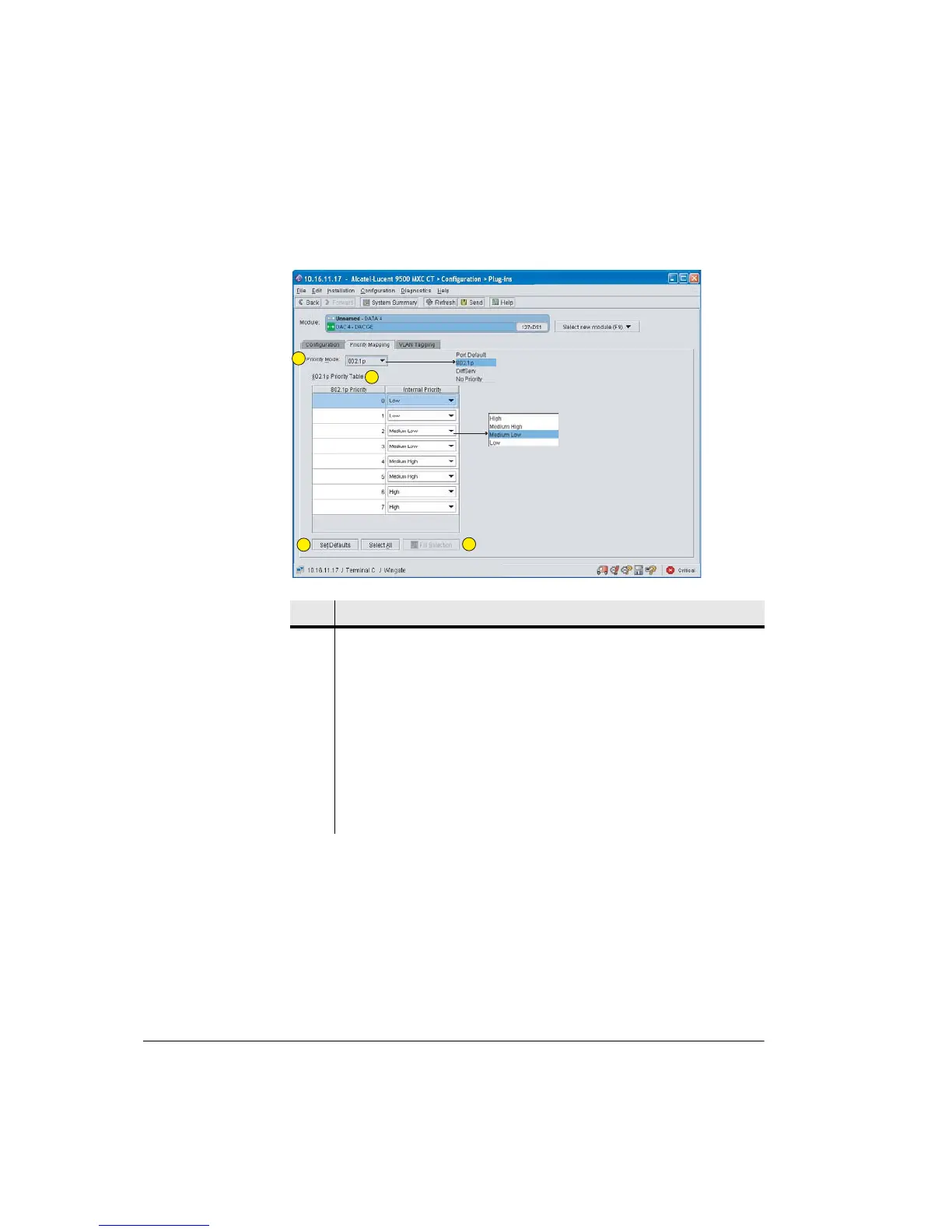
Figure 7-26. DAC GE Priority Mapping Screen
Procedure
• Click the Priority Mode box to display and select from mode menu. A
selection applies to all ports.
• Port Default sets the queue controller priority on a port basis - it ignores
any 802.1p VLAN priority tags or IP DiffServ priority values. Port
priority settings are made per-port in the Priority column in the
Configuration > Basic Setting window. Refer to Step 6.5.
• 802.1p provides prioritization based on the three-bit priority field of the
Item Description
1 Priority Mode. Select from the drop-down menu.
2 Priority Table. Presents the priority mapping used to convert the 8 priority
levels of 802.1p and the 63 levels of DiffServ to the 4 levels supported by the
DAC GE priority stack: high, medium high, medium low, and low.
The mapping shown is default mapping for 802.1p.
To change mapping, click and select from the Internal priority sub-menus.
3 Set Defaults returns priority mapping to its default settings.
4 Select All selects (highlights) all rows. Fill Selection sets all selected
(highlighted) rows to the mapping set in the top-most row.
1
2
3
4



 To Next Page