9500 MXC User Manual
3DB 23063 ADAA - Rev 004 July 2007 Vol. IV-7-91
AUX Alarm I/O Screen
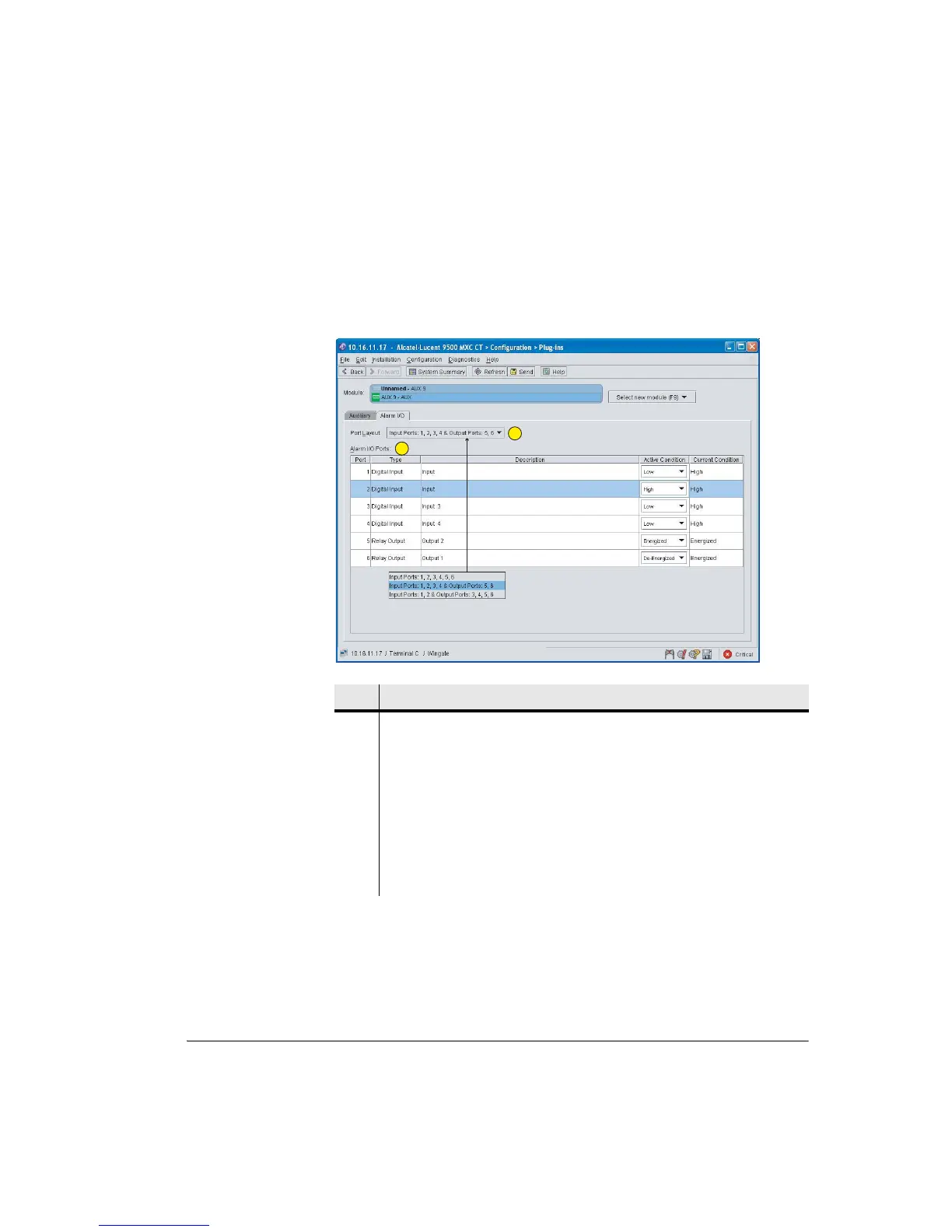
Figure 7-37 shows a typical AUX Alarm I/O screen for 9500 MXC Node. For
9500 MXC Terminal four Alarm I/O ports are displayed.
Figure 7-37. Alarm I/O Screen
Item Description
1 For an INU/INUe select an input/output port combination. IDUs have one fixed
combination.
2 Alarm I/O Ports:
• Type. Displays the input/output port combination.
• Description. Not editable (editing is scheduled for SW release 4.2).
• Active Condition. Select high or low active (on) for inputs, and active as
energized or de-energized for outputs.
• Current Condition. Current condition for each alarm input and output.
1
2
1
2



 To Next Page