Chapter 8. Protection
Vol. IV-8-22 Alcatel-Lucent
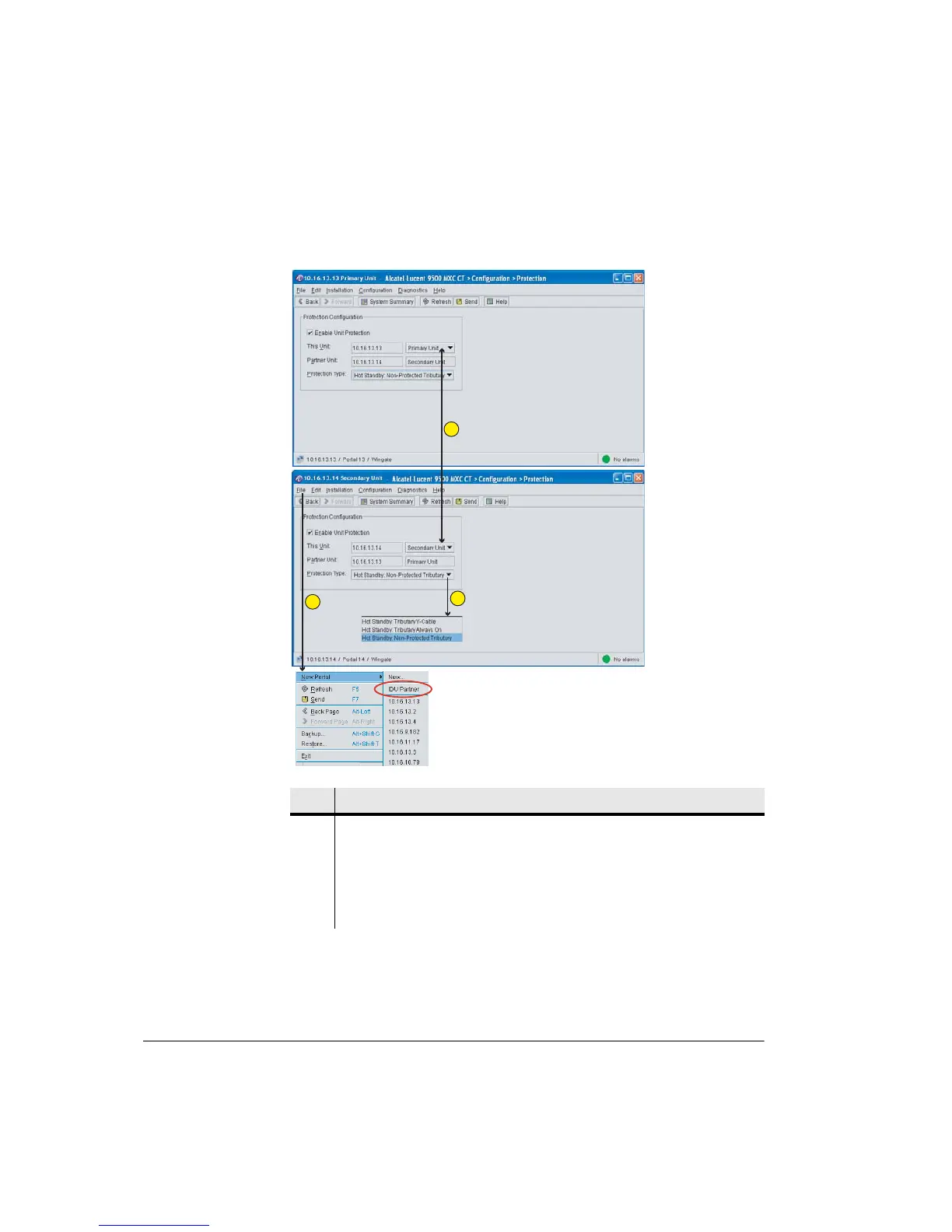
Figure 8-6. IDU Primary and Secondary Protection Screens
Item Description
1 Ensure that one IDU is configured as Primary and the other as Secondary.
Example screens show an IDU 20x pairing.
2 To easily open a CT session with a protection partner click File > New CT >
IDU Partner.
3 Select the tributary protection type.
1
2
3



 To Next Page