Chapter 10. Networking Configuration
Vol. IV-10-12 Alcatel-Lucent
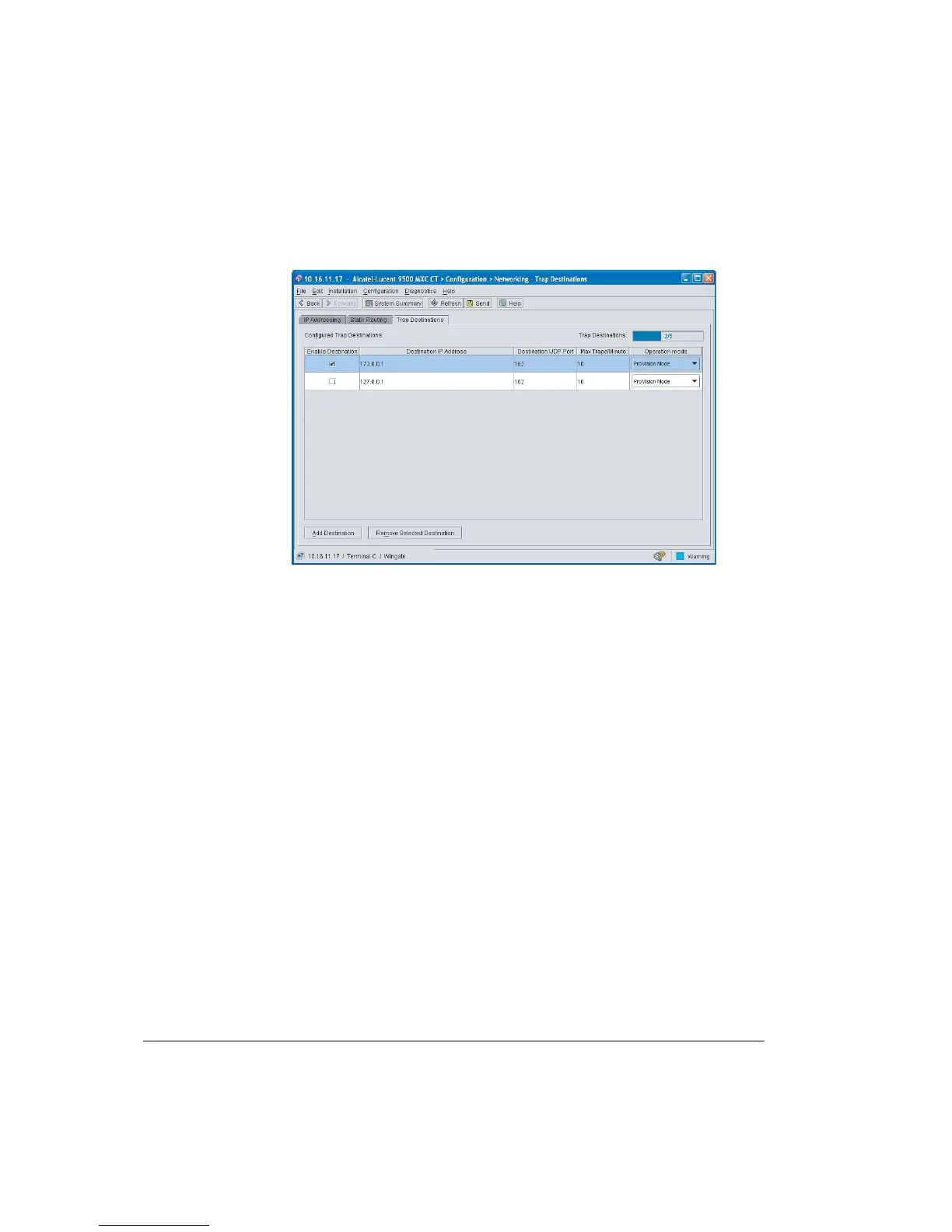
Figure 10-4. Trap Destinations Screen
Procedure
1. Click Add Destination to open a destination line.
2. In Destination IP Address enter the address of the network management
server.
3. In Destination UDP Port, enter the UDP port number of the server. For a
ProVision server, the port is 162.
4. In Max Traps/Min enter the maximum number of traps to be forwarded per
minute. This should be set at a level balancing the need to acknowledge events
and the requirement to continue to monitor the rest of the network. Default is
10, maximum 120, minimum 1.
5. In Operation Mode, select Provision or Third Party.
6. Click Enable Destination.
7. Click Send to commit the configuration.



 To Next Page