Chapter 12. Date and Time Configuration
Vol. IV-12-2 Alcatel-Lucent
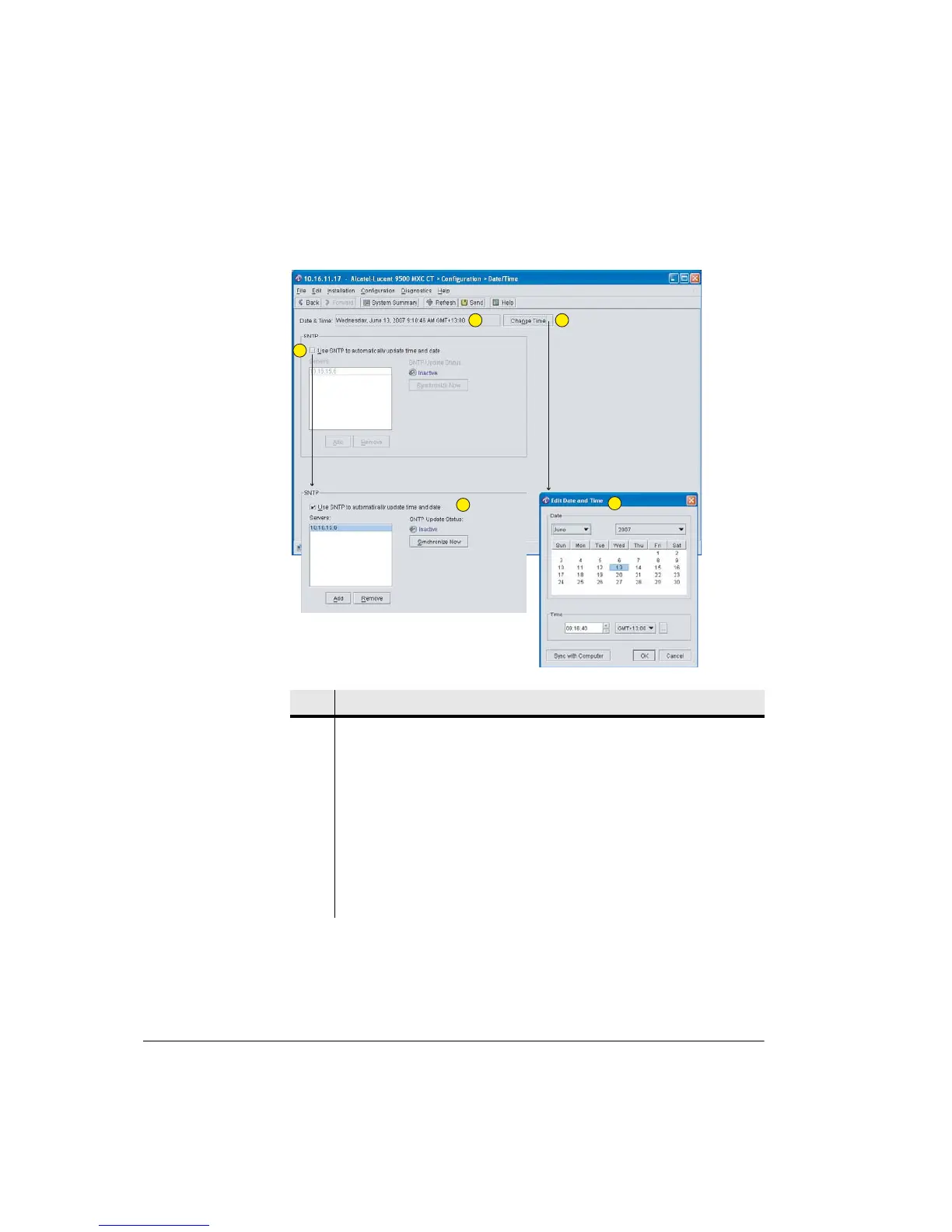
Figure 12-1. Date/Time Screen
SNTP Operation supports connection to one or more external SNTP time
servers via the NMS network.
Item Description
1 Current date and time.
2 Click to select SNTP time synchronization. Enables synchronization to an
external SNTP server - timing is continuously maintained by the server, or
servers.
3 SNTP configuration panel. Servers are added and their status (active or
inactive) confirmed.
4 Click to open Change Time editing.
5 A date time can be direct-entered, or set from the CT PC clock. Subsequent
timing is maintained by the internal Node/Terminal clock.
1
2
4
5
3



 To Next Page