9500 MXC User Manual
3DB 23063 ADAA - Rev 004 July 2007 Vol. IV-15-17
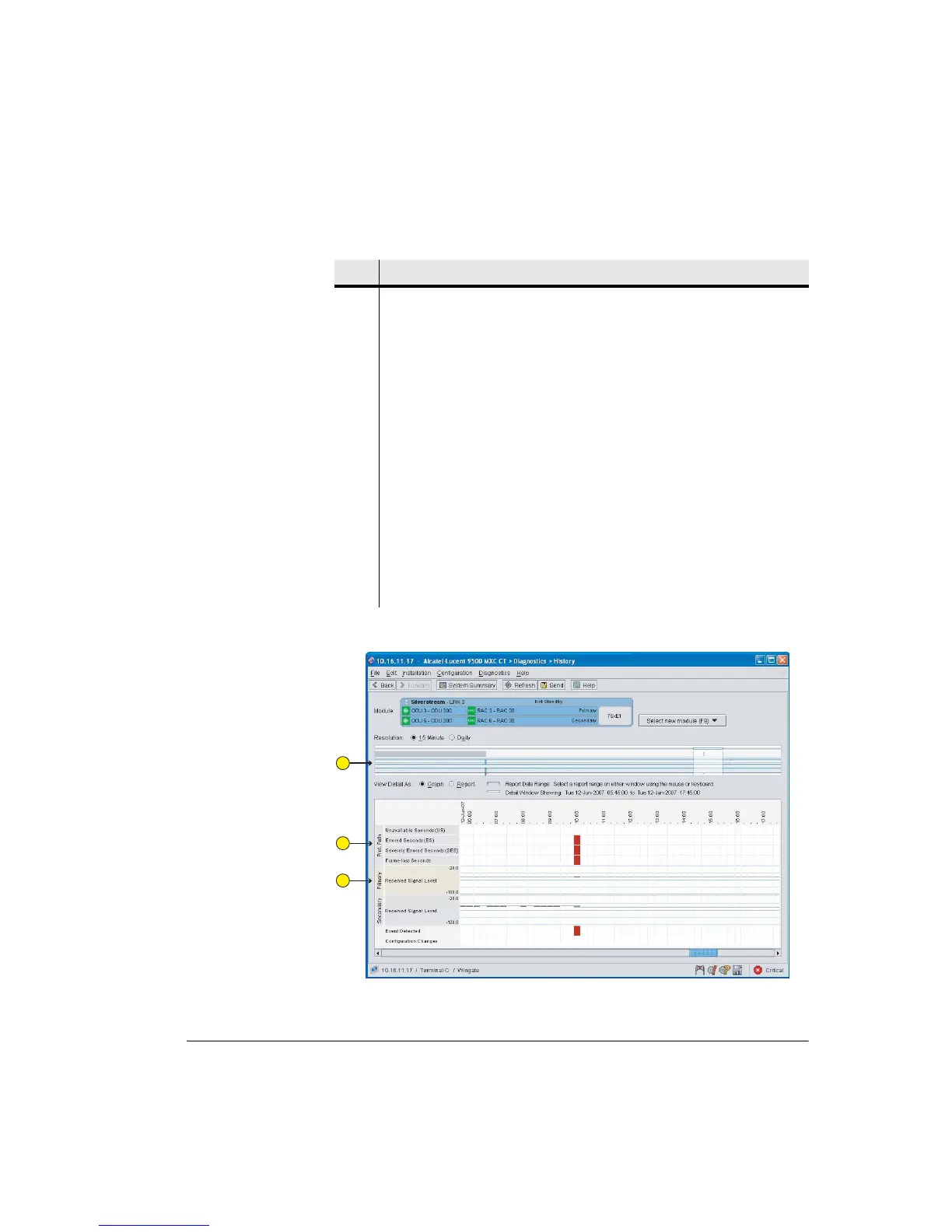
Figure 15-6. Example History Screen for a Protected Link
Item Description
1 Select a resolution type, 15-minute or Daily.
2 Complete History view. Up to one weeks worth or 15 minute bins, or one month
of daily bins.
3 Select the view type, Graph or Report.
4 The Detail window shows 12 hours worth of 15 minute data bins, or 1 week of
24 hour bins.
Mouse over any G.826 bin segment for a summary of its data.
Mouse-over RSL bin segments for maximum, minimum and average values per
bin period.
5 Position the detail window by right-clicking in the Complete History view and
dragging, or left-clicking and dragging the horizontal scroll bar.
6 Select a report date range by left-clicking in the complete history view and
dragging a range to the left or right.
7 The blue highlighting shows the selected report date range.
1
2
3



 To Next Page