9500 MXC User Manual
3DB 23063 ADAA - Rev 004 July 2007 Vol. IV-15-45
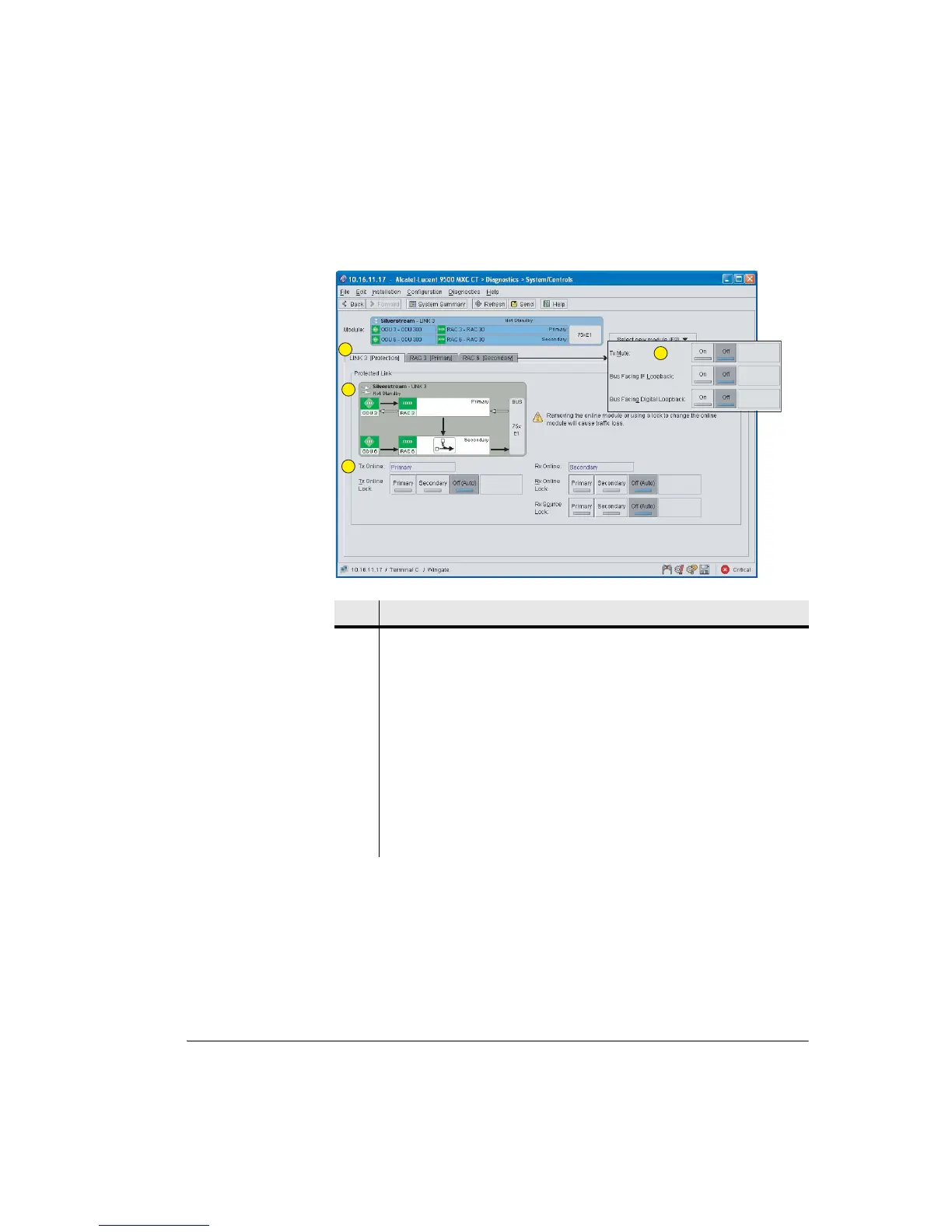
Figure 15-14. Protected Link System/Controls Screen: INU/INUe
For protected IDUs, separate CT sessions must be opened for the protection
partners. Screens should be positioned above/below or side/side for easy
simultaneous viewing.
Log into one IDU then open its partner by selecting File > New CT > Partner
IDU
Item Description
1 Screen default opens to Link Protection. Tabs provide access to controls for
RAC Tx mute and loopbacks.
2 Graphic indicates RAC settings. The default settings have the primary RAC as
Tx online and the secondary RAC as Rx online. The online Rx controls the Rx
diversity bus; Rx data is selected from each RAC on a block-by-block basis for
delivery to the backplane bus.
The graphic in the example screen shows default RAC settings for primary and
secondary.
3 Tx and Rx locks are supported by a safety timer. Lock status is shown in the
graphic. Mouse-over for details.
4 RAC controls window.
1
2
3
4



 To Next Page