Chapter 15. Diagnostics
Vol. IV-15-68 Alcatel-Lucent
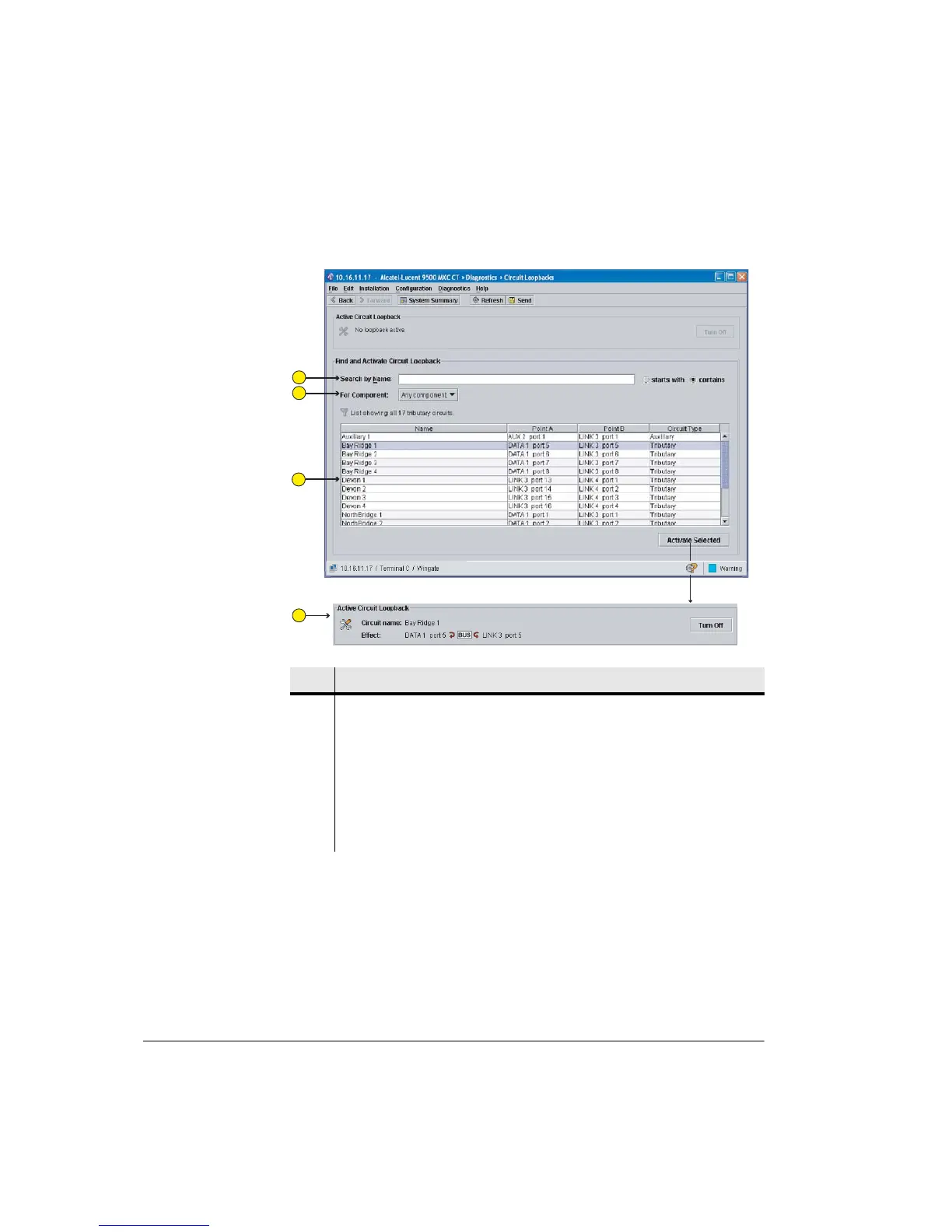
Figure 15-26. Circuit Loopbacks Screen
Circuit Loopbacks Navigation
Only circuits configured in the Circuits screen can be viewed and selected.
Circuits can be selected by finding and clicking a circuit line in the main panel.
Circuits are listed alphabetically.
Each circuit is identified by name, its port-to-port connection, and circuit type
(tributary or auxiliary).
Item Description
1 Search by Name function, with options for “Starts With” or “Contains”.
2 Menu option for viewing all circuits, or circuits by installed module (LINK,
DATA, AUX)
3 Circuit names are as entered in the Circuits screen, and listed in alphabetical
order. Loopbacks can be applied to traffic and auxiliary circuits.
4 This panel shows an activated circuit loopback. Circuit loopbacks act
both-ways.
1
2
3
4



 To Next Page