18 ST80 Masterview Operation and Setup
Cycle Chapters or
turn illumination
ON
Cycle Pages
Chapter
Illumination
Start
stop
Cycle or change Insert WP or
return to WP list
& save changes
Change Chapter
on selected
Maxiview
Heading or wind
steer lock/unlock
Change history or
timebase
Reset
Remove display
pop-up
CodeLock
Scroll up
Scroll down
Yes, enable or
turn ON
NO, disable or
turn OFF
Increase
Decrease
Exit
Edit Multiline
chapter
Edit
Change to US
date format
Change to EURO
date format
* Autopilot
STANDBY mode
* Autopilot
TRACK mode
* Autopilot VANE
mode
Lap start
Edit waypoint
Delete waypoint
Route select
Edit route
Reverse route
Delete route
Copy external
route
Track to waypoint
Stop tracking to
waypoint
Select alarm
adjustment page
Synchronise race
timer and guns
Lap reset
Lap stop
Edit alarms
Cancel alarms
Change page on
selected
Maxiview
Select Maxiview
Select Maxiview
Change month
format
Delete multiline
page
Change to 24hr
clock
Change to 12hr
clock
Auto linearise for
log calibration
Drop event mark
* Displayed only when this option has been selected in User Setup
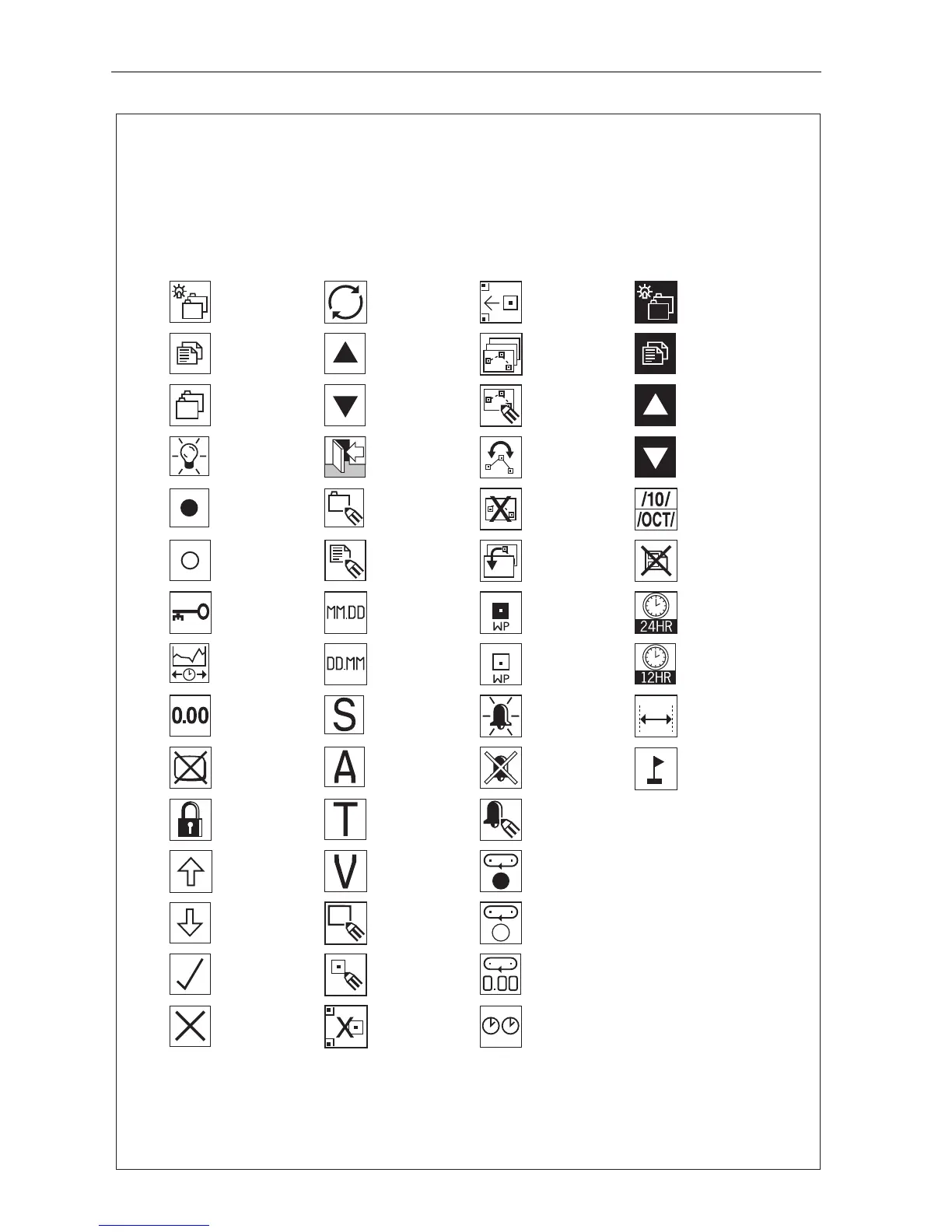
Icon Guide
The Masterview uses icons to identify specific keypad functions. The following
list shows the complete range of keypad icons togther with a brief description
of the icons primary function(s).
D2757-2
* Autopilot AUTO
mode
New waypoint



 To Next Page