42 ST80 Masterview Operation and Setup
Adjusting a Locked Heading
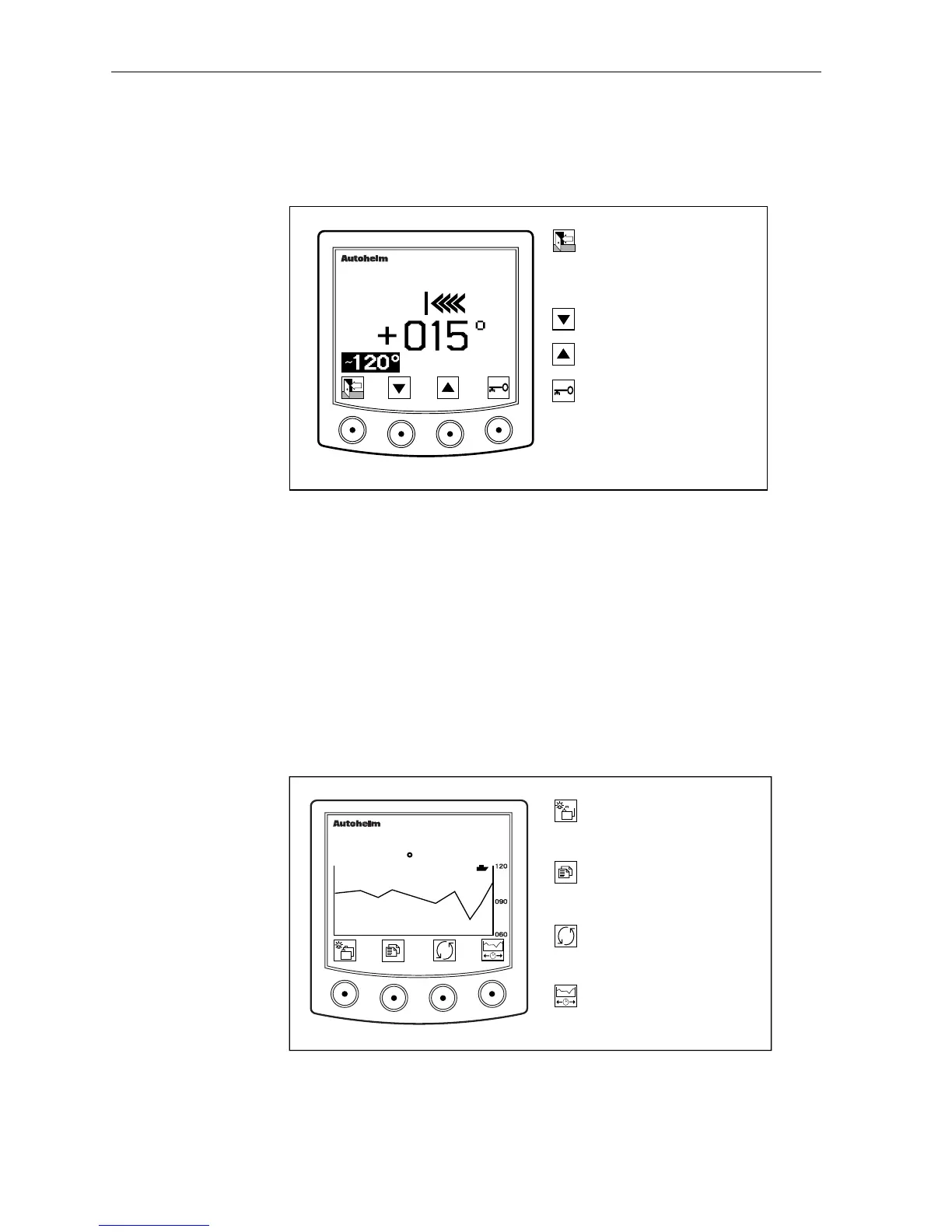
A locked heading may be adjusted in 1° increments by entering
“locked heading control” mode (below).
masterview
D2623-1
HEADING TRUE
LOCK
Press to return to the
previous display -- the new
locked heading is now
active.
Decrease locked heading.
Increase locked heading.
Select unlocked mode.
• If a SeaTalk autopilot is connected to the system, the “heading steer”
page automatically switches from unlocked to locked mode when
AUTO is engaged.
• The display identifies this change by displaying AUTO in the right
hand corner of the screen.
Heading Histogram (True and Course Over
ground)
The histogram displays a graph of the true heading and course over
ground for a selected period of time.
D2257-1
Go to the next chapter.
Press for 1 second to enter
illumination adjustment.
Go to next page. Press for 1
second to return to the
previous.
Select histogram time scale:
1min, 10min, 1hr, 6hr or
24hr.
masterview
1HR
HEADING
120 TRUE
Switch between true heading
and course over ground
histograms.



 To Next Page