Instrument Calibration
MC4 User Guide 97
Instrument Calibration
Instrument calibration opens new windows for entering instruments,
selecting them for calibration and calibrating the selected instrument.
Part D of this manual is dedicated to this functionality.
User Setups for &
MC4 supports saving user settings for window and window .
The available free memory defines how many user settings may be
saved.
S e t u p
u
S e t u p
v
M e n u
m A
2 5 . 0 8 . 2 0 0 8 0 9 : 1 8 : 2 2
k P a
S u p p l y : O n
G a u g e E X T
5 . 4 9 7 5
1 2 . 3
S a v e / R e m o v e S e t u p . . .
R e s t o r e P r e - O F F S e t t i n g s
P r e s s u r e X M T R E r r %
S c a l i n g f o r T a n k 1 0 2 L e v e l
T a r e & N e t u s i n g D e v i a t i o n
A v b r y t N e d e r s t a V ä l jC a n c e l B o t t o m S e l e c t
S a v e
S e l e c t I t e m
S A V E / R E M O V E S E T U P
C r e a t e N e w . . .
2 3 . 0 8 . 2 0 0 5 1 2 : 4 5 : 2 2
S a v e a s
L e a k T e s t S e t u p f o r P T 3 2 3 . 1
C a n c e l M e n u
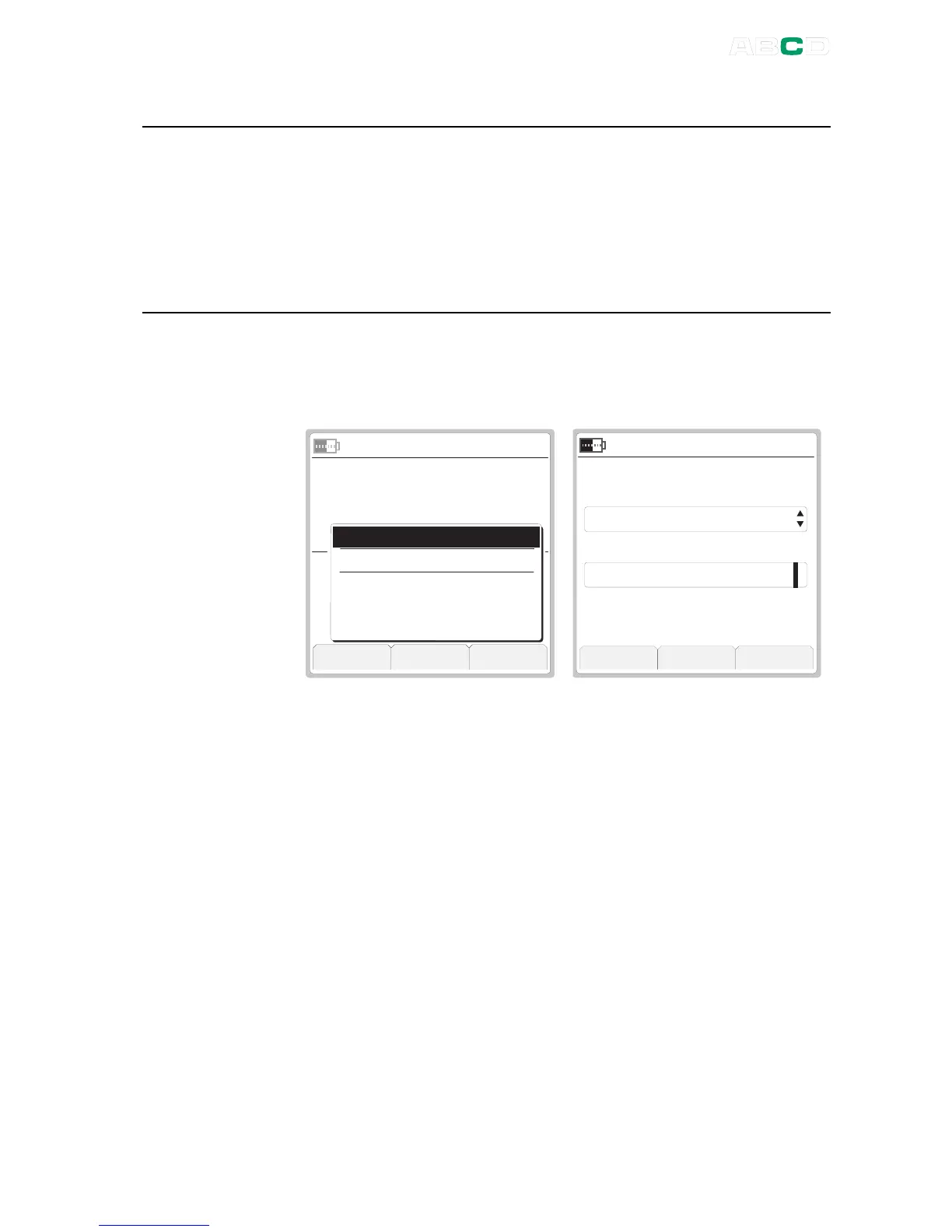
In the leftmost picture above, three User Setups are already saved.
Selecting Save / Remove Setup option opens the SAVE / REMOVE
SETUP window allowing you to save the current settings for window
and window (see rightmost picture).
About the second item on the list shown in the leftmost picture
above:
Restore Pre-OFF Settings
:
MC4's startup is made as straight forward as possible. It does not
automatically restore its more advanced functions (display mode,
special measurements etc.) used when MC4 was shut off. By
selecting the
Restore Pre-OFF Settings
option, it is possible to
restore MC4's advanced functions used before it was last shut off.



 To Next Page