Alarms
MC4 User Guide 69
Alarms
Each main measurement in a window may have alarm limit settings.
MC4 supports "higher than", "lower than", "high rate" and "low rate"
alarms.
To set the alarm limits, enter the following menu commands:
F1/
Setup
or F2/
Setup
(depending on which window you want
to configure alarms to), F2/
Tools
and
Alarms
from the opened
menu.
Make sure the
Alarms Active
field is checked. Then the other
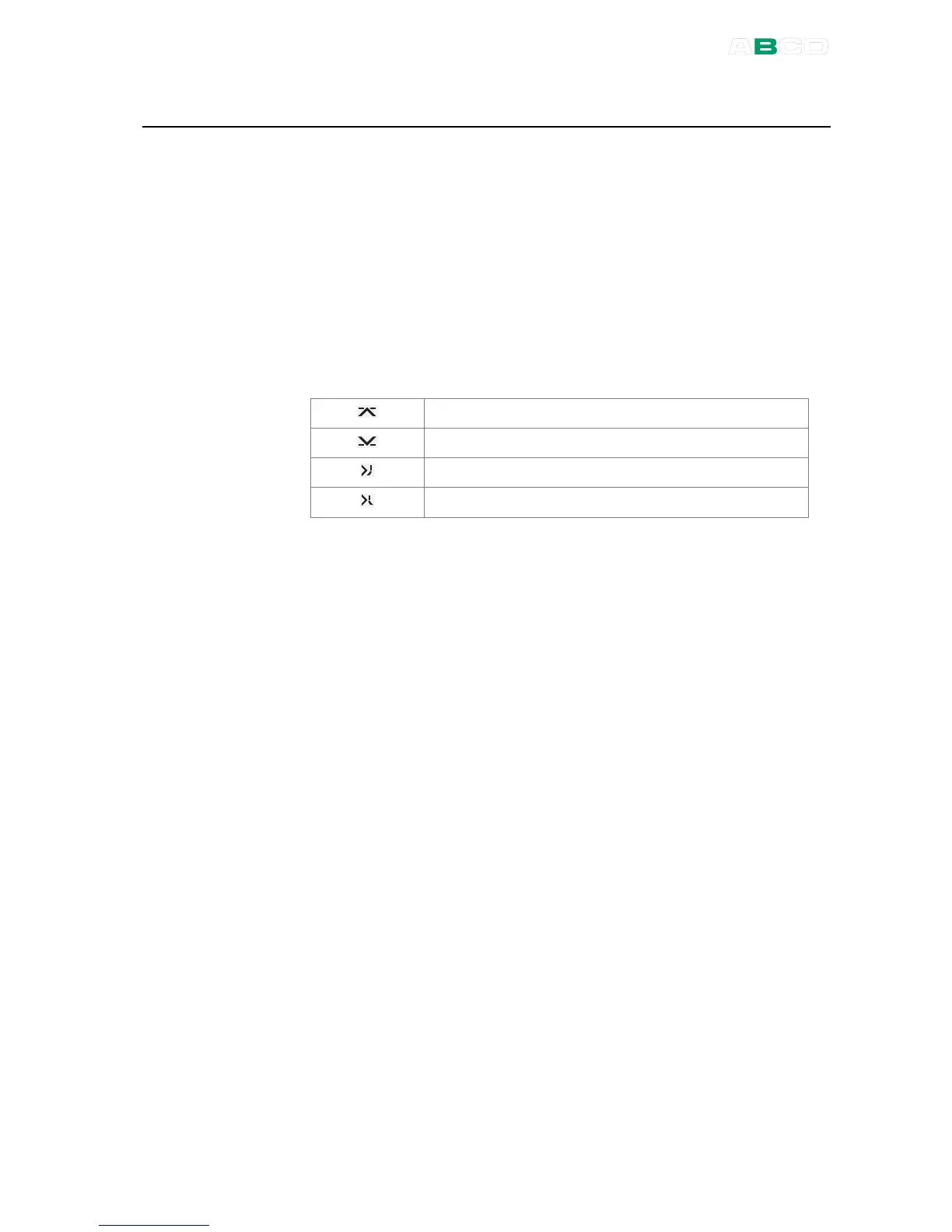
settings are available. Table of alarm symbols used:
High alarm limit
Low alarm limit
High change rate alarm limit
Low change rate alarm limit
Individual alarm limit values may also be activated/deactivated using
the check box preceding the alarm limit value. The alarms chosen
for use are shown in the measurement window using the same
symbols as in the table above.
When an alarm limit is exceeded, MC4 emits an audible alarm and
the alarm symbol is shown with inverted colors. To acknowledge the
alarm, open the window's setup window and from here the
Tools
menu. Just below the menu's Alarm option is an item that is shown
only when alarms are activated: Acknowledge this Alarm. The active
alarm limit is inverted in the measurement window as long as the
alarm limit is exceeded.
Note.
Rate alarm limits are not "symmetrical". E.g. high rate alarm
0.5 bar/min emits an alarm when the pressure increases faster that
the limit but does not emit an alarm when the pressure decreases
faster than -0.5 bar/min.



 To Next Page