Viewing Calibration Results
176 MC4 User Guide
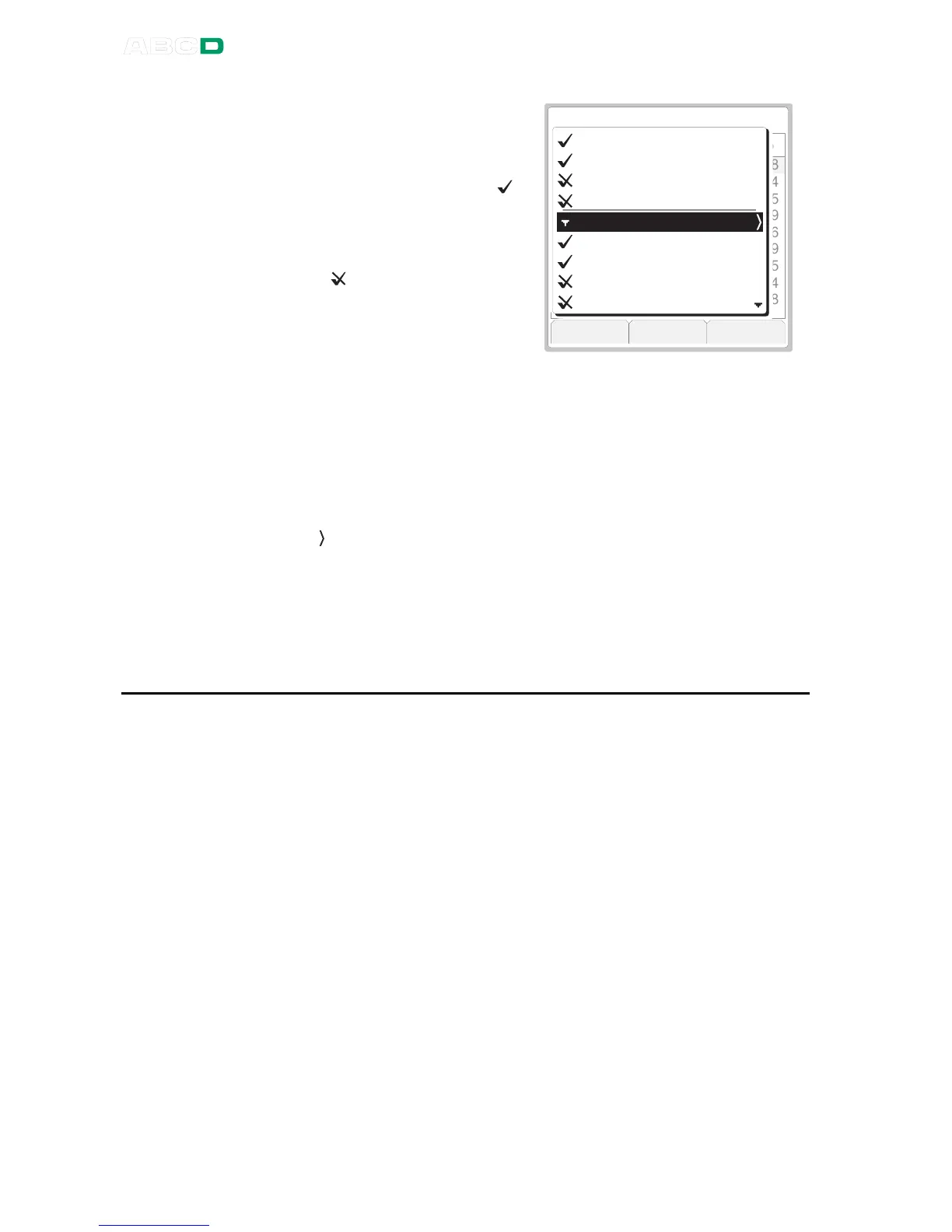
The list of results has the latest
calibration results on top of the
list.
Passed calibrations have a " "
symbol preceding the date and
time.
Failed calibrations are prefixed
with a " " symbol.
M e n u M o r e C l o s e
P A S S E D
0 . 0 0
2 5 . 0 0
5 0 . 0 0
7 5 . 0 0
1 0 0 . 0 0
7 5 . 0 0
5 0 . 0 0
2 5 . 0 0
0 . 0 0
4 . 0 7 6 7
8 . 0 7 0 3
1 2 . 0 5 6
1 6 . 0 4 6 3
2 0 . 0 4 1 6
1 6 . 0 4 6 4
1 2 . 0 5 7
8 . 0 7 0 4
4 . 0 7 6 8
0 . 4 8
0 . 4 4
0 . 3 5
0 . 2 9
0 . 2 6
0 . 2 9
0 . 3 5
0 . 4 4
0 . 4 8
I n p u t O u t p u t E r r o r
0 8 . 0 8 . 0 7 1 4 : 3 0 A s L e f t
0 8 . 0 8 . 0 7 1 4 : 2 2 A s L e f t
0 8 . 0 8 . 0 7 1 4 : 1 2 A s F o u n d
0 8 . 0 8 . 0 7 1 4 : 0 4 A s F o u n d
H i s t o r y 0 8 . 0 8 . 0 7 1 3 : 2 2
1 2 . 0 8 . 0 6 1 6 : 0 6 A s L e f t
1 2 . 0 8 . 0 6 1 5 : 5 8 A s L e f t
1 2 . 0 8 . 0 6 1 5 : 4 2 A s F o u n d
1 2 . 0 8 . 0 6 1 5 : 3 4 A s F o u n d
Whenever the instrument data has been edited, the calibration result
list has a separate row entitled
History
indicating that the instru-
ment data was changed at that point. See highlighted row in the pic-
ture above.
Each
History
row are prefixed with a triangle pointing down and has
a line above. The date and time shown on the
History
row is the
moment the instrument data change was saved. A chevron pointing
right " " indicates that by selecting this row you may view the instru-
ment data preceding the change, i.e. related to the calibrations
listed below the
History
row.
Note that the instrument data shown is read-only.
Deleting Calibration Results
Calibration results may deleted while viewing the calibration result
window:
• To delete the currently viewed results, press F1/
Menu
,
De-
lete this Result
. Note that this possibility is not available in
the instrument list window menu.
• To delete all results for all instruments, press F1/
Menu
,
Delete All Results
.
Note.
There are tools for deleting calibration results in the instrument list
window menu too. There you may also delete all results for the
currently selected instrument leaving the results of other instru-
ments intact. More of the instrument list window menu in chapter In-
strument List Window Menu on page 152.



 To Next Page