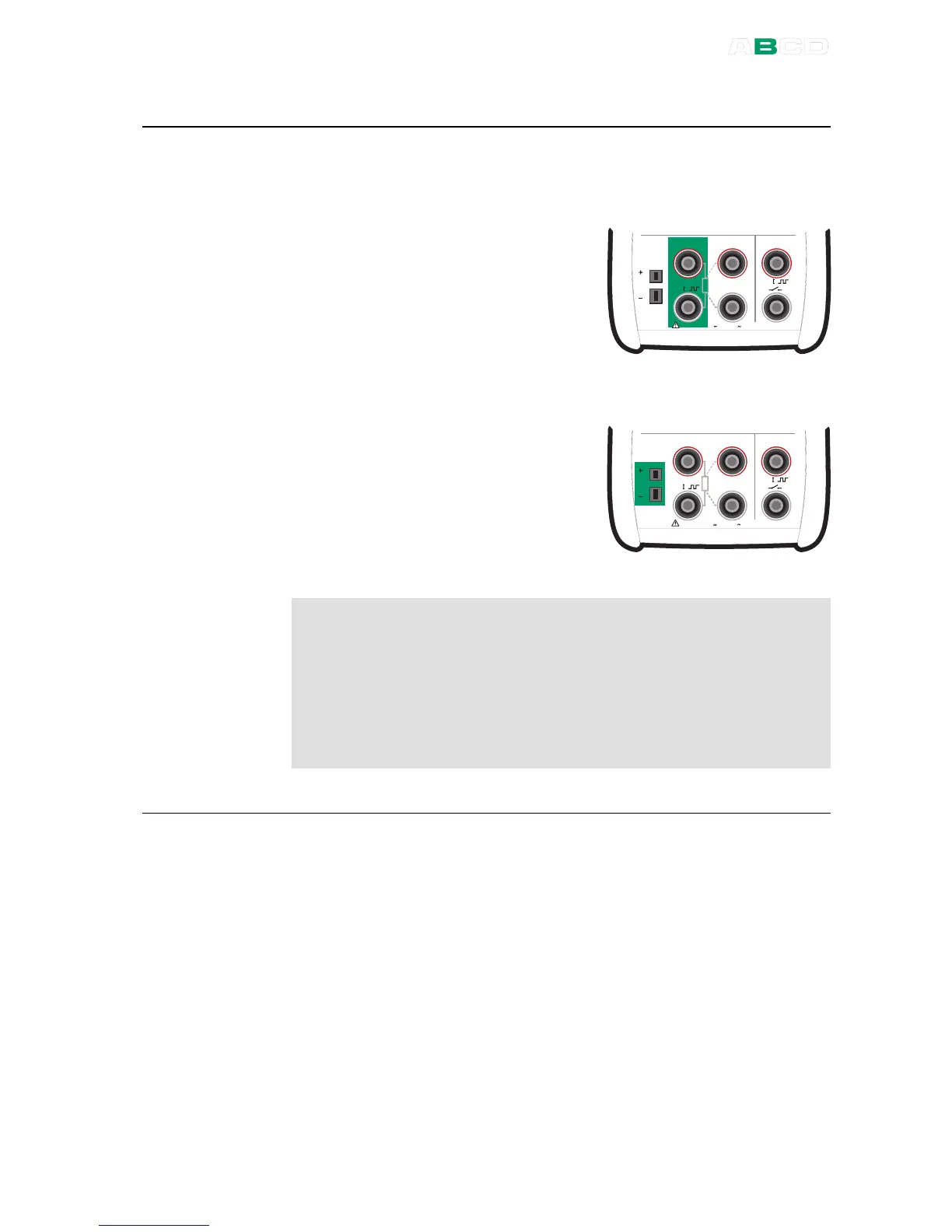
Function:
Voltage Generation
The active terminals for this
generation range are highlighted in
the adjacent picture.
M e a s u r e
M a x 6 0 V , 3 0 V , 1 0 0 m A
T / C
m V
s e n s e
R , R T D R m e a s
V , I
,
V , I
,
T e m p e r a t u r e / G e n e r a t e
M e a s u r e
M a x 6 0 V , 3 0 V , 1 0 0 m A
T / C
m V
s e n s e
R , R T D R m e a s
V , I
,
V , I
,
T e m p e r a t u r e / G e n e r a t e
Warning!
If you short circuit the voltage output, MC4 tries to maintain the
voltage by increasing the output current. If you then remove the
short circuit, the voltage is first too high, but returns quickly to
the correct level. If this voltage peak could damage the
components of the circuit, make sure that the circuit can not be
shorted or protect the circuit against over voltage. For the same
reason, always enter 0 V output before connecting the circuit.
Next
Voltage Measurement on page 52.
Thermocouple Simulation on page 63.
Tools Menu on page 67.
Stepping on page 73
Ramping on page 76.
Calibration, see Part D.



 To Next Page