Maintaining MC4's Instrument Database
156 MC4 User Guide
Editing Instrument Data
This chapter and its subchapters present all fields related to instru-
ments saved in MC4's memory. The fields are available when add-
ing a new instrument and when editing a new instrument.
To create a new instrument, go to the Instrument List Window.
Press F3/
Menu
,
Create New
To edit and existing instrument, again go to the Instrument List
Window. Select the instrument by pressing the Enter key ( ) or
F3/
Menu
,
Select
. The calibration window opens. Do not start the
calibration but press F1/
Menu
,
Edit Instrument
.
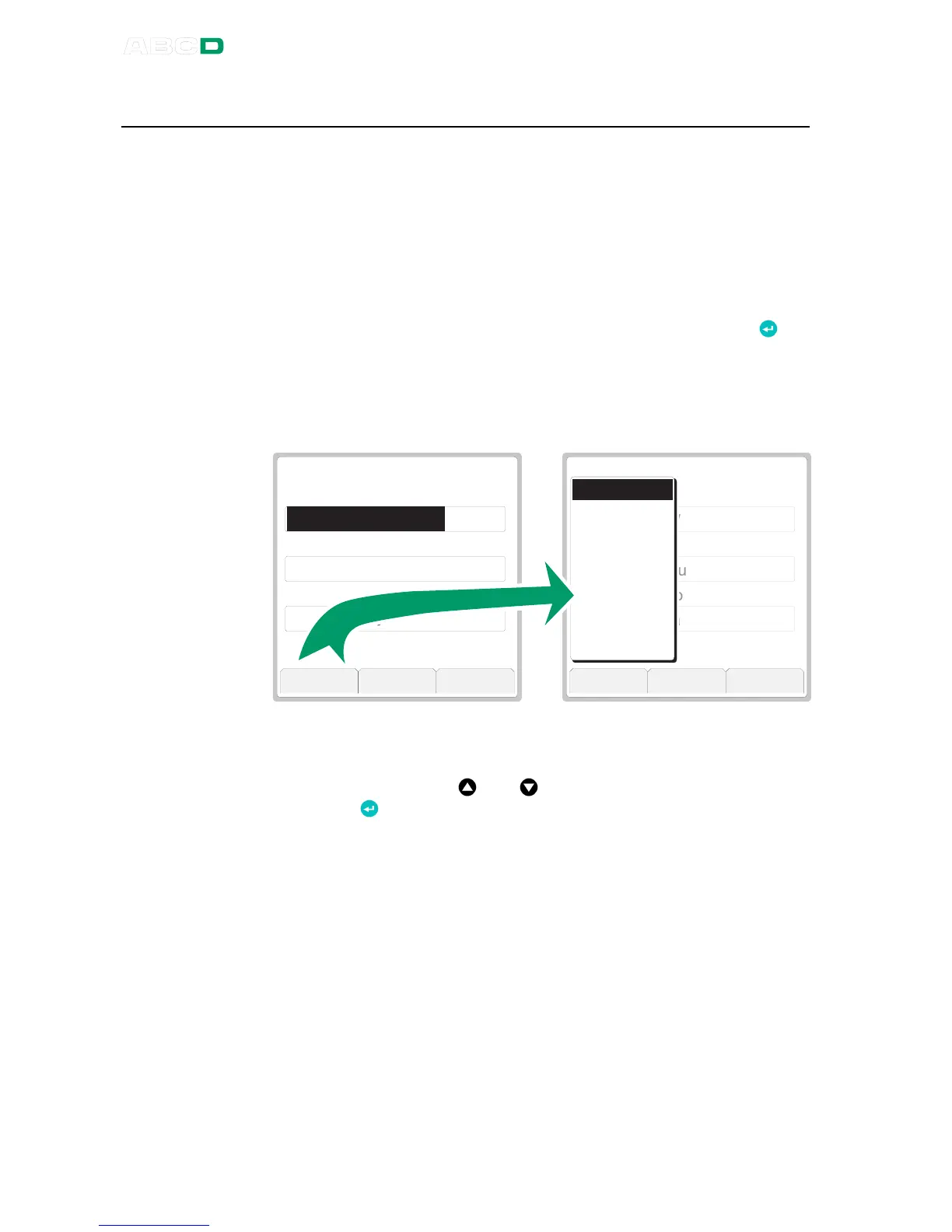
The instrument data window always opens with the Position data
page shown. See leftmost picture below.
P o s i t i o n I D
P o s i t i o n N a m e
P o s i t i o n L o c a t i o n
P O S I T I O N
W A T e m p e r a t u r e T r a n s m i t t e r
L e v e l 1 9 , a r e a V 6 7
1 / 8
T T A P M T S U W A 1 1 1 . 1
C a n c e l B o t t o m S e l e c t
P o s i t i o n I D
P o s i t i o n N a m e
P o s i t i o n L o c a t i o n
P O S I T I O N
W A T e m p e r a t u r e T r a n s m i t t e r
L e v e l 1 9 , a r e a V 6 7
1 / 8
T T A P M T S U W A 1 1 1 . 1
V i e w M o r e C l o s e
P o s i t i o n
D e v i c e
I n p u t
O u t p u t
F u n c t i o n
P r o c e d u r e
E r r o r L i m i t s
G e n e r a l
You may move from one data page to another by using either the
F2/
More
Function Key or by selecting the F1/
View
Function Key. In
the latter case a list of data pages open. Scroll the list using the up
and down arrow keys ( and ) and select a data page with the
Enter Key ( ).
Notes.
If you edit an instrument in MC4 and it was originally sent from a cal-
ibration software, the software notices the difference(s) when you
upload the results. Then, depending on your user rights in the soft-
ware, you are either allowed to save the results together with updat-
ed instrument data or you are refused to save anything. So, if you
edit instrument data in MC4, make sure you have the rights to up-
load edited instrument data.
Text fields in MC4 have no limitation on the length of the text/ID.
Take however into consideration, the possible limitations that your
calibration database software may have.



 To Next Page