Generating/Simulating
54 MC4 User Guide
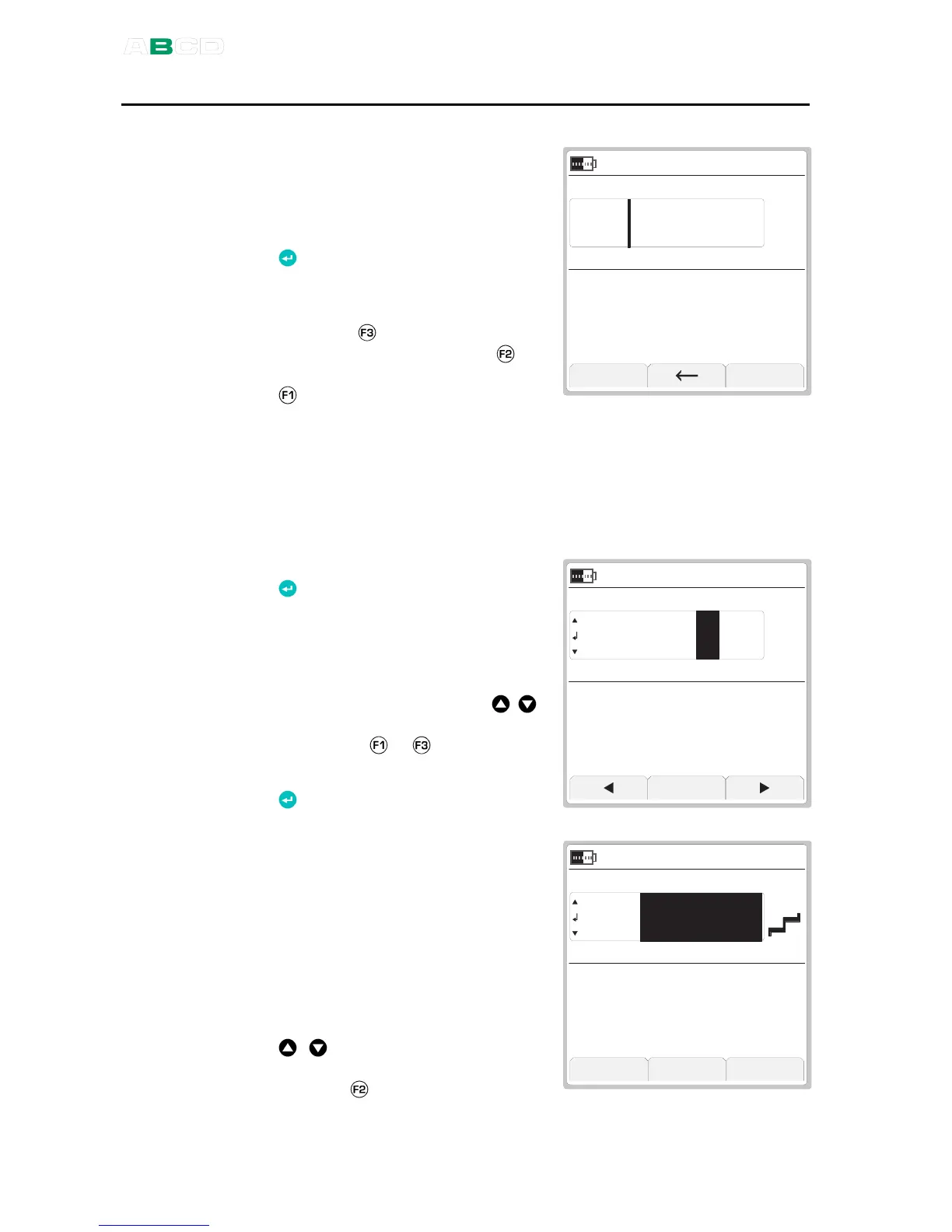
Changing the Generated/Simulated Value
The simplest way of changing a
generated/simulated value is
entering a new value using the
numeric keys. Finish entering the
new value by pressing the Enter
( ) key.
When entering the value, the
Function Keys allow you to clear
the value ( ), remove a character
to the left of the cursor ( ) or
cancel the entering of a new value
( ).
C a n c e l C l e a r
V
2 1 . 0 9 . 2 0 0 5 0 9 : 5 3 : 2 2
N o n e
6 . 5
Spinning and Manual Stepping
Spinning and Manual Stepping are two easily available methods for
changing the generated/simulated value.
To start
, press the Enter
( ) key when generating/simulat-
ing and viewing the Basic Mode
windows. Then one of the genera-
tion/simulation digits is inverted.
To spin the inverted digit, use the
up and down arrow keys ( ).
To change the digit to be spinned,
press either or Function Key.
To stop spinning, press the Enter
( ) key.
S t e p
V
2 1 . 0 9 . 2 0 0 5 0 9 : 5 8 : 2 2
N o n e
6 . 5 1 0 0
is an additional
functionality available while
Spinning.
To start Manual Stepping, you first
need to start the Spinning utility
and then press the F2/
Step
Function Key.
To step through the defined steps,
use the up and down arrow keys
( ). To toggle between the
minimum and maximum value,
press the
Function Key.
C l o s e 0 % S e t t i n g s
V
2 9 . 0 8 . 2 0 0 5 1 4 : 5 8 : 2 2
N o n e
9 . 0 0 0 0



 To Next Page