MC4 Hardware
12 MC4 User Guide
About the Charger and the Charging Procedure
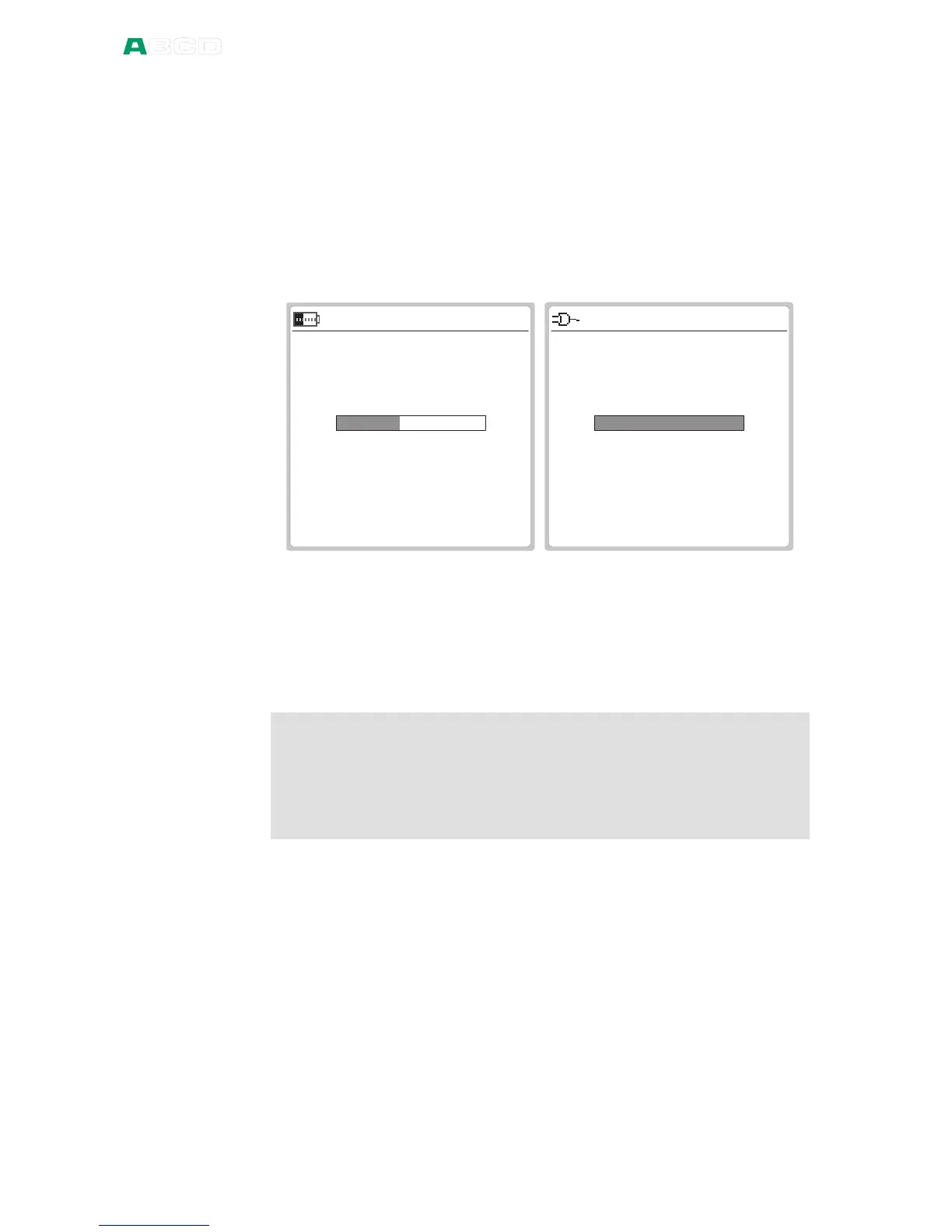
When charging the batteries the battery symbol and a plug symbol
alternates on the status bar. When charging is ready, only the plug
symbol is shown.
If MC4 is shut off and the charger is connected, a battery status bar
appears. After a while an estimate of the remaining charge time
appears below the battery status bar (see leftmost picture below).
1 7 . 0 9 . 2 0 0 4 0 9 : 3 6 : 2 2
C H A R G I N G
B a t t e r y s t a t u s
E s t i m a t e d t i m e l e f t : 2 h 1 4 m i n
1 7 . 0 9 . 2 0 0 4 1 1 : 5 0 : 2 2
C H A R G I N G R E A D Y
B a t t e r y s t a t u s
The charging time depends on calibrator's current consumption
(backlight, mA sourcing etc.). With no extra load, the charging time is
approx. 5 hours.
When charging while MC4 displays the charging window, MC4
beeps when the batteries are fully charged. Then the display looks
like rightmost picture above.
Warnings!
USE ONLY THE CHARGER PROVIDED WITH THE CALIBRATOR.
The charger accepts input voltages from 100 to 240 VAC.
The charger should only be used indoors and the temperature
should not exceed 35 °C (95 °F).



 To Next Page