How to Choose Which Calibration Run is Viewed
MC4 User Guide 175
To see other result pages, se-
lect F2/
More
.
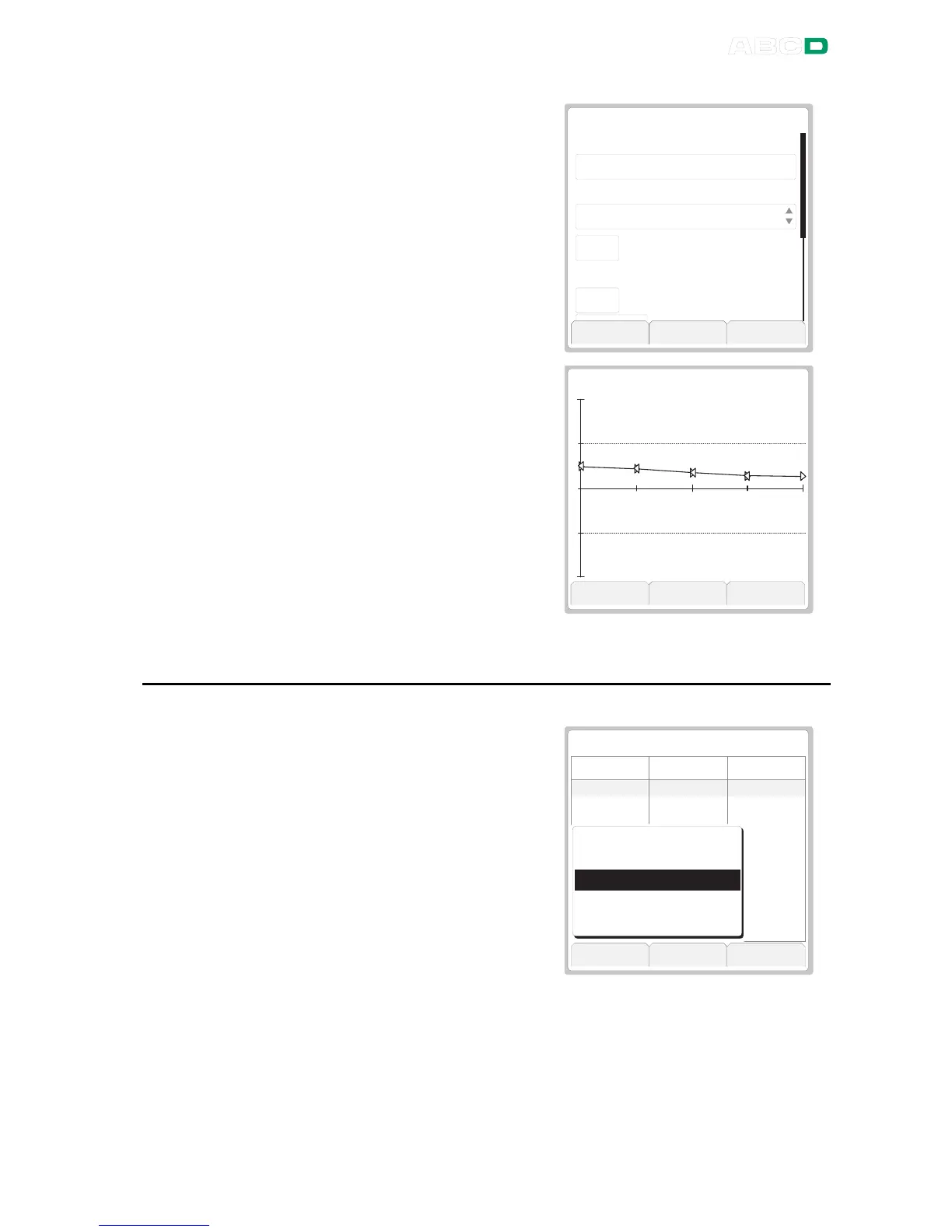
The second calibration result
page presents the calibration
info page in read only mode.
This data was available for edit-
ing after the calibration run was
done and before the results
were saved.
M e n u M o r e C l o s e
C A L I B R A T I O N I N F O
C a l i b r a t i o n R e m a r k
C a l i b r a t e d B y
W o r k T i m e [ m i n u t e s ]
A n d y H a n d y m a n
D r i f t i n g . S h o r t e r c a l . p e r i o d ?
E n v i r o n m e n t I n f o r m a t i o n
H u m i d i t y [ % ]
4 5
4 5
The third calibration result page
displays the error graph to-
gether with found maximum er-
ror. The dotted lines are the re-
ject error limits, positive and
negative.
M a x :
0 . 4 8
2
0
+
-
M e n u M o r e C l o s e
P A S S E D
How to Choose Which Calibration Run is Viewed
To view another calibration re-
sult, press F1/
Menu
.
The picture on the right dis-
plays the full calibration result
menu.
Options
Show Older Result
and
Show Newer Result
are
visible only if there are older
(correspondingly newer) results
available and the results have
the same instrument data.
M e n u M o r e C l o s e
P A S S E D
0 . 0 0
2 5 . 0 0
5 0 . 0 0
7 5 . 0 0
1 0 0 . 0 0
7 5 . 0 0
5 0 . 0 0
2 5 . 0 0
0 . 0 0
4 . 0 7 6 7
8 . 0 7 0 3
1 2 . 0 5 6
1 6 . 0 4 6 3
2 0 . 0 4 1 6
1 6 . 0 4 6 4
1 2 . 0 5 7
8 . 0 7 0 4
4 . 0 7 6 8
0 . 4 8
0 . 4 4
0 . 3 5
0 . 2 9
0 . 2 6
0 . 2 9
0 . 3 5
0 . 4 4
0 . 4 8
I n p u t O u t p u t E r r o r
S h o w O l d e r R e s u l t
S h o w N e w e r R e s u l t
R e s u l t H i s t o r y . . .
D e l e t e t h i s R e s u l t
D e l e t e A l l R e s u l t s
To see a list of all results, select
Result History
.



 To Next Page