Examples of Instrument Calibration
134 MC4 User Guide
Pressure Transmitters
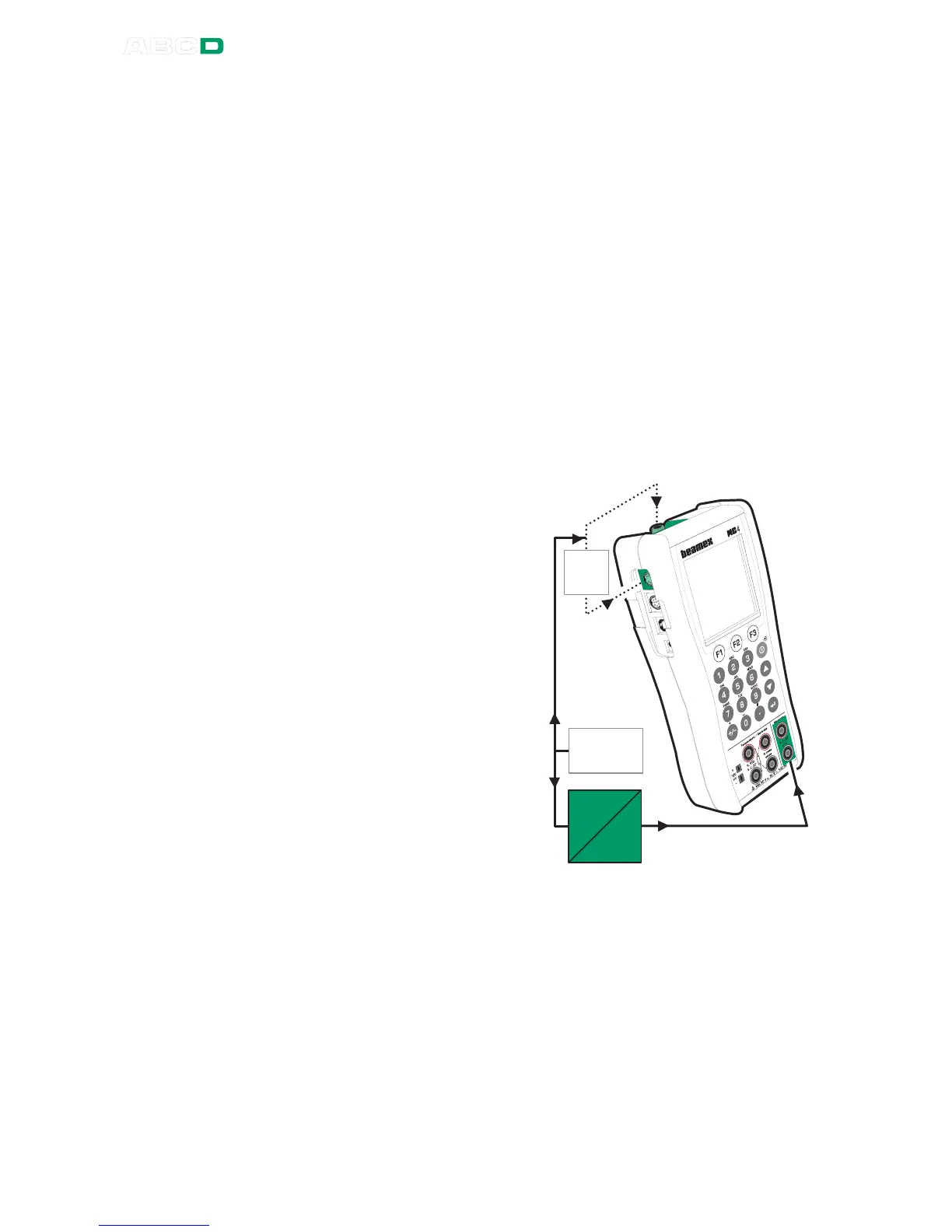
This procedure suits all instruments with a pressure input and any
kind of electrical output signal. Both the input and output signal
range should be measurable with MC4.
Note.
In order to perform a pressure transmitter calibration, the MC4 at
hand needs to have either a suitable internal pressure module or an
external pressure module has to be connected to MC4.
Preparations
1. Connect the instrument's input to the selected pressure mod-
ule (internal or external).
2. Connect a pressure source both to the instrument's input and
to the pressure module.
3. Connect the instrument's
output signal to appropri-
ate terminals in MC4. If
the output signal is cur-
rent, select whether MC4
provides the supply volt-
age or not (see Current
Measurement in Part B).
4. Select the instrument in
MC4 as presented in
chapter Selecting the In-
strument to Be Calibrat-
ed on page 129 or create
a new instrument as de-
scribed in chapter In-
strument List Window
Menu on page 152.
5. Test the connections be-
fore starting calibration,
i.e. see if the input and
output signal are "live" in
MC4.
E X T
P r e s s .
S o u r c e
P
E



 To Next Page