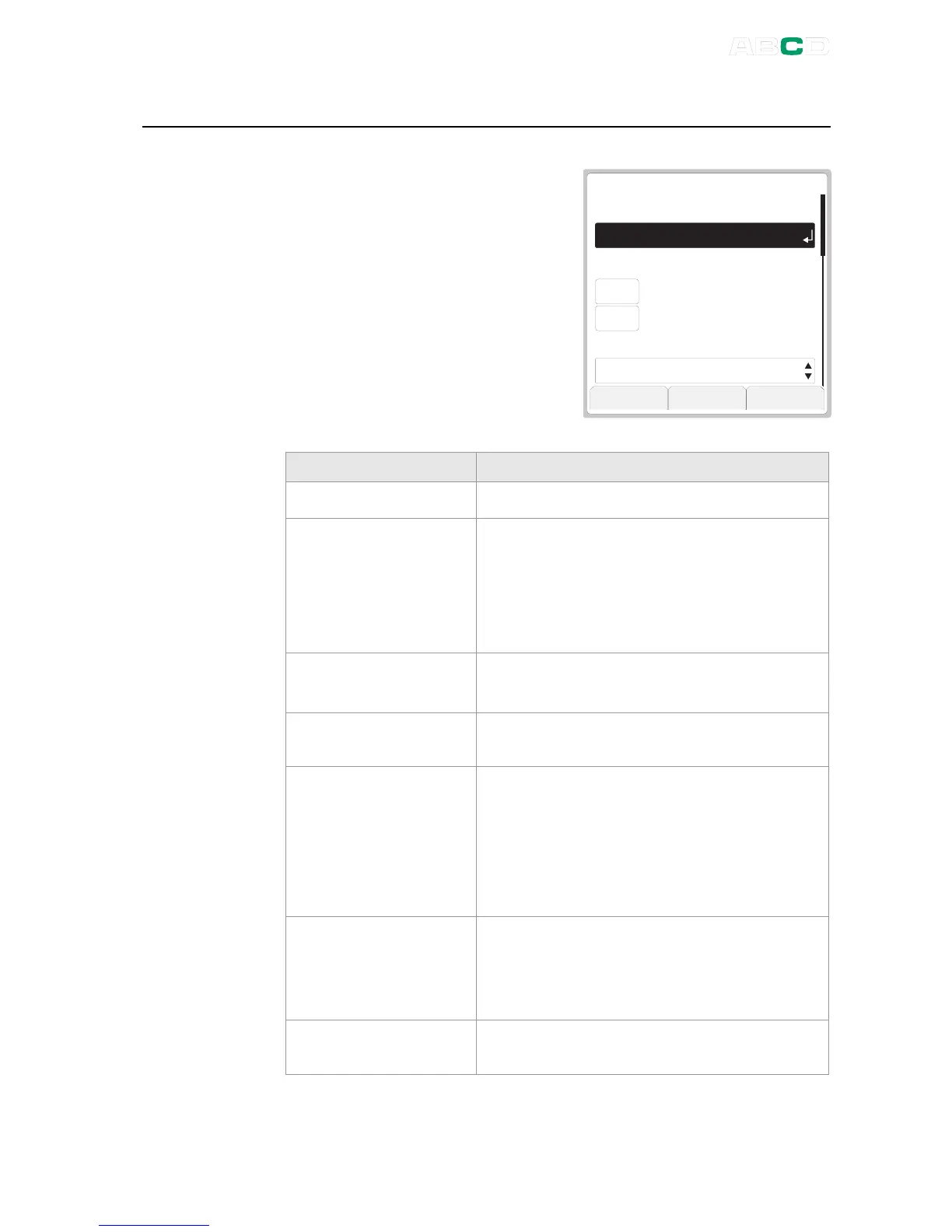
General Settings
MC4 User Guide 99
General Settings
This window allows you to edit the
following settings:
L a n g u a g e
A u t o - o f f D e l a y s ( 0 = n e v e r )
G e n e r a l T e m p e r a t u r e U n i t
G E N E R A L S E T T I N G S
E n g l i s h ( B u i l t I n )
° C
C o n t r a s t O k
5 B a c k l i g h t [ m i n ]
0 C a l i b r a t o r [ m i n ]
FIELD NOTES
Language
Contains a list of User Interface languages.
Auto-off Delays:
Calibrator [min]
Back light [min]
Wait time before auto power off is
executed and before the display light is
automatically switched off. See also notes
after this table.
Value 0 (zero) means the Auto-off delay is
disabled.
General
Temperature Unit
Select either °C (Centigrade) or °F
(Fahrenheit) as the temperature unit.
Temperature Scale
Contains a list of standard temperature
scales.
Key Click Volume,
Alarm Volume,
Attention Volume,
Outside Span
Volume and,
Error Volume
Available options (apply to all volume
settings):
Off
,
Low
,
Medium
and
High
.
Net Frequency
Options:
50 Hz and 60 Hz.
Note that wrong net frequency setting
affects the accuracy of MC4.
Owner
A text field for entering owner's name etc.
This data is shown in the Welcome Screen.



 To Next Page