Basic Mode's User Interface
MC4 User Guide 17
Basic Mode's User Interface
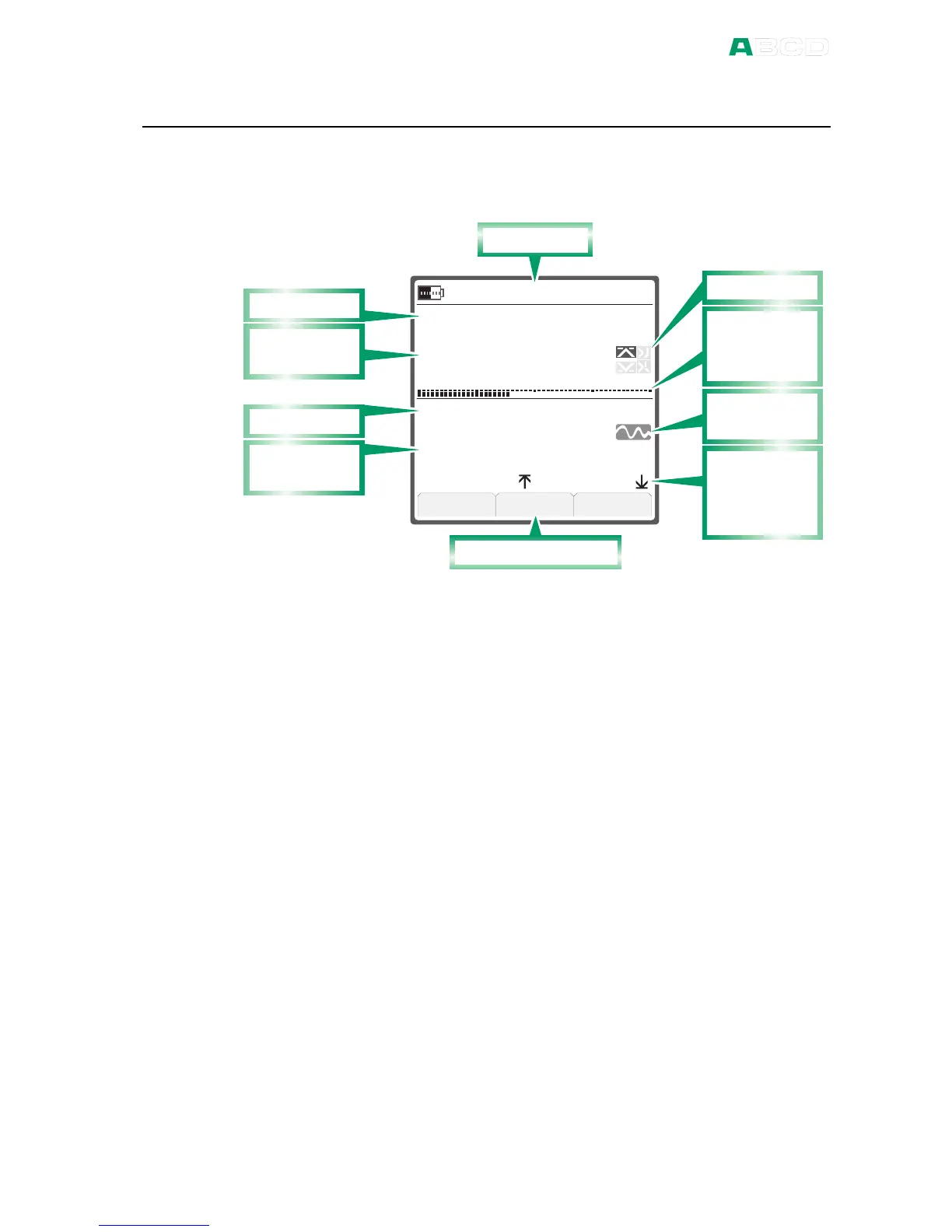
The main elements of the Basic Mode can be seen in the following
picture:
S e t u p
S e t u p
M e n u
k P a
2 1 . 0 8 . 2 0 0 8 1 4 : 3 8 : 2 2
m A
G a u g e
S u p p l y : O n
I N T
1 5 . 8
0 2 0 4 0
1 2 . 3 3 0 4
8 . 0 1 3 21 6 . 4 5 8 3
1 0 3 0
S t a t u s B a r
F u n c t i o n K e y b a r
A d d i t i o n a l
I n f o R o w :
B a r G r a p h
A l a r m s
U n s t a b l e
r e a d i n g
A d d i t i o n a l
I n f o R o w :
M i n a n d
M a x V a l u e s
M a i n m e a s -
u r e m e n t 1
W i n d o w 1
M a i n m e a s -
u r e m e n t 2
W i n d o w 2
Other elements can be found in other windows. They are presented
in the subsequent chapters.
The Status Bar
The Status Bar at the top of the display is divided into two sections.
The first (leftmost) section displays the charge level of the battery
and a plug symbol when the charger/battery eliminator is connected.
The second section displays the date and the third the time.
Windows 1 and 2
MC4 has two windows in Basic Mode. Both windows can
independently be configured to display a measurement value. They
can also be assigned to more data on the extra info row as seen in
the previous picture.
Part of the window is reserved for alarm symbols as well as an
unstable reading symbol (i.e. the measured value is not steady at
the moment).



 To Next Page