Leak/Stability Test
MC4 User Guide 71
Leak/Stability Test
Leak/stability test is a tool for testing the leak or stability of, e.g. a
pressure measurement system. Generally: the test tells you both the
absolute and the average change per minute of any measurement
during the test period.
To open the test window, enter the following menu commands:
F1/
Setup
or F2/
Setup
(depending on which window you want
to configure the test to), F2/
Tools
and
Leak / Stability Test
from
the opened menu.
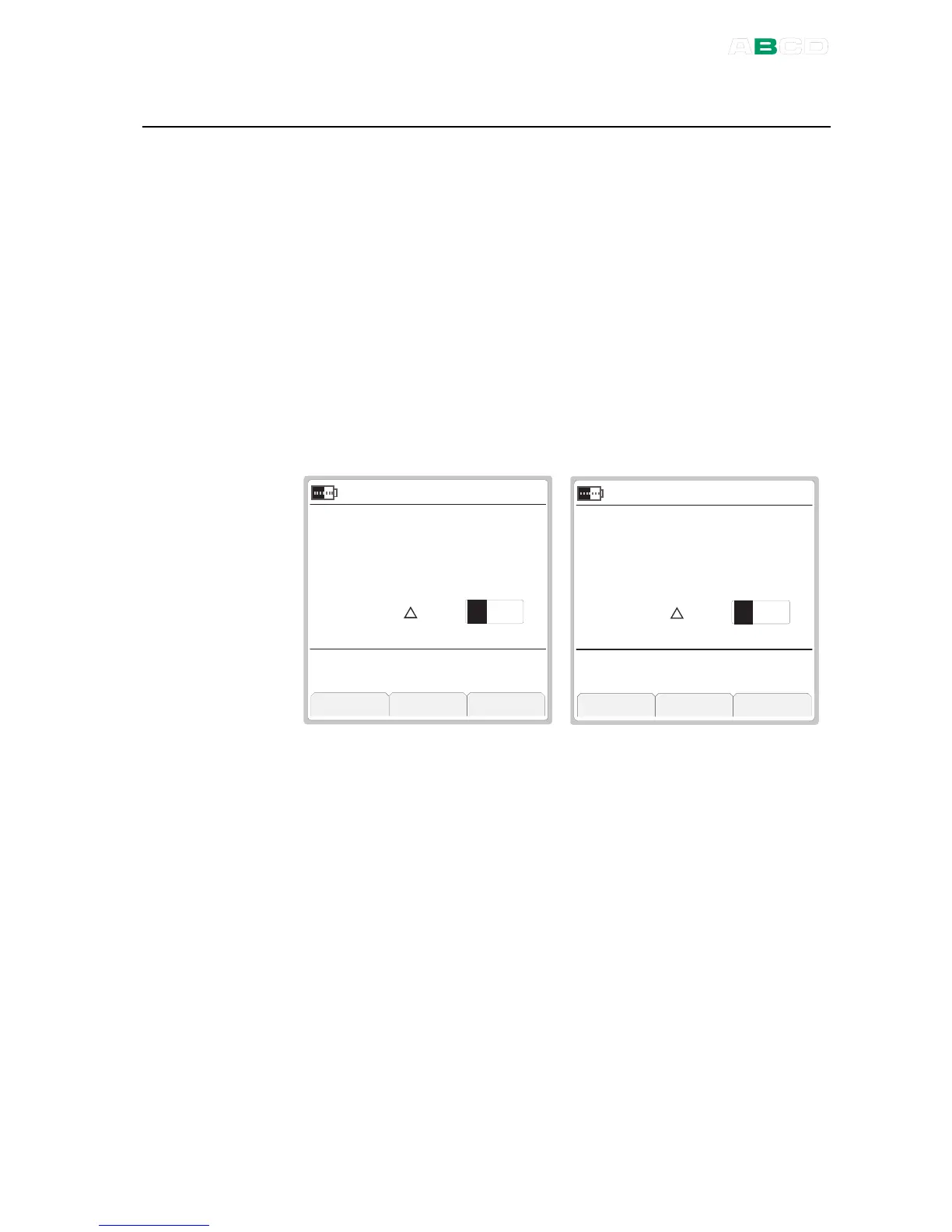
See the leftmost picture below to see how the test window appears.
The window where the test was invoked in is moved to top and
enlarged to include the test data and the other window is minimized
showing only the essential measurement data. Any data selected to
be shown on the additional info row is temporarily hidden.
C l o s e + 3 0 s S t a r t
k P a
2 1 . 0 8 . 2 0 0 8 1 3 : 1 9 : 2 2
m A
G a u g e
S u p p l y : O n
4 9 . 3
1 0 . 8 6
L E A K / S T A B I L I T Y T E S T
s
3 0
C l o s e + 3 0 s S t o p
k P a
2 1 . 0 8 . 2 0 0 8 1 3 : 2 0 : 2 2
m A
G a u g e
S u p p l y : O n
4 9 . 2
1 0 . 8 6
L E A K / S T A B I L I T Y T E S T
s
3 00 . 1
0 . 2 / m i n d u r i n g 3 0 s
To start the test, first check the test time to be used. Either accept
the default value or enter another time period in seconds. Entering
zero as the test time means the test will continue until manually
stopped. Select F1/
Start
and see how the test advances.
The rightmost picture above is an example of an MC4 display during
a test. The absolute decrease is shown beside the triangle and the
average decrease per minute below.



 To Next Page