Pulse Generation
MC4 User Guide 59
Pulse Generation
The generated pulses are either positive or amplitude symmetric
square waves.
Function:
Pulse Generation
The Repetition Frequency (Hz) setting defines the frequency to be
used when generating the pulses.
The
Waveform
and
Amplitude
settings are similar to the settings
found in Frequency Generation on page 58.
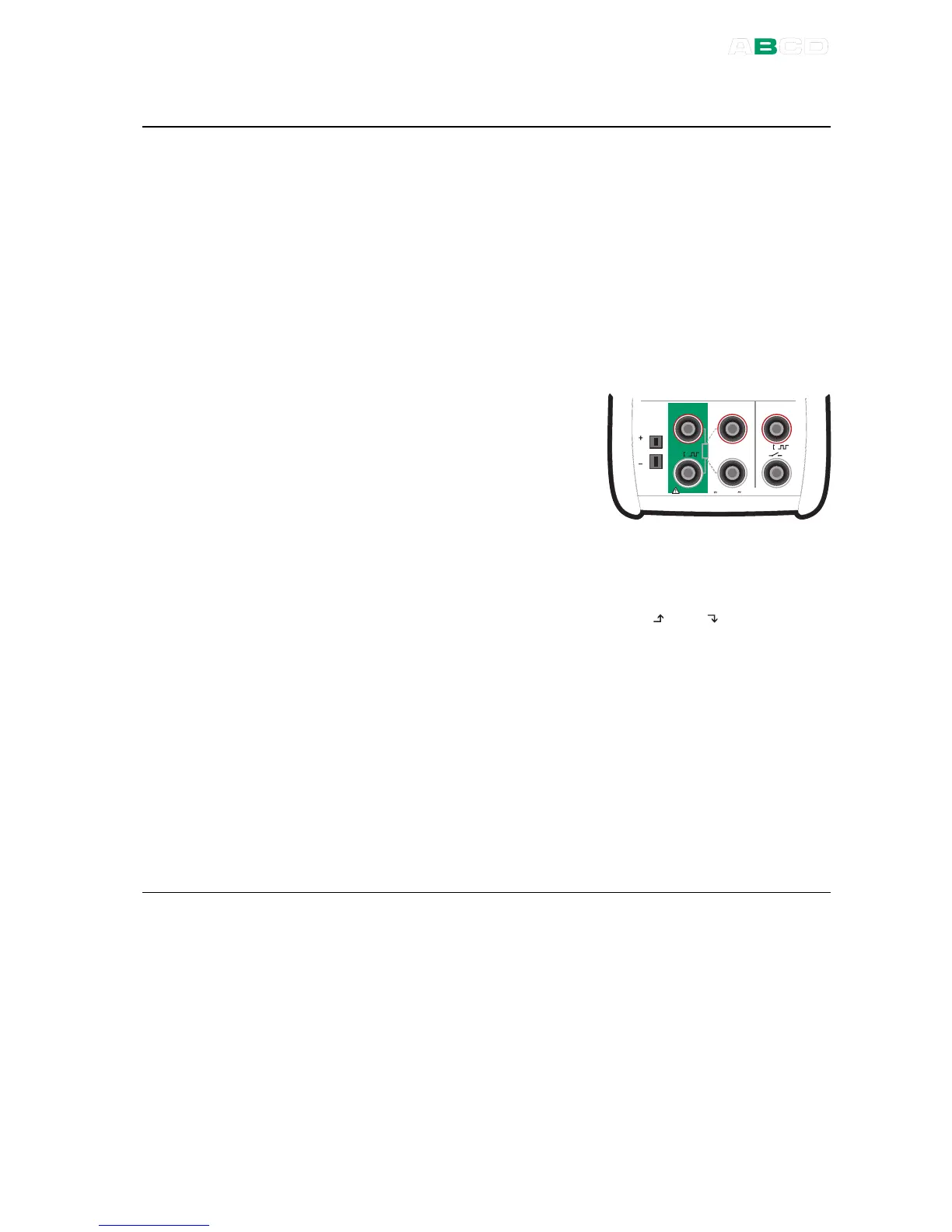
The adjacent picture displays the
active terminals:
In the Basic Mode window:
M e a s u r e
M a x 6 0 V , 3 0 V , 1 0 0 m A
T / C
m V
s e n s e
R , R T D R m e a s
V , I
,
V , I
,
T e m p e r a t u r e / G e n e r a t e
Enter the amount of pulses MC4 should generate. The pulse
generation starts immediately after the amount is entered.
By default the additional info row at the bottom of the window
displays pulses done and pulses left (icons: and respectively).
More of additional info row on page 90.
Note.
Due to technical reasons, the entered Duty Cycle setting is not
always realized. This happens with relatively high and low
frequencies. The true Duty Cycle percentage is shown in the
appropriate Basic Mode window.
See Appendix 1, Technical Data for more specific info of Duty
Cycle limitations.
Next
Frequency Generation on page 58.
Pulse Counting on page 46.
Tools Menu on page 67.
Stepping on page 73
Ramping on page 76.
Calibration, see Part D.



 To Next Page