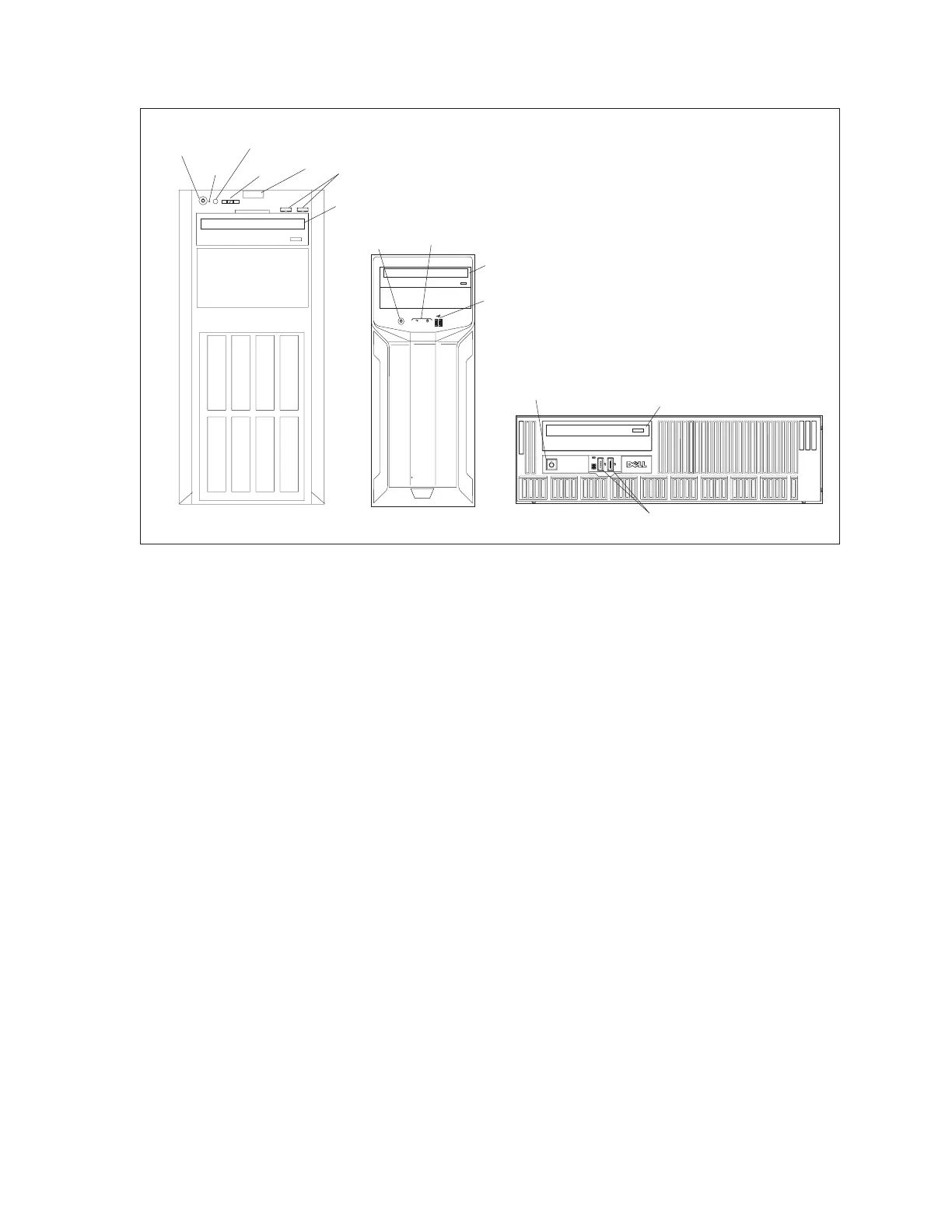
Sync Control System 11
Front Panel Connectors and Controls
(1)
DVD
DRIVE
(6)
POWER
BUTTON/LIGHT
(7)
USB 2.0
CONNECTORS
T320 SERVER
(6)
POWER
BUTTON/LIGHT
(1)
DVD
DRIVE
(7)
USB 2.0
CONNECTORS
(5)
NMI
BUTTON
(4)
SYSTEM
IDENTIFICATION
BUTTON
(2)
LCD
PANEL
(8)
DIAGNOSTIC
INDICATORS
1 2 3 4
T110 SERVER
<>
(3)
LCD MENU
BUTTONS
(6)
POWER
BUTTON/LIGHT
(1)
DVD
DRIVE
(7)
USB 2.0
CONNECTORS
OPTIPLEX EX CLIENT
Typical Front Panel Connectors and Controls
Functions of the connectors and controls on the front of the computer may include:
(1) DVD Drive - Drive used to load programs from DVD disks or in some cases create backups on
DVDs.
(2) LCD Panel - Located on the T320 server, this display provides system ID, status information,
and system error messages.
(3) LCD Menu Buttons - Buttons used to navigate the control panel LCD menu on the T320
server. The System Identication button turns the system ID mode for the T320 server “on”.
(4) SystemIdenticationButton- Buttons used to navigate the control panel LCD menu on the
T320 server. The System Identication button turns the system ID mode for the T320 server
“on”.
(5) NMI Button - Not Used
(6) Power Button/Light - Press this button to turn the computer on and off. The power-on
indicator lights when the system power is on.
(7) USB Connector - Allows connections of USB devices to the system.
(8) Diagnostic Indicators- The diagnostic indicators light up to display error status.



 To Next Page