52 Sync Control System
Display Controllers
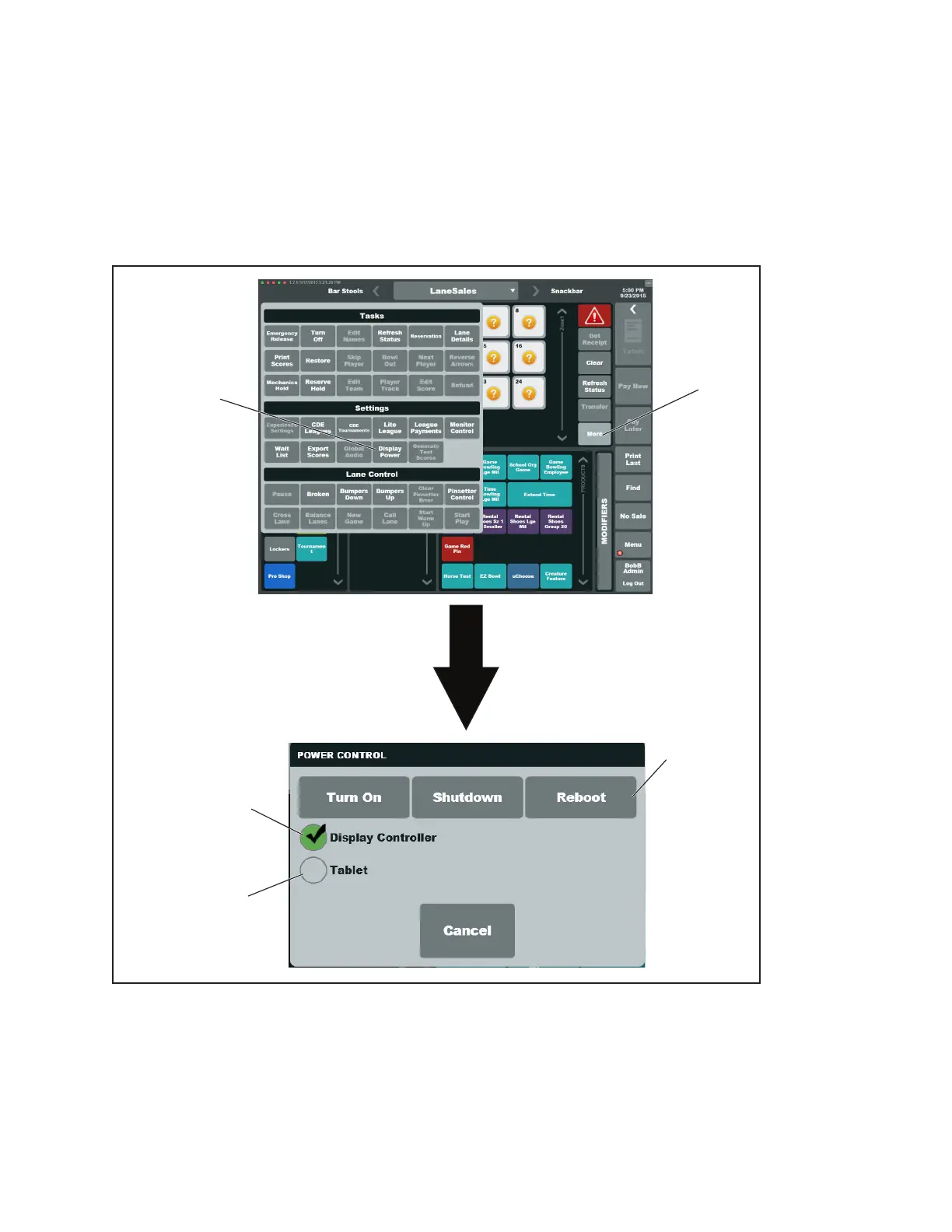
The following procedure allows the user to reboot individual or a group of Display Controllers.
1. In the Sync Desk program, navigate to the Lane Sales view panel..
2. Select the lane or lane range for the Display Controller(s) that you want to reboot.
2. Select More, then select Display Power
3. Check the Display Controller option and un-check the Tablet option.
4. Select Reboot.
(1)
MORE
(2)
DISPLAY
POWER
(3)
DE-SELECT
TABLET
(4)
SELECT
DISPLAY
CONTROLLER
5)
SELECT
REBOOT
Rebooting Display Controllers
(1) MORE (2) DISPLAY POWER (3) DE-SELECT TABLET
(4) SELECT DISPLAY (5) REBOOT
CONTROLLER



 To Next Page