Sync Control System 35
Credit Card Setup
NOTE: The following settings have an impact on ALL credit cards connected to the Sync system.
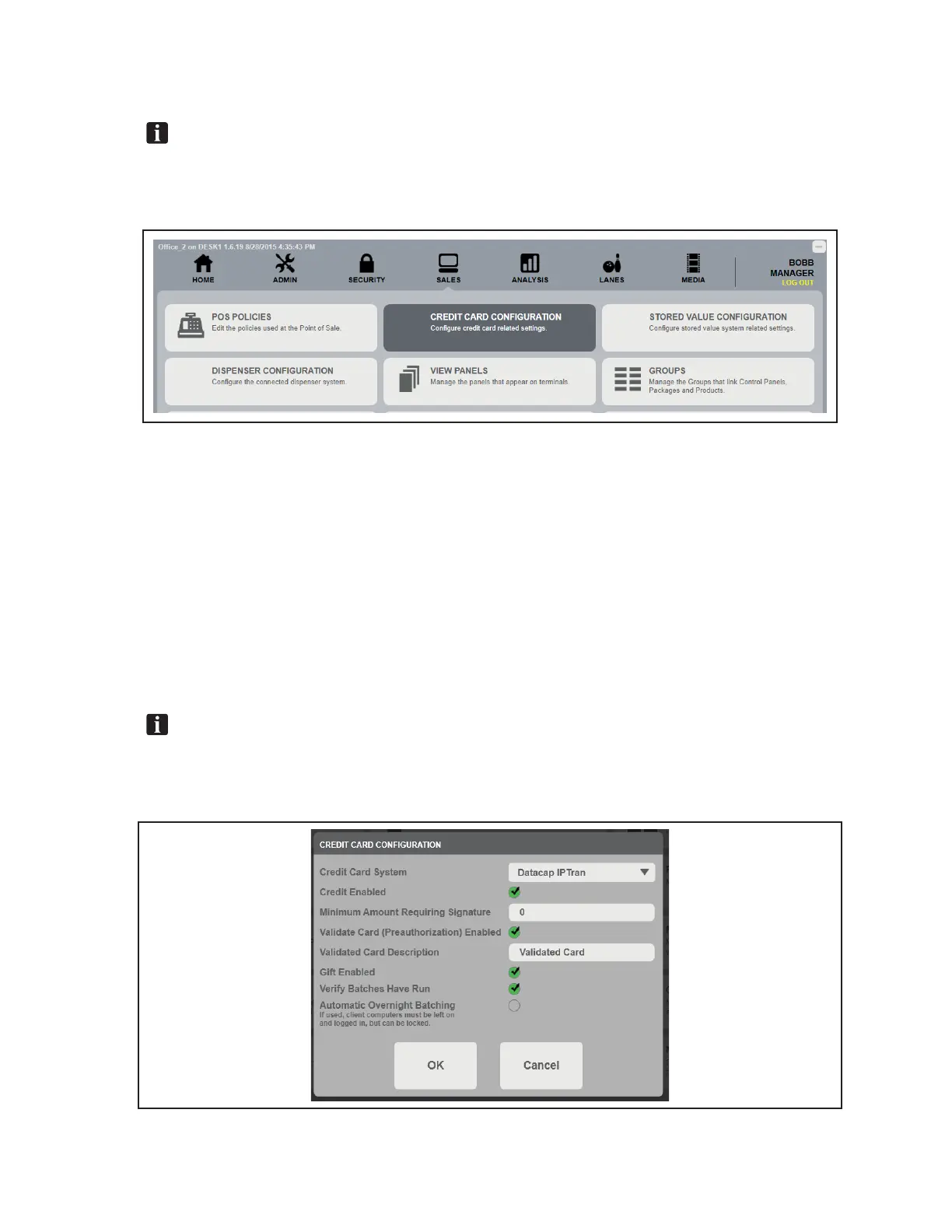
1. Under the SALES tab, click CREDIT CARD CONFIGURATION. Refer to gure titled Select
Credit Card Conguration.
Select Credit Card Conguration
2. Edit the appropriate settings for the entire Sync system. Refer to gure titled Select Credit Card
Conguration.
a. Credit Card System - Select the credit card system currently used by the system
b. Credit Enabled - Select to enable credit
c. Minimum Amount Requiring Signature - Input a minimum dollar amount to require a
customer signature
d. Validate Card (Preauthorization) Enabled - Select to enable card preauthorizations
e. Gift Enabled - Select to enable gift cards
f. Verify Batches Have Run - Select to enable the system to verify the batches have run
g. Automatic Overnight Batching - Select to enable overnight credit card batching.
NOTE: Overnight credit card batching requires that the client computers be left on and logged
in. Failure to do so may diminish results.
3. Click OK to save the settings.
Select Credit Card Conguration



 To Next Page