26 Sync Control System
Conguration and Setup
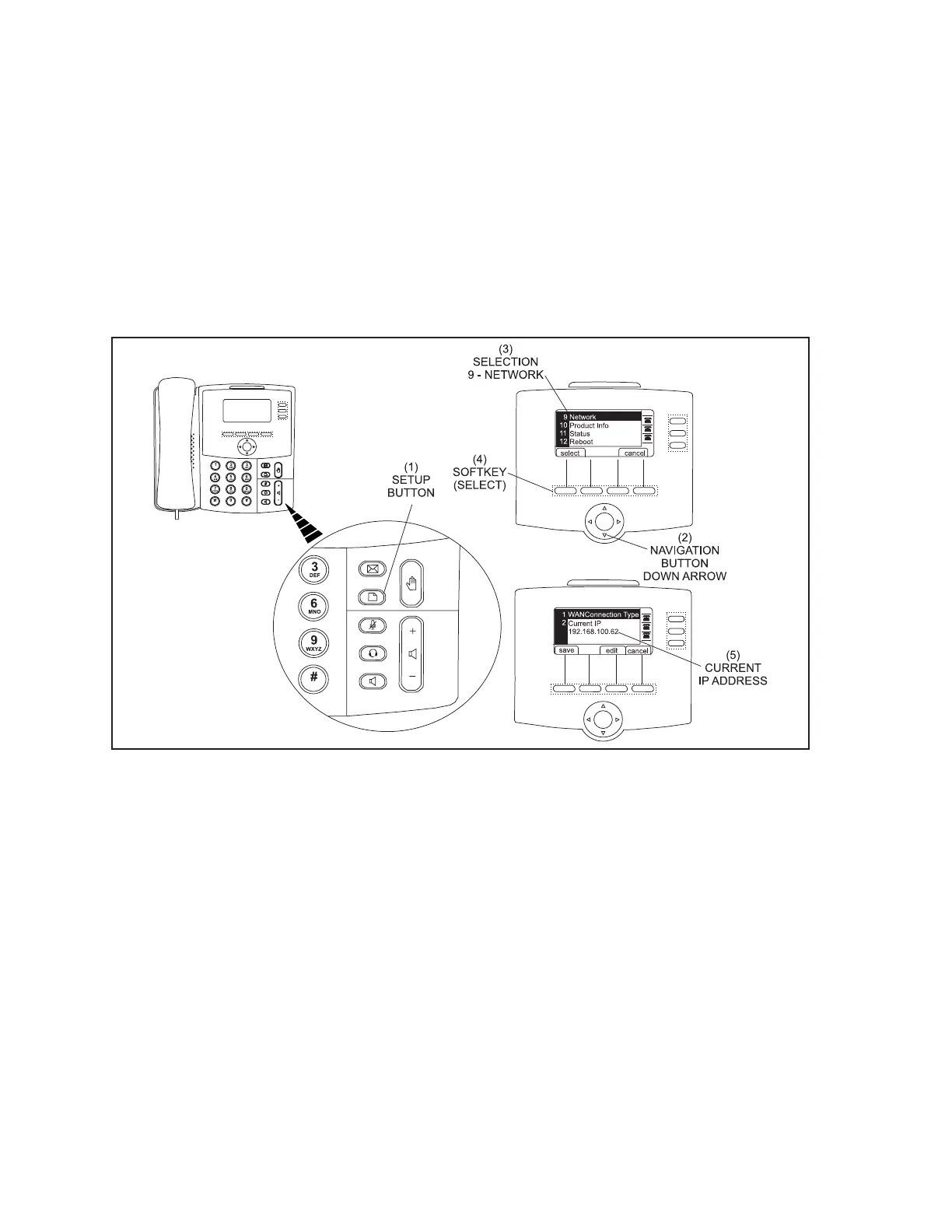
1. The IP (internet protocol) address of the phone will be required to continue the setup procedure.
Use the following steps to obtain the address assigned to the phone. Refer to gure titled
Finding The Phone’s IP Address.
A. Press the Setup Button (1).
B. Press the Navigation Button Down Arrow (2) until the selection 9 Network (3) is
highlighted
C. Use the left Softkey (4) to select the highlighted selection.
D. The Current IP (5) will display on the screen.
E. Note this IP address number for the next step.
Finding The Phone’s IP Address
(1) SETUP BUTTON (2) NAVIGATION BUTTON (DOWN ARROW) (3) SELECTION 9 -
NETWORK
(4) FIRST SOFTKEY (SELECT) (5) CURRENT IP ADDRESS



 To Next Page