54 Sync Control System
Sync Client and Server
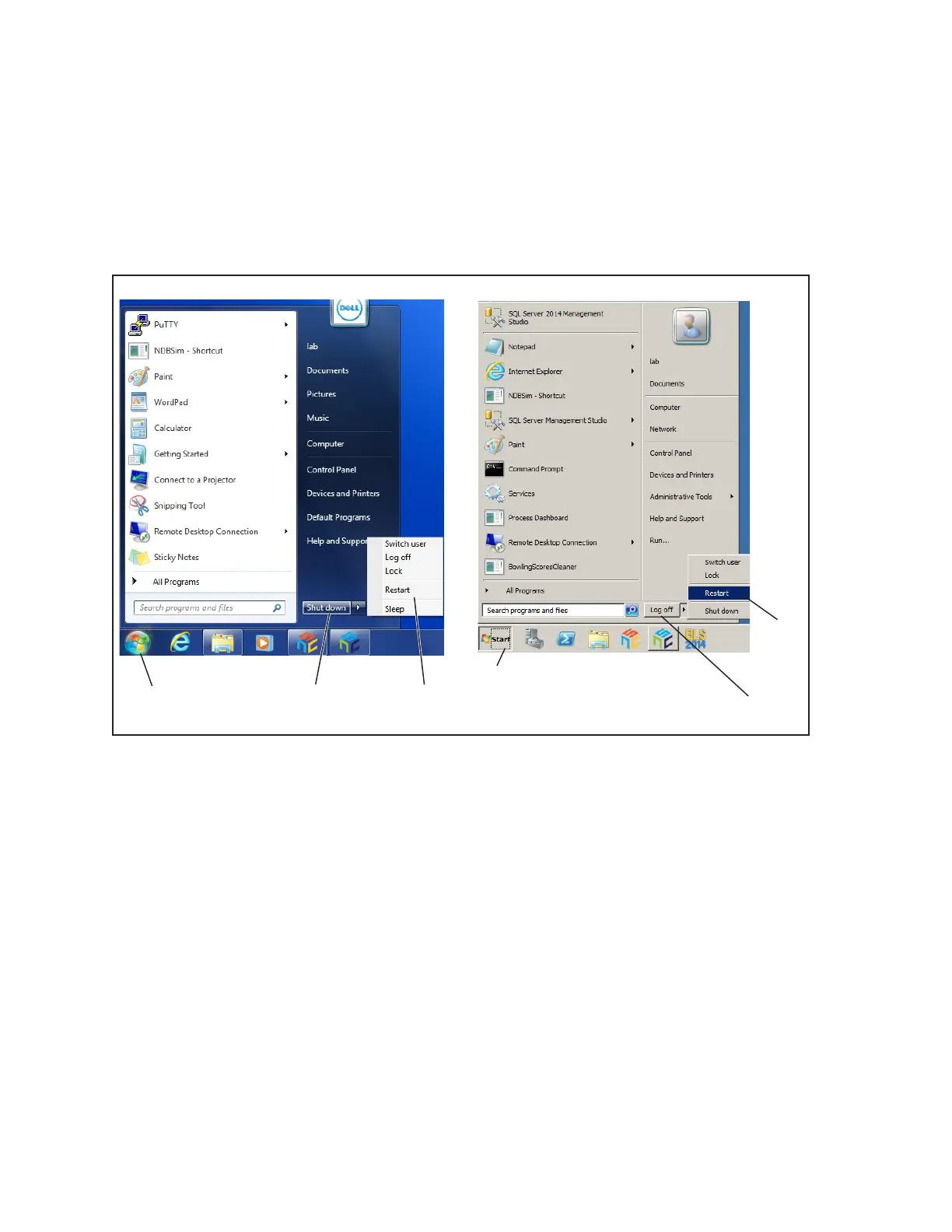
The following procedure allows the user to reboot individual Sync clients or the Sync server.
1. At the client or server computer terminal, select the Windows Start button
2. Select Shut down (Client) or Log off (Server).
3. Select Restart.
(1)
SELECT
START
BUTTON
(2)
SELECT
SHUT DOWN
(3)
SELECT
RESTART
(1)
SELECT
START
BUTTON
(5)
SELECT
LOG OFF
(3)
SELECT
RESTART
Rebooting Sync Client or Server Computers
(1) SELECT START BUTTON (2) SELECT SHUT DOWN (3) SELECT RESTART
(4) SELECT LOG OFF



 To Next Page