Sync Scorer Components 67
Peripheral Controller Replacement
NOTE: The screen shots in this procedure may vary slightly from what is displayed on your
system. Although the graphics might differ, the content and the procedure is the same regardless
of the system version.
NOTE: Before disconnecting any cables from the original Peripheral Controller, take note
of where each cable is connected so that they are attached to the replacement Peripheral
Controller properly. It is strongly recommended to mark each cable with a marker to designate
its connection before disconnecting the cables.
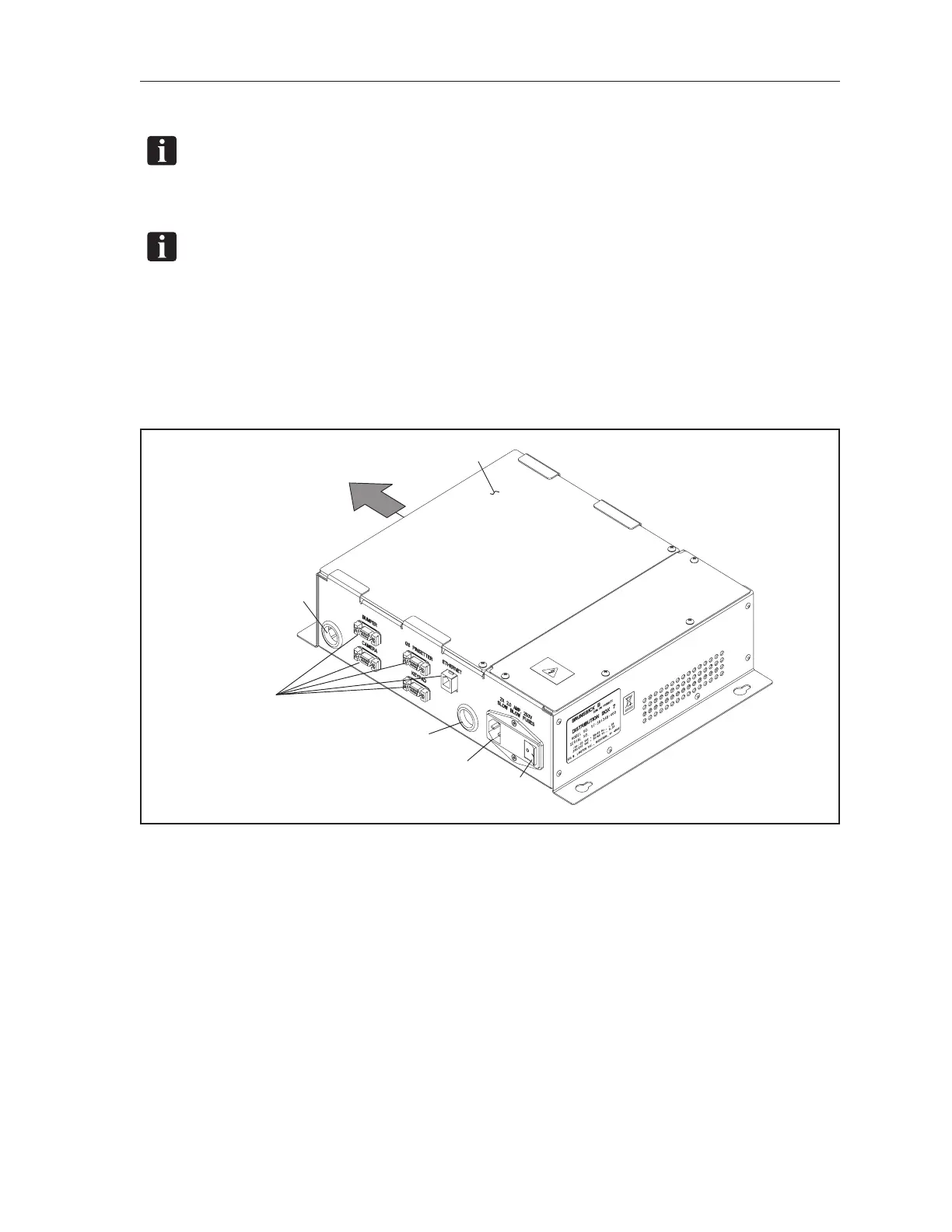
1. Remove power from the Peripheral Controller by turning off the power switch on the unit and
disconnection the power cable. Refer to the gure titled Peripheral Controller Power and
Connections.
(2)
COVER
(1)
POWER
SWITCH
(4)
CABLE
FEED THROUGH
HOLE
(5)
EXTERNAL
CONNECTORS
(3)
POWER
IN
(4)
CABLE
FEED THROUGH
HOLE
(6)
SLIDE COVER
TO REMOVE
Peripheral Controller Power and Connections
(1) POWER SWITCH (2) COVER (3) POWER IN
(4) CABLE FEED THROUGH HOLE (5) EXTERNAL CONNECTORS
2. Take note of where each cable connects external connectors, then disconnect the external cables
from the box.
3. Remove the cover screws and cover to gain access to the internal connectors.
4. Take note of where each cable enters the box through the “feed through” holes and where they
attach to the board. Disconnect the cables from the board and carefully remove them from the
box.
5. Loosen the screws that hold the Peripheral Controller to its mounting board. Lift and remove
the Controller from the mounting board.



 To Next Page