34 Sync Control System
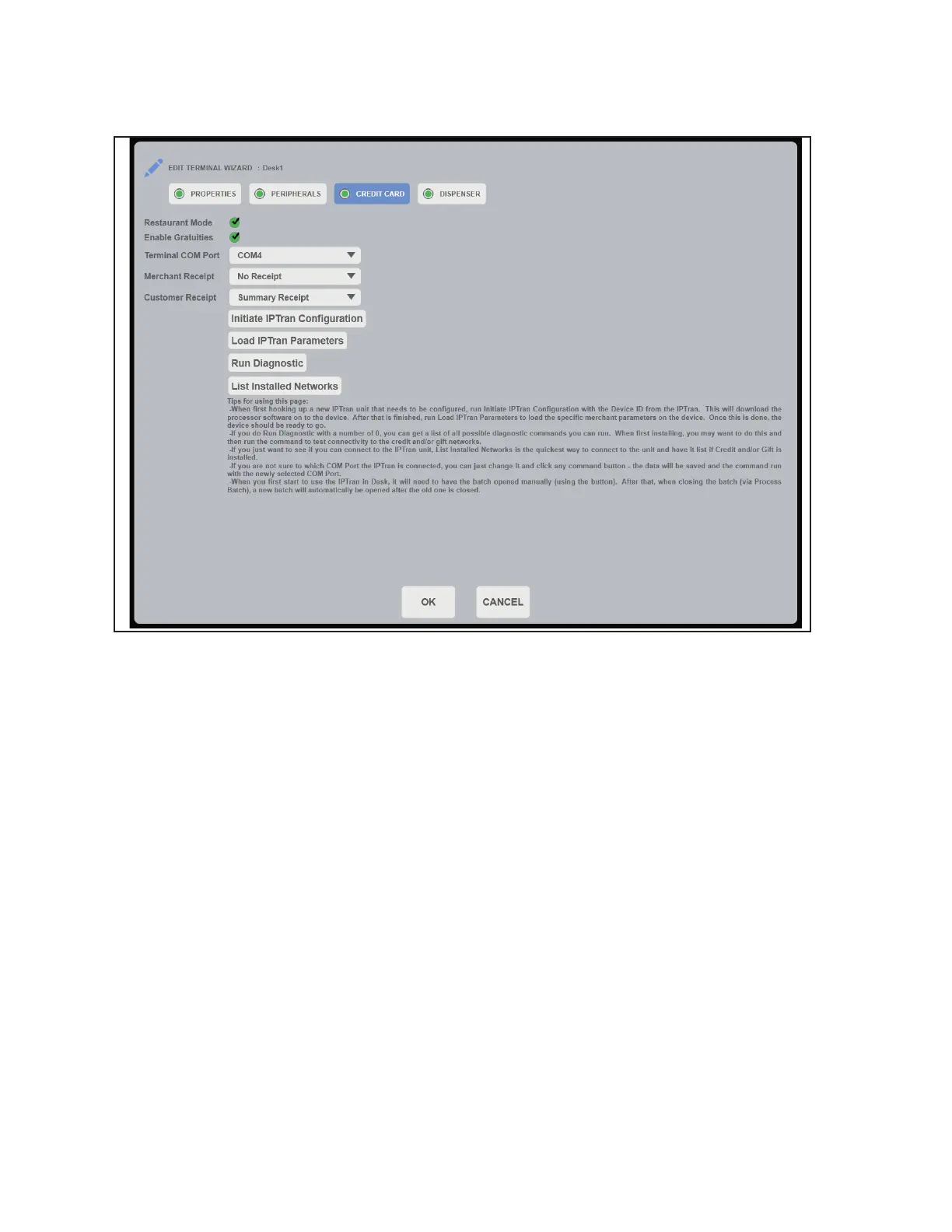
3. Select the Credit Card tab. Edit the appropriate settings for the selected terminal only. Click
OK to save the settings. Refer to gure titled Edit Credit Card Settings.
Edit Credit Card Settings
a. Restaurant Mode - Select to enable restaurant mode
b. Enable Gratuities - Select to enable gratuities, only applies to restaurant mode
c. Terminal COM Port - Select the COM Port used by the IP Tran Device
d. Merchant Receipt - Select the desired merchant receipt style
e. Customer Receipt - Select the desired customer receipt style
f. InitiateIPTranConguration - Select to input IP Tran Device ID or to update settings
g. Load IP Tran Parameters - Select to update merchant settings on the IP Tran Device
h. Run Diagnostic - Input and run the desired diagnostic. Input 0 for the command list.
i. List Installed Networks - Select to view if the system is connected to IP Tran device.



 To Next Page