42 Sync Scorer Components
()6
CENTER TV
NAME
(2)
LANE
ASSIGNMENT
(3)
MONITOR
(5)
MONITOR
ID
(4)
PORT
(1)
NAME
(3)
MONITOR
(4)
PORT
(5)
MONITOR
ID
3
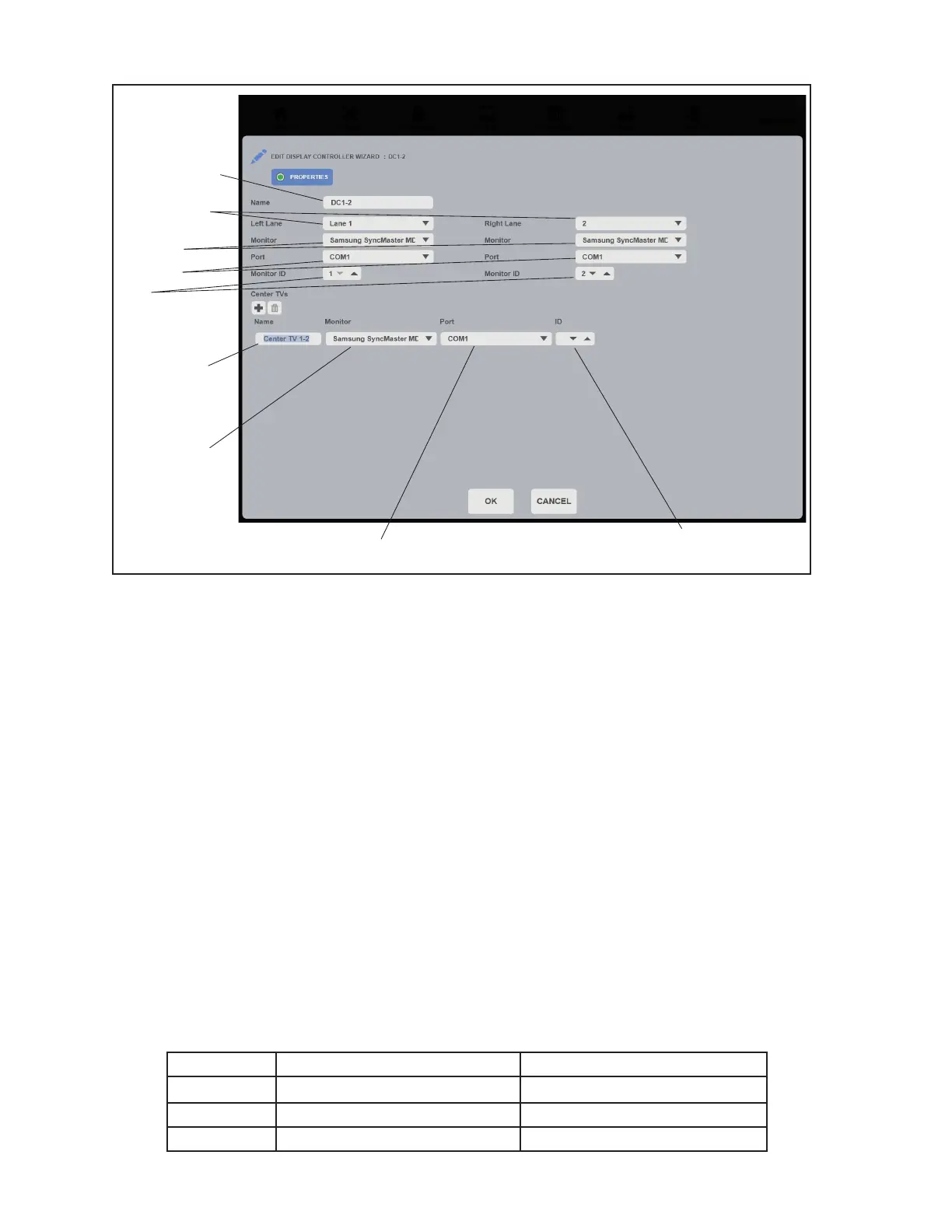
Lane Tab - Display Controller Properties
(1) Name - The name assigned to the Display Controller to identify it from the other controllers in
the system.
(2) Lane Assignment - Drop down boxes used to assign lane numbers to the Display Controller.
Set the Lane Assignment as follows:
Left Lane - The left lane number of the lane pair on which the Display Controller is
installed.
Right Lane - The right lane number of the lane pair on which the Display Controller is
installed.
(3) Monitor - From the drop down boxes, select the model of the monitors used on the left and
right lane of the lane pair. This selection determines the “remote control” codes used to control
the monitor.
(4) Port - From the drop down boxes, select the comport the Display Controller uses to control the
monitors. The setting will depend on how the overhead monitor control cables are wired. For
monitors that have control cables that are daisy-chained between monitors all should be set to
the same comport number since both lanes are controlled through a common connection. For
monitors that have dedicated cables from the display controller, the setting should match the
comport used for the monitor. In most centers these will be set as follows:
Lane Daisy-Chained Cables
Dedicated Cables
Left Com1 Com1
Right Com1 Com2
Center TVs Com1
Com3



 To Next Page