58 Sync Scorer Components
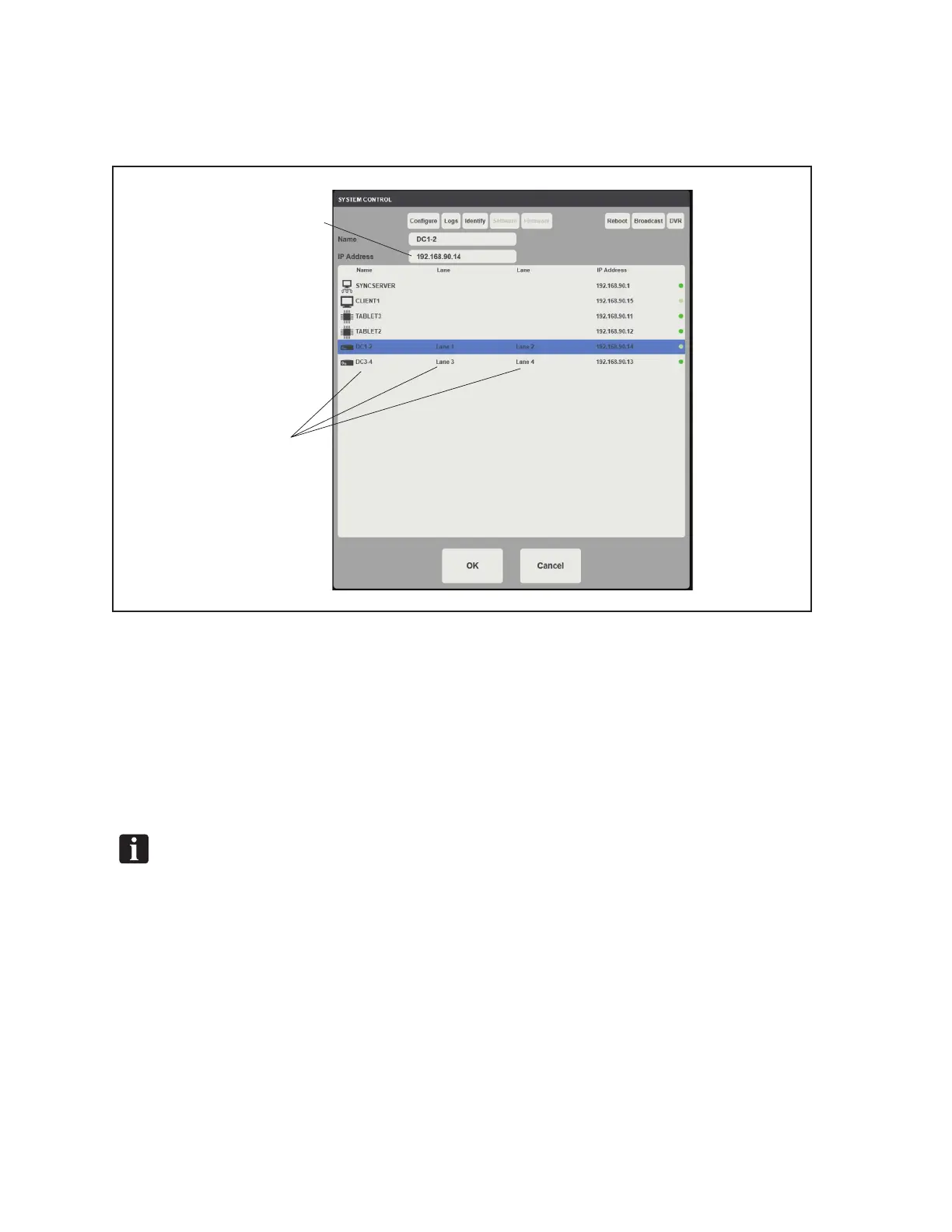
10. Find the lane pair that the replacement display controller will be assigned to. Once selected,
keep the Name the same but change the IP Address to the new IP address currently being
displayed on the overhead monitor. Refer to the gure titled System Control - New IP Address.
(1)
FIND AND
SELECT
LANE PAIR
(2)
INPUT NEW
IP ADDRESS
System Control- New IP Address
(1) FIND AND SELECT LANE PAIR (2) INPUT NEW IP ADDRESS
11. Select Congure to update the Display Controller with the new conguration information. The
Display Controller will automatically reboot.
12. Once the controller has fully rebooted, select Broadcast to notify the other components in the
system of the new controller change. Refer to the gure titled System Control - Congure and
Broadcast.
NOTE: The Congure button will “ash” when pressed. No additional notication will display
after a broadcast.



 To Next Page