62 Sync Scorer Components
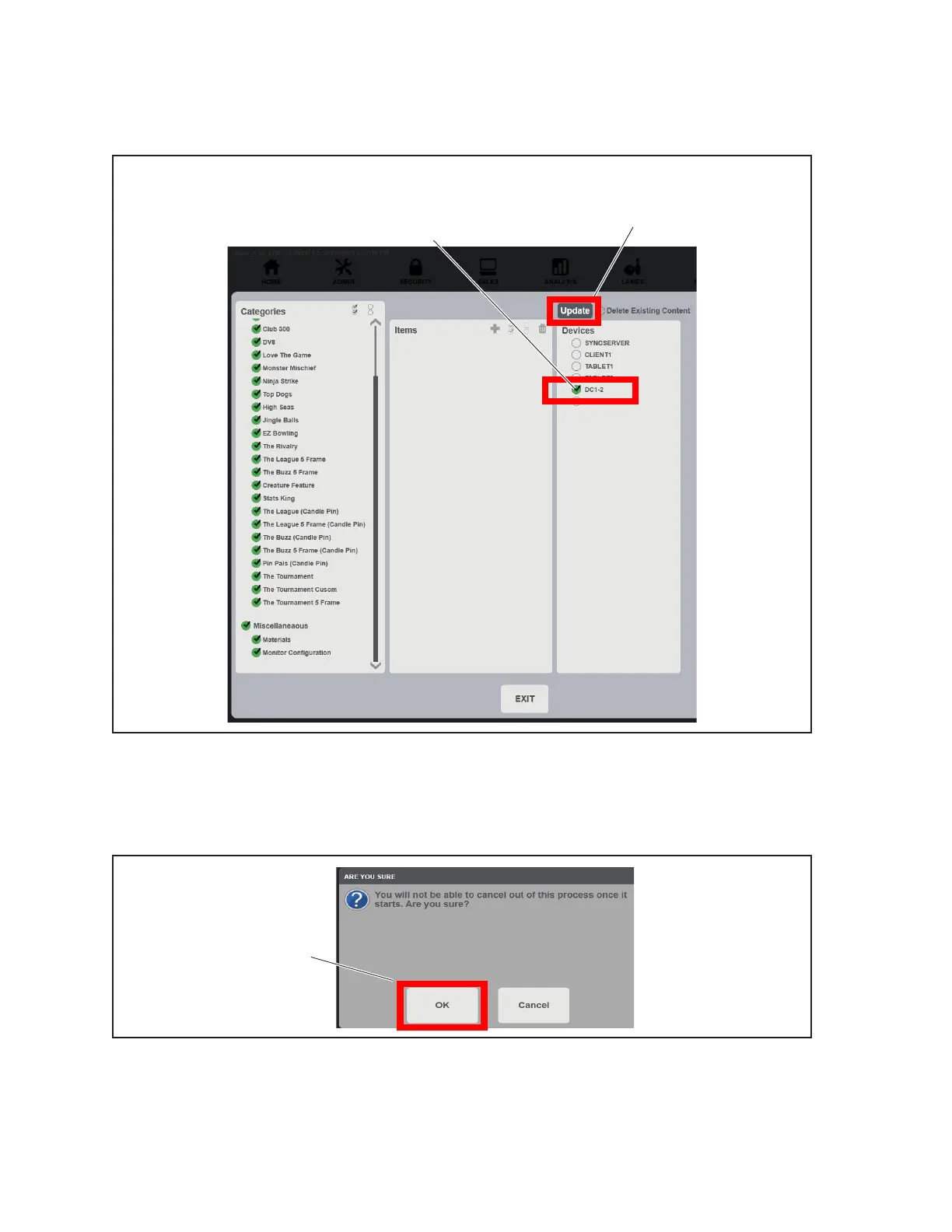
17. Under the Devices section, nd the selection for the replacement Display Controller. Click
the check mark next to that Display Controller to select it. Select Update to begin the update
process. Refer to the gure titled Update Scorers - Select Display Controller and Update.
(1)
CLICK TO SELECT
REPLACEMENT
DISPLAY
CONTROLLER
(2)
UPDATE
Update Scorers - Select Display Controller and Update
(1) CLICK TO SELECT REPLACEMENT DISPLAY CONTROLLER (2) UPDATE
18. To begin the Scorer Update process, click OK when prompted. Refer to the gure titled Update
Scorers - Are you sure?
Update Scorers - Are you sure?
(1) OK
19. IMPORTANT! Once the Display Controller has completely rebooted, assign 2 bowlers to the
lane pair using “Lite League”. Bowl on the lanes to test for proper functionality.



 To Next Page