Storing Documents that Failed to be Forwarded in Memory
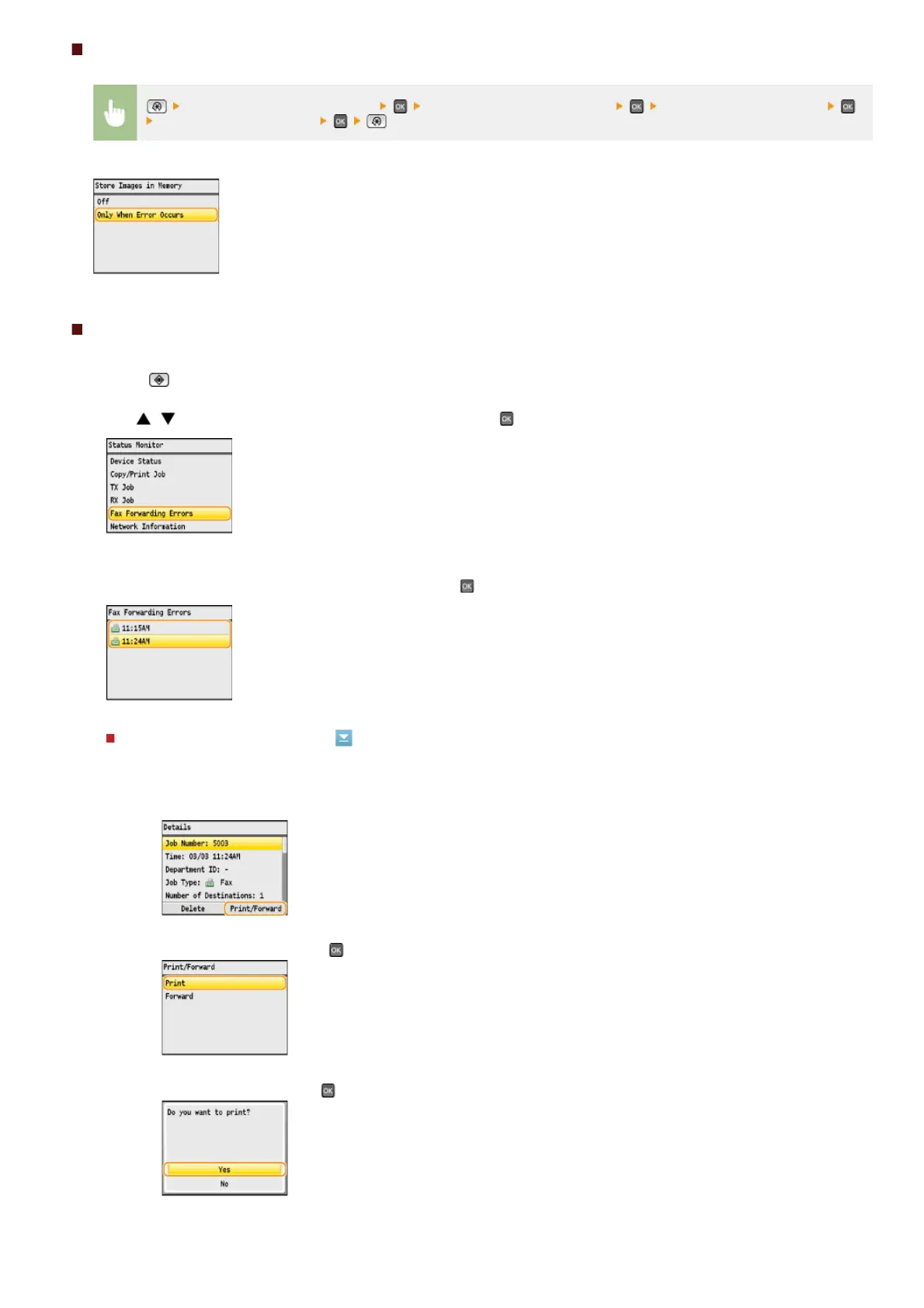
<System Management Settings> <Store/Print When Forwarding> <Store Images in Memory>
<Only When Error Occurs>
Printing/Resending/Deleting Documents Stored in Memory
Press (Status Monitor).
Use / to select <Fax Forwarding Errors>, and press .
Select the document you want to check, and press .
To print the checked document
1
Press <Print/Forward>.
2
Select <Print>, and press .
3
Select <Yes>, and press .
1
2
3
㻝㻢㻢㻌㻛㻌㻢㻣㻢











 To Next Page