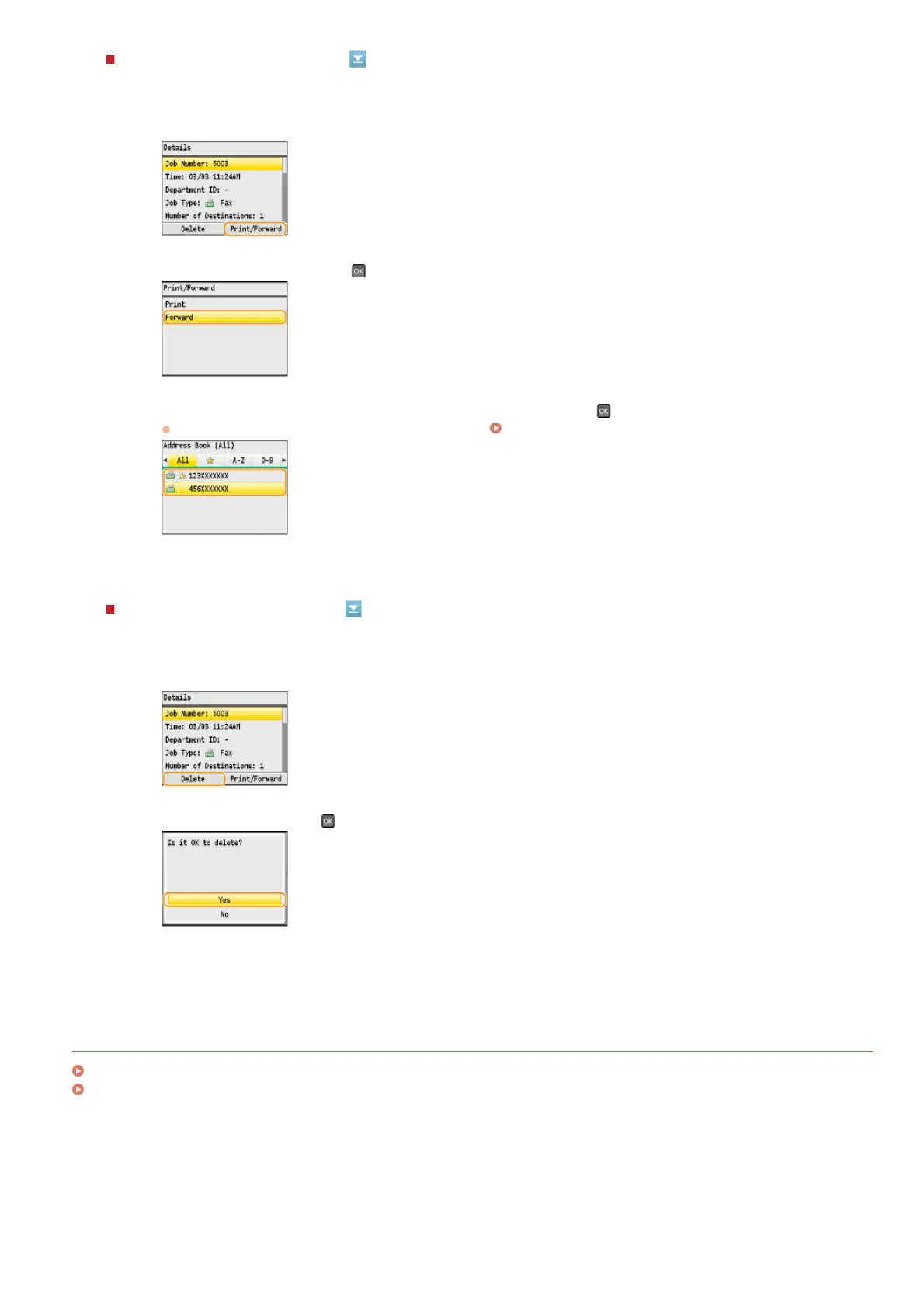
To resend the checked document
To delete the checked document
LINKS
Receiving Faxes
Checking Status and Log for Sent and Received Documents
1
Press <Print/Forward>.
2
Select <Forward>, and press .
3
Select the forwarding destination from the Address Book, and press .
For instructions on how to use the Address Book, see
Specifying from Address Book (Fax).
1
Press <Delete>.
2
Select <Yes>, and press .
㻝㻢㻣㻌㻛㻌㻢㻣㻢











 To Next Page