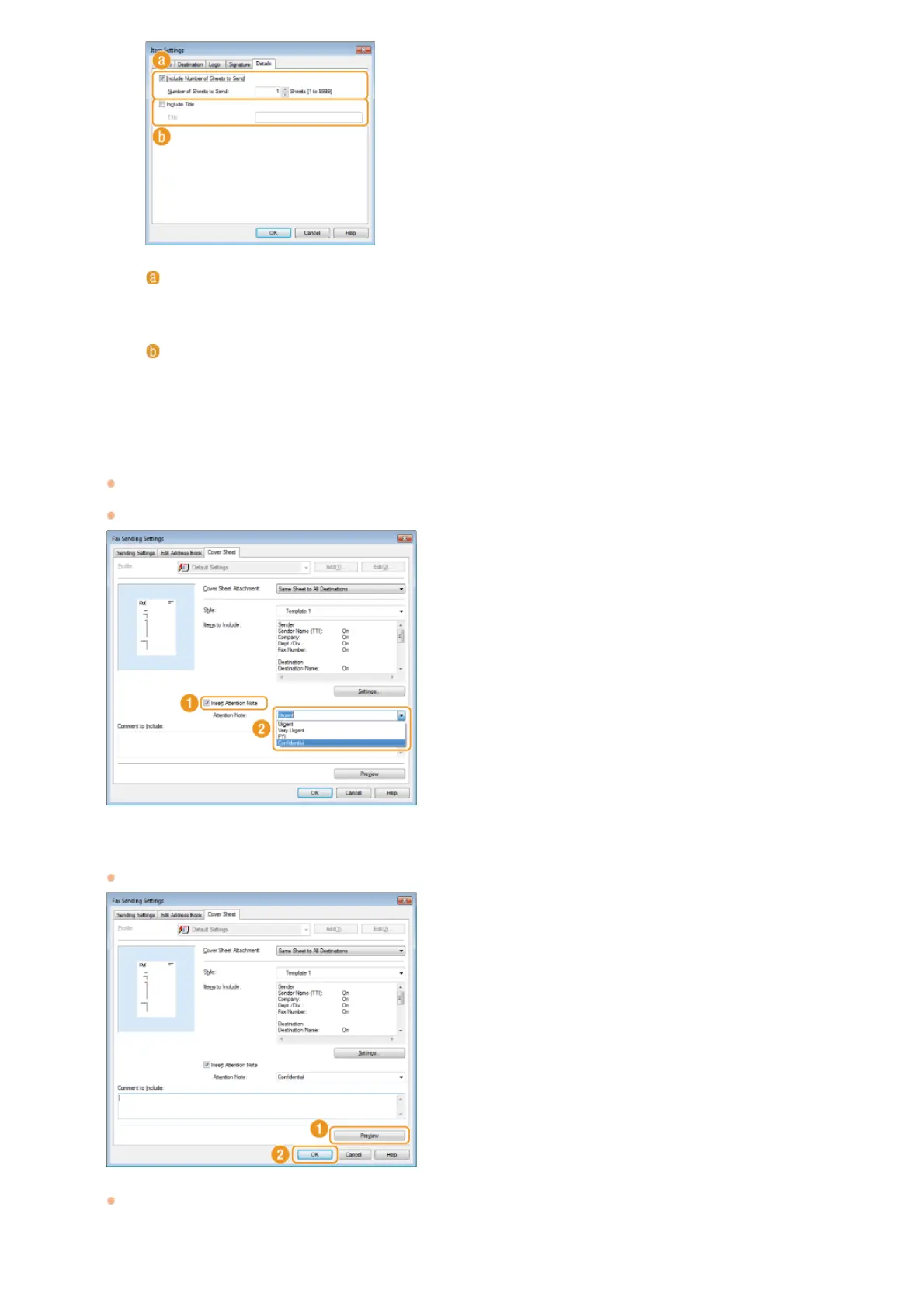
If you want to insert an attention note, select [Insert Attention Note] and select a note from the [Attention
Note] drop-down list.
Attention notes such as "Urgent" and "Confidential" are available. You can also enter characters directly in [Attention Note]
instead of selecting a note from the list.
You can also add comments in [Comment to Include].
Click [Preview] to check the contents of the cover sheet, and if everything is correct, click [OK].
To modify the contents, perform the steps from 3 again.
The specified cover sheet is attached to the fax when the fax is sent.
[Include Number of Sheets to Send]
Select this check box if you want to include the number of sheets that you are going to send in the cover sheet
and specify the number of sheets in [Number of Sheets to Send]. The number of sheets to send is not counted
automatically. The value specified here is included in the cover sheet.
[Include Title]
Select this check box if you want to add a title to the cover sheet and enter the title in [Title].
4
5
㻝㻣㻣㻌㻛㻌㻢㻣㻢











 To Next Page