<2-Sided> (MF8580Cdw / MF8550Cdn / MF8540Cdn Only)
<Print Date>
<Print File Name>
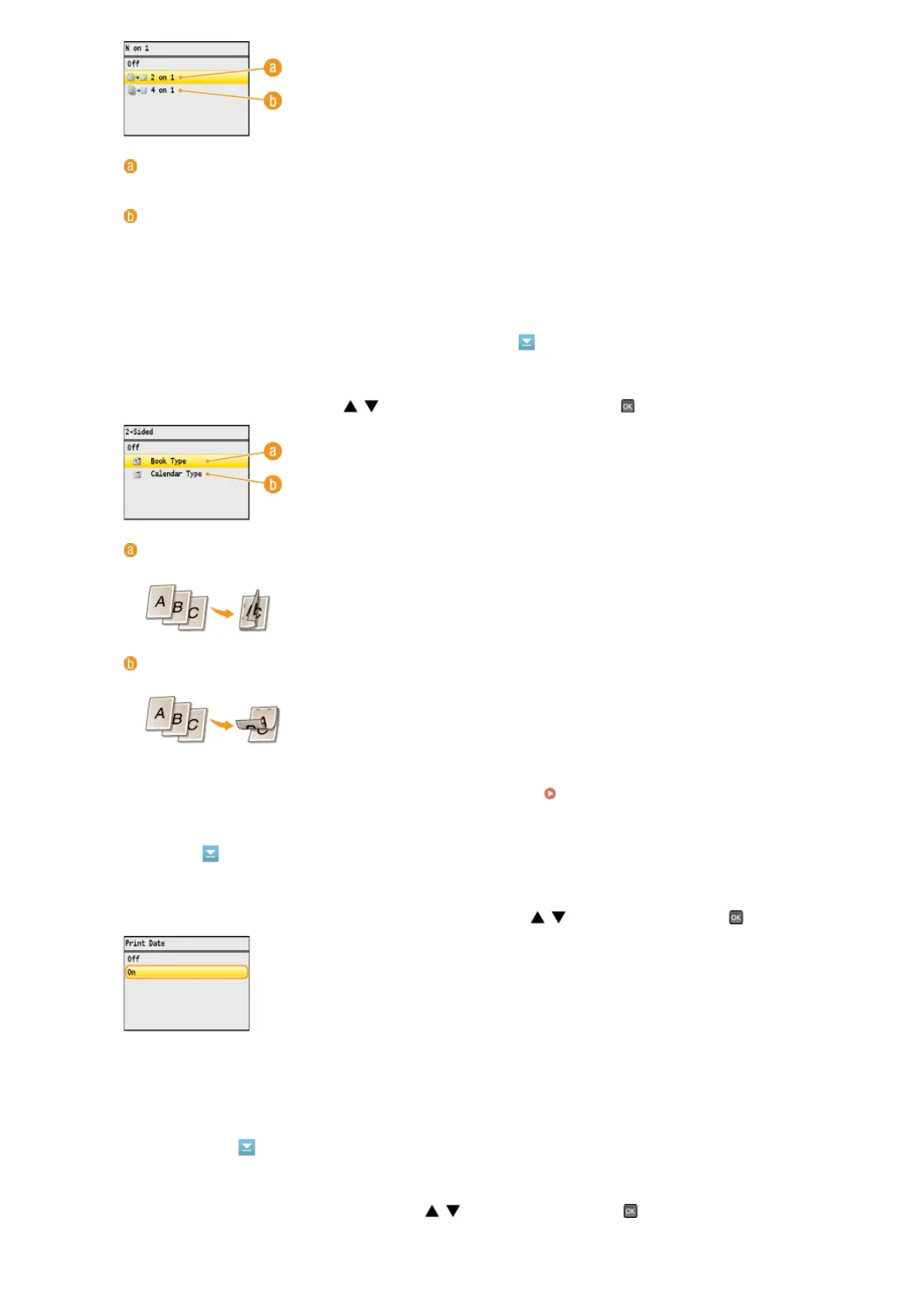
<2 on 1>
Prints two images onto a single sheet.
<4 on 1>
Prints four images onto a single sheet.
NOTE:
<N on 1> is not available for printing TIFF files.
You can make 2-sided printouts. Use / to select the binding position, and press .
<Book Type>
Prints images in such a way that the printed pages are opened horizontally when bound.
<Calendar Type>
Prints images in such a way that the printed pages are opened vertically when bound.
NOTE:
<2-Sided> may not be available with some sizes or types of paper.
Paper
You can print the modification date of the file below each image. Use / to select <On>, and press .
NOTE:
Although <Print Date> is not available for Index Print, the modification date of the file is automatically printed below each
image.
You can print the file name below each image. Use / to select <On>, and press .
㻞㻟㻡㻌㻛㻌㻢㻣㻢











 To Next Page